



This item is no longer available.
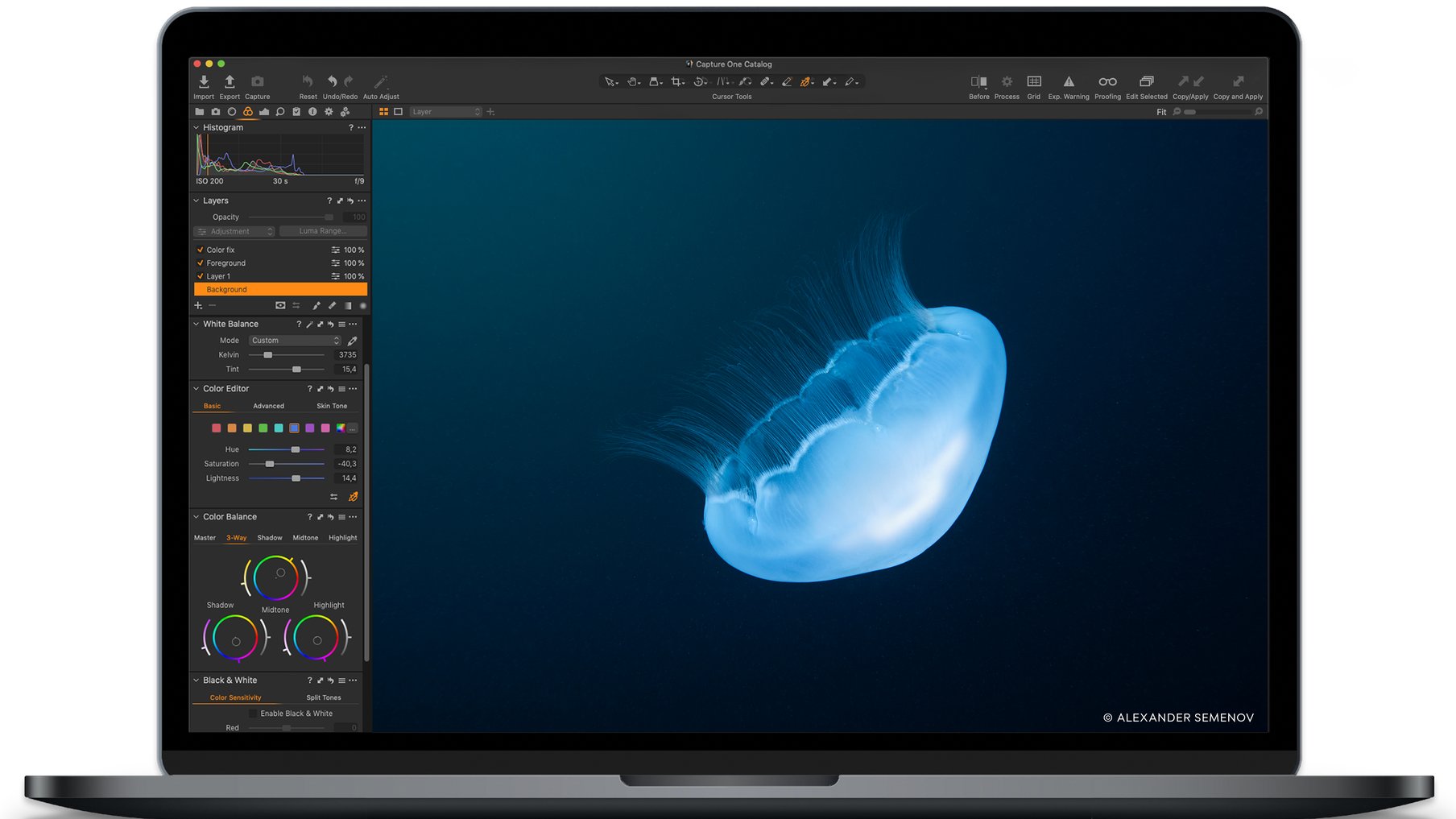
With the Pro 20 Photo Editing Software Key Card, you can unlock a world of unparalleled photo editing capabilities. This advanced software is designed for photographers seeking a smoother, more precise editing experience. It offers a comprehensive suite of tools that enable you to take complete creative control over your photos, from endless adjustment possibilities to powerful masking, layering, and color tools.
The Pro 20 Photo Editing Software ensures the highest image quality, offering custom color and lens profiles for all major cameras. It also boasts superior noise reduction for high ISO shots, allowing you to start your editing process with the sharpest details and most natural colors.
The software's smart interface allows you to edit photos faster and more efficiently. Customize your workspace, arrange tools as per your preference, and program keyboard shortcuts for faster work. The organization tools offered by the software help you stay on top of projects and files, making file management simple and efficient.
As the industry leader in tethered capture, the Pro 20 Photo Editing Software allows you to live review your photos by shooting directly to your computer. It also offers a full range of tools designed to give you full control of all aspects of the editing process, from preserving and recovering to optimizing all information from your RAW files.
The software's advanced features include exposure, contrast, and saturation adjustments, high dynamic range control, curves and levels, clarity & structure enhancement, film curves, styles and presets, and much more. It also offers advanced masking options, including radial gradient, linear gradient, and luminosity masking.
The Pro 20 Photo Editing Software also provides healing and cloning tools, feather mask & refine mask features, and gray scale mask visualization. It offers robust asset management tools, including catalogs & sessions, process recipes, efficient image selection, rating, culling, filters & smart albums, keywords and keyword lists, and PSD round-trip support.
The software also supports customizable workspaces, tethered capture, tokens, keyboard shortcuts, annotations, and copy adjustments. With the Pro 20 Photo Editing Software Key Card, you can streamline your photo editing process, enhance your creativity, and produce stunning images with ease and precision.