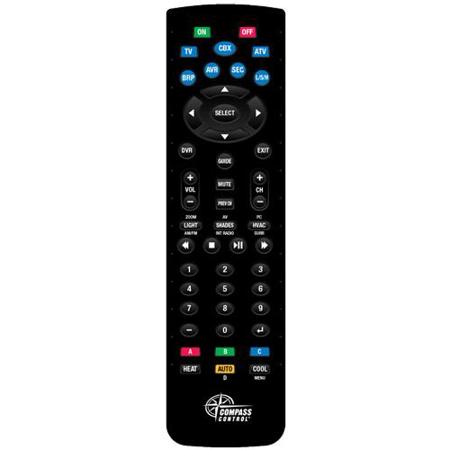
Key Digital KD-ZRC300 ZigBee Wireless 2.4 GHz & IR Universal Handheld Remote Control
SKU: KDZRC300
This item is no longer available.
Share:
Overview
Compare
Specs
Protection







About Key Digital KD-ZRC300
KD-ZRC300 features ZigBee wireless communication, as well as line-of-sight IR support, and is the first universal remote control from Key Digital's Compass Control series
Features
48 Programmable Hard Buttons: For IR and/or RF ZigBee commands programmable with Compass Navigator PC Software
Programming Support: Unlimited macro and variable actions
ZigBee Signal Transmission: Up to 100' through walls, doors and floors
Device Control: Up to 7 devices with line-of-sight IR control or up to 9 devices with RF Wireless 2 .4 GHz ZigBee control
Backlight: Motion detected automatic backlighting . The backlight will turn on when movement is detected and will stay on for five seconds after movement has stopped.
USB: Recharging Batteries
RS-232: Programming
Multiple System Modes:
• Idle Mode: Power Saving mode while remote is not in use
• Active Mode: Device switches to Active Mode after a button is pressed or motion is detected . Stays in Active Mode for 5 seconds .
• Low Battery Mode: Activated when the battery has dropped below 2 .4V . Backlighting and Configuration Mode are unavailable.
• Configuration Mode: To setup and configure the remote
Indication Keys (On/Off):
• Low Battery indicator: Power OFF LED blinks every one second while in active mode
• Battery Charging indicator: Power ON LED blinks every one second while in active mode
• Full Charge indicator: Both Power ON and OFF LEDs blink every one second while in active mode
• Configuration Mode indicator: Both Power ON and OFF LEDs are steadily illuminated
7 Device Keys: The selected Device Key LED will remain illuminated to indicate which device is selected