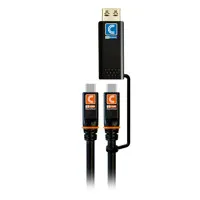
Computers and similar electronic devices used to require a range of cords and cables to function. Fortunately, USB cables have replaced many of the other types of cords so you can streamline your computing and charging setups.
Understanding USB Cables and Adapters
Universal serial bus (USB) cables perform two important functions: they provide power and they carry signals between devices. For example, when you connect your phone to a computer via a USB cable, that same cable will transfer files between the devices and charge your phone.
When you don’t have the right cable port or plug available, you can rely on an adapter to help you bridge that gap.
Common USB Cable Series and Types
There are a few different varieties of USB cables available. Some of these series have the same shape of plug, while others have their own unique design and features.
Series like USB 1.0, 1.1, 2.0, 3.0, 3.1, and 3.2 all feature the same full-size, rectangular USB plug. You can plug any of these USB cords into a traditional USB port and send both power and information across the cable.
USB C and USB 4 are the most modern series and have a smaller plug shape with rounded sides. Many people prefer this type because you don’t have to worry about which side is the top or bottom when plugging them in.
USB Cable Speeds
The speed of information traveling through your USB cable can make a big difference when transferring files from a USB-connected hard drive. Generally, higher USB series numbers feature faster read and write speeds. For example, a USB 3 cable transmits faster than a USB 1 cable.
It’s important to remember that even the fastest cables are still limited by the ports they connect to. For example, if you have an older computer with USB 2.0 ports, they will restrict the speed of newer USB 3.1 or 3.2 cables.
Helpful Features to Look for in USB Cables
USB cables come in many lengths from short 1-foot runs perfect for connecting peripheral devices like hard drives, to 6-foot long cables commonly used for charging cell phones or reaching distant devices. There are also right-angle plugs, which take up less space and provide a cleaner look when running cables across a desktop.
Pro-Grade USB Cables and Adapters
For the most reliable charging and data transmission, look for USB cables and adapters by top brands like C2G, IOGEAR, J5 Create, Tether Tools, and Comprehensive.