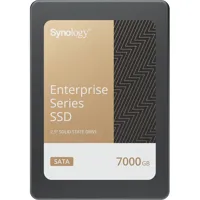
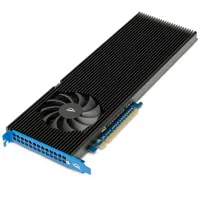
If you're looking to build a computer from scratch or upgrade your current machine's storage capacity, an internal solid-state drive (SSD) can be an effective way to increase performance. SSDs have no moving parts, are silent, and are typically physically far smaller than a more traditional hard drive, which means they've got plenty of advantages.
Crucially, internal SSD drives also use the same kind of technology as computer memory, so they're far faster than conventional hard disks. They offer far higher data access speeds for games, videos, work files, and anything else, so your entire PC will feel the benefit.
What is an SSD drive?
Computer storage comes in two basic forms. The "old school" version looks like a stack of CDs on the inside. These work by storing data on disks that rapidly spin, and sometimes you can hear the disks depending on how close are to your PC. These are called hard disk drives or just hard disks.
Internal SSD drives have no moving parts, with all of the data stored on solid computer chips. This is why they're called solid-state drives.
Internal SSD drives are manufactured in several different sizes so they can fit inside all kinds of PCs and laptops. More affordable and slower SSDs tend to use a format called SATA, and these drives have a 2.5” wide design. They slot into the same bays as hard disks inside most PCs. Newer, faster, and more expensive SSDs use a format called M.2 or NVMe, and these drives are small and slim at less than an inch wide and only a couple of inches long.
No matter the size of the drive, an internal SSD drive will always be faster than a hard disk, and they're still storage drives as far as your computer is concerned.
What's better: SSD or HDD?
Both types have their strengths and weaknesses. HDDs have a much greater price-per-gigabyte ratio and they tend to have higher capacities, too. In other words, a hard disk gives you more space at a lower price.
SSDs, on the other hand, are much faster. Computer boot-up times, game loading times, and tough workloads are far faster if your PC uses an SSD instead of a hard disk. They tend to have smaller capacities, though, and they're almost always more expensive than hard disks.
What capacity should you get?
A safe piece of advice is to buy an SSD that's "as big as you can afford." If you plan to install a library of games, or store a lot of videos, then definitely go big. Photos, music, and other types of files don't take up as much space so you may be able to get away with a smaller, cheaper drive.
What brands make internal SSD drives?
Internal SSD drives are made by leading brands like Samsung, Seagate, Crucial, Western Digital, and others.