


Picture does not represent the actual item

Picture does not represent the actual item
Need help? Ask our experts.
Switch Between Two DisplayPort Sources
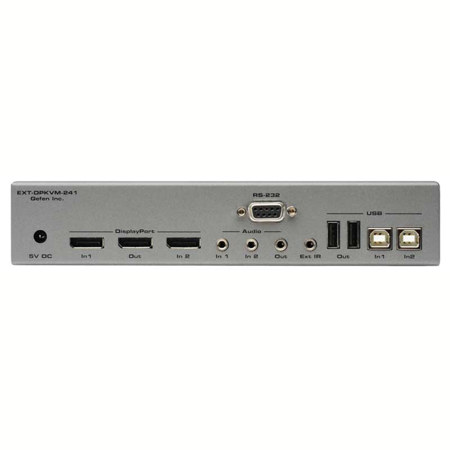
Switch between two computers effortlessly using the Gefen 2x1 DisplayPort KVM Switcher, utilizing one display and one USB 2.0 port for a keyboard and mouse. Switch audio, video and control signals for each computer. Access two computers from one workstation without having to use a network. Switch through the front panel "select" button, using the supplied IR remote control or via the RS232 port. The Gefen DisplayPort KVM Switcher is compatible with both Macintosh and PC keyboards, mice and displays.
How It Works
Connect a DisplayPort display and USB 2.0 keyboard/mouse to the Gefen DisplayPort KVM Switcher output. Connect DisplayPort, USB and audio ports on both computers to the Gefen DisplayPort KVM Switcher input using the supplied cables. If the source and/or display is not DisplayPort compliant, a protocol-specific protocol adapter will be required in order to connect the source to the Switcher and/or the Switcher to the high-resolution display.
Features
• Switches one High-Resolution Display between two DisplayPort-equipped computers with audio/video and USB keyboards
• Supports resolutions up to 2560 x 1600
• Supports RGB and YCbCr color spaces
• DisplayPort utilizes a compact connector for easier installations
• 1U tall, half-rack width enclosures are rack-mountable using EXT-RACK-1U
