


+6
more
more

See Options
Need help? Ask our experts.
Have it your way
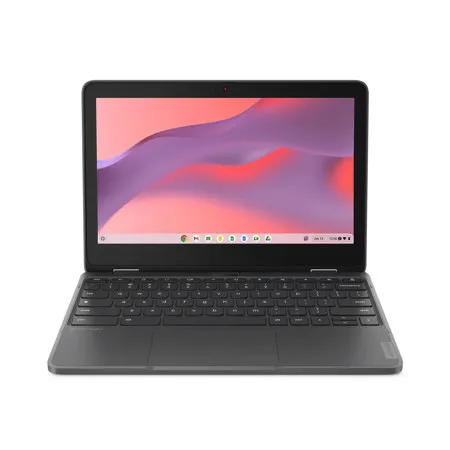
Students can interact with the Lenovo 300e Yoga Chromebook in many ways. As well as an integrated keyboard for typing, it has an 11.6-inch HD multitouch display that works with an optional garaged pen. So, whether they want to type, or use the stylus pen or their fingers to write or draw directly on screen, this educational device is more than ready.
As flexible as you are
With its unique 360-degree hinge, the Lenovo 300e Yoga Chromebook can be used differently to suit your needs. Finishing a paper? Use it as a laptop. Catching up with news and sport? Flip it into a tablet. Presenting to the class? Switch it to tent mode. Binge-watching your favorite show? Stick it in stand mode and kick back. The choice is yours.
Seamless & secure
Thanks to ChromeOS and the Google-designed H1 security chip, the Lenovo 300e Yoga Chromebook is secure by design. Students can browse the web more safely, while being better protected from phishing, ransomware and malicious apps. Coders can test their work in a safe, isolated environment. And regular security updates happen automatically in the background.
Street tough meets classroom tough
When going to and from school or rushing from class to class, things can happen. That's why the Lenovo 300e Yoga Chromebook meets MIL-SPEC-810H standards and our own DuraSpec criteria for student laptops, including a 360cc water spill test and 76cm drop on concrete. The top-loading keyboard is spill-resistant and has full-skirt, antipry keys. And should you need ever need to repair anything, the captive screws only have to be loosened, not fully removed.
It's the little things that counts
The Lenovo 300e Yoga Chromebook is designed with students and school life in mind. It's also the gateway to a world of learning and fulfilment via the Chrome Web Store. What's more, students can multitask with ease and have various windows and Chrome browser tabs all open at the same time. And it has a long battery life that can run all day and well into the night.
Practical yet empowering
Whether students need to access the internet or plug in headphones or a battery pack, the Lenovo 300e Yoga Chromebook is more than ready. It has a number of ports, including a full-function USB-C port, perfect for charging, transferring files, and more. It also comes with a suite of free productivity tools via Google Workspace for Education Fundamentals, easy-to-use tools that offer a flexible and secure foundation for learning, collaboration, and communication.
https://support.lenovo.com/us/en
855-253-6686







