


+8
more
more

See Options
Need help? Ask our experts.
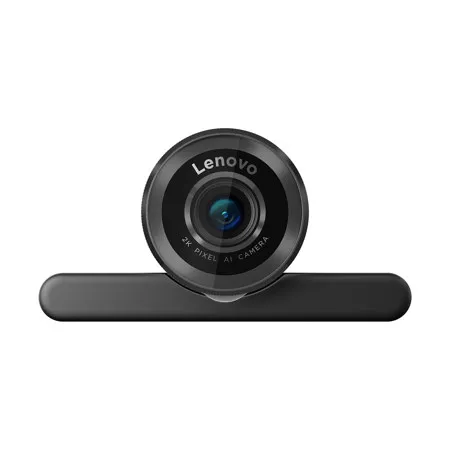
The Lenovo QHD Webcam redefines webcam technology with 2K resolution, superior image quality, innovative design, and Microsoft Teams certification, it seamlessly integrates into collaborative work environments. Advanced AI features like auto-framing, face AE/AF, and AI noise reduction enhance communication and productivity. It's not just a webcam; it's a comprehensive solution revolutionizing video conferencing with its advanced technology and functionality.
Crystal Clear Video with 2K Resolution
Delivering crisp, vibrant visuals (3.6 Megapixels) for every call.
Seamless Auto-Focus. No Hands Required
AI-driven focus ensures you're always sharp, even on the move.
Dynamic Exposure, Superior Video
AI Auto exposure optimizes lighting and clarity for the best visual experience.
Outstanding Picture Quality in Any Lighting
Featuring HDR and low-light enhancement.
Smart Face Tracking with AI
Ensures you're always centered in the shot without effort.
Certified for Microsoft Teams
Compatible with leading UC platforms.
Selectable FOV for Your Ideal Angle
Choose from 90 Degree , 78 Degree , or 65 Degree .
AI Noise Cancellation Reduction
The directional mic with AI Deep Neutral Network ( DNN ) filter out unwanted background sounds.
Control Your Privacy
Safeguard your privacy with the integrated built-in shutter.
Tailor Your Experience
Customize device settings with LADM (Lenovo Accessories and Display Manager) software.
Effortless Setup in Seconds
Easily connect to your laptop, monitor or tripod for quick, hassle-free use.
https://support.lenovo.com/us/en
855-253-6686







