


+1
more
more

This item is no longer available.
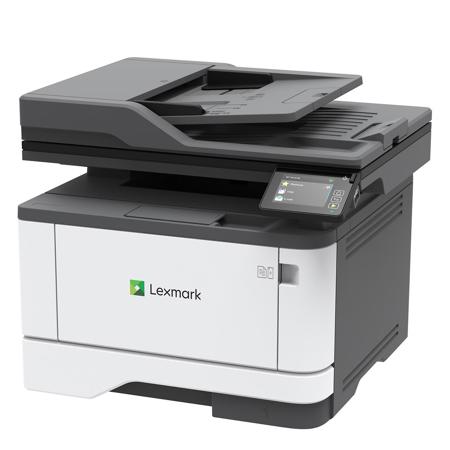
MB3442adw
Light, compact, and fast, the MB3442adw multifunction supports output up to 42 pages per minute, plus double-side automatic scanning, copying, faxing, and touch-screen convenience. Connect via USB, Ethernet, or Wi-Fi and add an optional 550-sheet paper tray or available Extra High Yield Unison toner offering up to 6,000 pages for longer print runs.
Compact monochrome versatility
• Get monochrome output at up to 42 pages per minute, with a first page as fast as 5.9 seconds
• Capture documents with double-side automatic scanning at up to 96 letter-size images per minute
• Tackle your workload with the power of a 1-GHz dual-core processor and 512 MB of memory
• Compact dimensions of 13.3 inches high x 16.2 inches wide x 14.4 inches deep (339 mm high x 411 mm wide x 366 mm deep) help it fit almost anywhere
Connect and command
• Connect via Wi-Fi, Ethernet and USB
• Simplify mobile printing via Lexmark Mobile Print app, as well as Google Cloud Print, Mopria and AirPrint technologies
• Take command of printing, copying, faxing, and automatic two-sided scanning with a 2.8-inch (7.2 cm) color touch screen
• Built-in cloud connectors help you save scans to and retrieve files from popular cloud services Box, DropBox, Google Drive, and Microsoft OneDrive
Sustained output, enduring quality
• Available Extra High Yield Unison toner provides up to 6,000 pages of output for more printing and less downtime
• Optional paper tray increases total input capacity to 900 sheets to support longer print runs and enhanced media flexibility
• Steel frame and lifetime imaging components mean long life and minimal maintenance
Robust, built-in security
• Lexmark's full-spectrum security architecture helps keep your information safe-in the document, on the device, over the network, and everywhere in between
• A range of embedded features harden the device against attacks
• Standard Confidential Print feature helps ensure output security via simple PIN
Save paper, save energy
• Automatic two-sided printing is standard
• Built-in energy-saving modes help support ratings of EPEAT Silver and ENERGY STAR certified
• The Lexmark Cartridge Collection Program (LCCP) and Lexmark Equipment Collection Program (LECP) minimize waste and support recycling (availability varies by country)
