
Orders placed during Passover Holiday (Wed 4/1 after 4PM ET – Thurs 4/9) will ship Fri 4/10. View our holiday shipping schedule.

Overview
Compare
Specs
Protection

Reviews about this item

Review Summary

Select a plan in the Add Protection section above and purchase with this product by clicking “Add to Cart”.

image-protection

TRUSTED PROTECTION PLANS, EXCEPTIONAL SERVICE.

Invest In Your Gear and Peace Of Mind!

Accidents happen where life happens. Protect your favorite Adorama products and purchase a protection plan to stay covered from accidental damage, mechanical or electrical failure, and more.

Repair or Replacement

Repair or Replacement

If we can’t fix it, we’ll replace it at no additional cost.

Accidental Damage

Accidental Damage

Protect your product from drops, spills, and more.

Peace of Mind

Peace of Mind

Enjoy your gear without fear. We have you covered!

Malfunction Protection

Malfunction Protection

When regular use of your product over time results in mechanical or electrical failure.

Zero Deductible

Zero Deductible

We will never charge you a deductible after the purchase of a plan.

Customer-Focused Support

Customer-Focused Support

Our claims process is simple & easy and our customer service team is happy to help.

Adorama Protect powered by Extend is available for purchase to customers in the United States. Not available for purchase Internationally or in U.S. Territories.

Logitech MX Master 3 Advanced Specifications

  • Color

    Mid Gray

  • System Requirements

    Unifying USB Receiver:
    Required: Available USB port
    Windows 10,11 or later
    macOS 10.15 or later
    Chrome OS
    Linux

    Bluetooth:
    Required: Bluetooth low energy technology
    Windows 10,11 or later
    macOS 10.15 or later
    iOS 13.4 or later
    iPadOS 14 or later
    Linux
    Chrome OS
    Android 5.0 or later

  • Sensor technology

    Darkfield high precision

  • Nominal value

    1000 dpi

  • DPI (Minimal and maximal value)

    200 to 4000 dpi (can be set in increments of 50 dpi)

  • 7 Buttons

    Left/Right-click, Back/Forward, App-Switch, Wheel mode-shift, Middle click

  • Scroll Wheel

    Yes, with auto-shift

  • Thumbwheel

    Yes

  • Gesture button

    Yes

  • Wireless operating distance

    33' (10m)

  • Wireless technology

    Advanced 2.4 GHz wireless technology

  • Scrolling

    MagSpeed + Smartshift

  • FLOW Control

    up to 3

  • 4000 DPI Track Anywhere Sensor

    Yes

  • Power

    Rechargeable USB-C to A / 70 days

  • Size

    Full-size

  • Connectivity

    Bluetooth & USB Unifying

  • Compatibility

    Windows, Linux, macOS

  • Adobe Creative Cloud

    Complimentary 1-month Adobe Creative Cloud subscription

  • Battery

    Rechargeable Li-Po (500 mAh) battery
    Get three hours of use from a one-minute quick charge

  • Battery Info

    Required, included

  • Battery Material

    Lithium ion

  • Battery Type

    Non-universal

  • Battery Quantity

    1

  • Dimensions (H x W x D)

    MX Master 3 Mouse: 4.92 x 3.32 x 2.01" (124.9 x 84.3 x 51mm)
    Unifying USB Receiver: 0.72 x 0.57 x 0.26" (18.4 x 14.4 x 6.6mm)

  • Weight

    MX Master 3 Mouse: 4.97 oz (141g)
    Unifying USB Receiver: 0.07 oz (2g)

  • UPC Code

    097855151568

About Logitech MX Master 3 Advanced

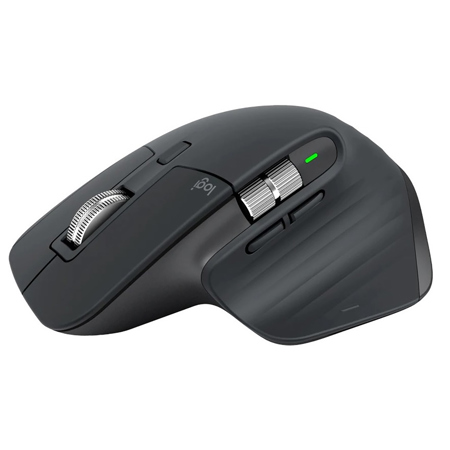
An advanced, precise mouse designed for creatives and engineered for coders, featuring a side wheel for extra comfort and a natural feel.

Meet The Master
MX Master 3 is instant precision and infinite potential. It's the most advanced Master Series mouse yet - designed for creatives and engineered for coders. If you can think it, you can master it.

Scroll 1,000 Lines In 1 Second
We reinvented the wheel. All-new MagSpeed Electromagnetic scrolling is precise enough to stop on a pixel and quick enough to scroll 1,000 lines in a second. Oh, and it's nearly silent.

The wheel's machined steel gives it a premium tactility and enough weight to offer a dynamic inertia you feel - but don't hear.

• 90% Faster
• 87% More Precise
• Ultra Quiet

Crafted Form Meets Intuitive Control
Work comfortably with a silhouette perfectly crafted for the shape of your palm. Create, make, and do more intuitively with ideally-placed front/back, and gesture buttons - and a new thumb wheel.

Work Faster With App-Specific Customizations
Customize MX Master 3 and configure every action for your specific workflow. MX Master 3 is fully customizable in nearly every app you use - and you'll work faster with predefined customizations optimized for your favorite apps - Adobe Photoshop, Adobe Premiere Pro, Final Cut Pro, Google Chrome, Safari, Zoom, Microsoft Teams, Word, Excel, PowerPoint, and Edge.

App-Specific Settings Tutorial
See demonstration video on how to use MX Master 3 in your everyday applications.

Multiple Computers, One MX Master 3
Seamlessly control multiple computers with your Flow-enabled MX Master 3 by simply moving your cursor to the edge of the screen. Your MX Master 3 flows with you, even between Windows and macOS operating systems.

Effortlessly transfer text, images, and files between computers - just copy on one and paste to the other.

Track Faster - On Virtually Any Surface
MX Master 3 is faster and 5x more precise than the basic so you hit the right pixel every single time. Logitech Darkfield Tracking allows you to track on virtually any surface - even glass - with best-in-class 4000 DPI precision.

• 5X More Precise
• 4000 DPI Sensor Resolution

USB-C Quick Charging
MX Master 3 stays powered for up to 70 days on a full charge - and gets three hours of use from a one-minute quick charge. Use the included USB-C charging cable to top up the power.

• 70 Days on A Full Charge
• 3 Hours of Use From 1 Minute Charge
• USB Type C

Features

Multi OS
MX Master 3 works with Windows, macOS, and Linux operating systems.

Easy-Switch Enabled
Pair your mouse with up to three devices and switch between them with the touch of an Easy-Switch button. Use one MX Master 3 for your laptop, home computer, and office desktop.

Ready for Video Calls
Make meetings a breeze with predefined settings for Microsoft Teams and Zoom. Instantly mute and Start/Stop the video with the two buttons on the left side of your MX Master 3.
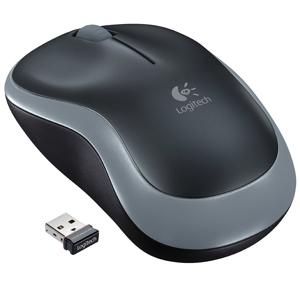
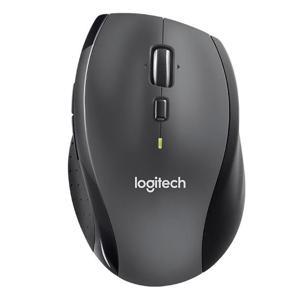
Logitech MX Master 3 Advanced Features

  • It's the most advanced Master Series mouse yet - designed for creatives and engineered for coders
  • Scroll 1,000 Lines In 1 Second
  • Crafted Form Meets Intuitive Control
  • Work Faster with App-Specific Customizations
  • App-Specific Settings Tutorial
  • Multiple Computers, One MX Master 3
  • Track Faster - On Virtually Any Surface
  • USB-C Quick Charging
  • Multi OS
  • Easy-Switch Enabled
  • Ready for Video Calls

Key Features

  • It's the most advanced Master Series mouse yet - designed for creatives and engineered for coders
  • Scroll 1,000 Lines In 1 Second
  • Crafted Form Meets Intuitive Control
  • Work Faster with App-Specific Customizations
  • App-Specific Settings Tutorial
  • Multiple Computers, One MX Master 3

What's in the box:

  • Logitech MX Master 3 Advanced Wireless Mouse (Mid Gray)
  • Unifying USB Receiver
  • USB-C Charging Cable (USB-A to USB-C)
  • User Documentation
  • Logitech 1 Year Limited Warranty