
This item is no longer available.
Best Keyboard and Mouse Combination yet...
I really like the feel and low profile of this keyboard and the mouse is easy to use as well. The backlighting is adjustable as the lighting conditions vary in my office/studio depending upon the time of day and the activity I am engaged in. The fact that these units can go longer without recharging is a very nice bonus...
great for home office.
love the typing experience and the ergonomic mouse!
Performance Combo
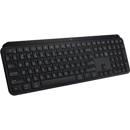
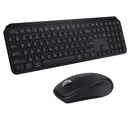
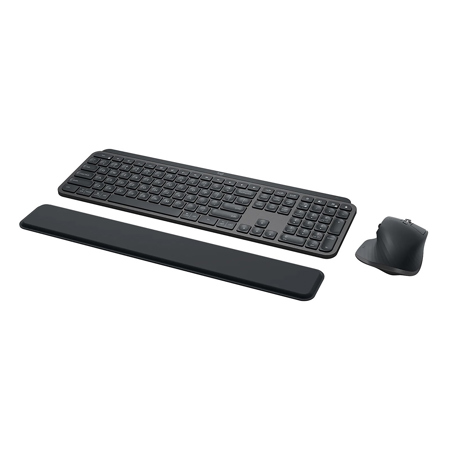
Meet the MX Keys for Business and MX Master 3 for Business combo with palm rest. It's the ultimate key to productivity, giving analysts, creators and coders with advanced workflow needs the power to truly master what they make.
The MX Master Series By Logitech. Indispensable For Specialty Work
The Unique Master Series Experience
MX Keys Combo for Business is part of the MX series. Built on decades of scientific expertise in human interaction, we create intuitive, human-centered experiences. From ergonomic design to MagSpeed scrolling to Perfect Stroke keys, the MX Series delivers experiences that are addictive, enhancing people's performance.
Builders of The Future
The MX Series is designed for people with highly specialized workflow needs like coders, creatives and analysts. With MX Keys Combo for Business, users can scroll through 1,000 lines of code or rows of data in a second or examine line-by-line. Users can also type on a keyboard crafted for stability and precision where every keystroke is fluid, natural, and accurate. If they can think it, they can master it.
Versatile Cross-Platform Compatibility
MX for Business products work with leading enterprise operating systems and business apps-across desktops, laptops, tablets, even keyboards for smartphones. This makes global deployment seamless.
Greater Productivity with Options
Logitech Options is a software app that enables users to customize their MX Series experiences-including MX Keys Combo for Business-helping streamline repetitive tasks to maximize productivity. It combines years of hardware excellence with software smarts.
Stability and Comfort
Balanced design meets high-quality materials to promote comfort, confidence, and focus at the desk. MX Keys for Business is engineered for stability and reduced noise, backed by a single metal plate. MX Master 3 for Business is faster and 5x more precise than most basic mice. The included MX Palm Rest features a premium smooth surface, designed as the perfect companion to MX Keys for Business with all-day comfort.
4,000 DPI Track on Any Surface
Logitech Darkfield Tracking works on virtually any surface-even glass-with best-in-class 4000 DPI precision. MX Master 3 for Business is faster and 5x more precise than most basic mice.
Beat Wireless Congestion. Secure Connections Only Mode
MX Keys Combo for Business features Logi Bolt wireless technology, engineered to conquer IT challenges that can arise with both in-office and remote users. Delivering cross-platform compatibility and reliable wireless connections-even in congested wireless environments. Fully encrypted and FIPS secure when paired with a Logi Bolt USB receiver.
1,000 Lines Per Second
For users whose work requires an extra level of precision, MX Master 3 for Business features a MagSpeed scroll wheel-our fastest, quietest and most precise scrolling experience. Ratchet mode is 87% more precise, and free-spin mode is up to 90% faster-scrolls 1,000 lines in a second.
Features That Deliver
Designed For Comfortable Work
MX Master 3 for Business is made for long-working professionals to work better, faster, and more comfortably. A perfectly-crafted full-size silhouette is designed for the palm and allows for easy control access.
Multi-Computer Workflow
Multi-computer users can seamlessly switch between systems with the touch of an Easy-Switch key. Connect then switch between up to three Windows, macOS, Linux, Chrome OS, iPadOS, iOS or Android computers. The multi-device keyboard that makes workflows faster and easier.
No-Slip Support
MX Keys Combo for Business includes the MX Palm Rest which can be placed and positioned to keep hands in a relaxed position, delivering all-day comfort. Soft yet supportive memory foam is comfortable and durable - plus, it's stain-resistant and easy to clean.
Rechargeable Power
MX Master 3 works for up to 70 days on a full charge, with three hours of use from a one-minute quick charge. MX Keys works for up to 10 days on a full charge-or up to 5 months with backlighting turned off. Users can work while both devices charge with zero downtime.
IT Remote Management
IT administrators can remotely deploy and manage in mass Logi Bolt device firmware updates (DFU) and Logitech's user workflow and productivity software Logitech Options. Define software settings centrally. Push to Windows and macOS systems.
Two Ways to Connect
Connect with Bluetooth or Logi Bolt, a USB receiver that delivers security and high performance even in congested wireless environments. Two connection options offer flexibility for users, plus reliability and security for IT.
For Specialized Users
Designed for users with advanced, specialized workflow needs.
• Coders
• Creatives
• Analysts
At A Glance
Customize MX Keys Combo for Business and configure every action for each unique workflow.
Built For Workflow
Design Features
Full-size, right-handed mouse + full-size keyboard + palm rest (included)
Keyboard Functions
• Integrated numpad, arrow keys
• Microphone mute, talk-to-text and other customizable F-Keys
• Battery indicator, Caps Lock indicator
MagSpeed Electromagnetic Scroll Wheel
• Scroll 1,000 lines per second
• Nearly silent, ultra-quiet scrolling
Pre-defined Mouse Control Profiles
Adobe Photoshop, Adobe Premiere Pro, Final Cut Pro, Google Chrome, Safari, and Microsoft Word, Excel, PowerPoint, and Edge
Multi-computer, Multi-connections
• Easy-Switch mouse button and keyboard keys to work on up to 3 computers
• Logitech Flow cross-computer and OS control and file sharing
• Pair up to 6 Logi Bolt products with 1 Logi Bolt receiver
Built For Workplace
Smart Backlighting for MX Keys
• Hand proximity sensors turn the backlighting on
• Ambient light sensors adjust backlight brightness
Any-Surface Tracking with MX Master 3
Logitech Darkfield Tracking allows tracking on virtually any surface, even glass64 mm minimum glass thickness., with best-in-class 4000 DPI precision
Logi Bolt Wireless Technology
• Up to 33 feet (10 meters) wireless range, even in congested wireless environments
• Security Mode 1, Security Level 4 Federal Information Processing Standards (FIPS) Mode
• Pre-paired with Logi Bolt USB receiver out-of-box
Fast Charging, Zero Downtime
Both the mouse and keyboard are rechargeable with Li-Po batteries (keyboard 1500 mAh, mouse 500 mAh) and can be used while charging (USB-C charge port)
2 Ways to Connect, Multi-OS Compatibility
• Logi Bolt USB receiver: Windows, macOS, Linux, Chrome OS
• Direct via Bluetooth Low Energy: Windows, macOS, Linux, Chrome OS, iPadOS, iOS, Android
IT Admin Mass-deployment
• Device firmware updates (DFUs)
• Optional software: Logitech Options including Logitech Flow functionality for Windows and macOS