


+2
more
more
This item is no longer available.
VEGAS Post
Full stack production
VEGAS Post gives you everything you need for video editing, motion graphics, image composition, live streaming and sound design.
Video editing with VEGAS Pro
At the heart of VEGAS Post is video editing with VEGAS Pro. Launch clips from your timeline into VEGAS Effects for compositing or export single frames directly to VEGAS Image for editing. Produce perfect audio using SOUND FORGE Audio Studio and instantly bring all your work back into VEGAS Pro to finalize your project.
• Edit & deliver industry-leading formats up to 8K with GPU acceleration
• Captivate audiences with cinematic filters, effects, transitions and titles
• Access unlimited royalty-free stock content, cloud services and more.
HDR color science
Transform RAW high dynamic range footage into incredible scenes.
• Log color correction & grading
• Range limited color wheels
• RGB color curves
• White & black point correction
• HDR video scopes
• HDR10 & HLG in ACES 1.2 color space
Discover more VEGAS Pro
Motion tracking
Apply tracking data to objects with changing perspective.
Chroma keying
Academy Award nominated Primatte Studio from Boris FX.
Professional formats
Support for professional formats from Sony, Panasonic, RED and Blackmagic Design.
Compositing modes
Layer video and image events with alpha support & blending modes.
AI-assisted effects
Upscale low resolution footage to high definition and bring black & white footage to life with colorization.
Scene detection
Automatically detect scene changes for speedy editing.
Optical-flow slow motion
Adjustable playback rates with generated intermediate frames.
Subtitle support
Burn SRT subtitles directly into your video output.
Warp flow
Morph one clip to the next or create unnoticeable jump cuts.
Delivery
Render your output in a wide range of GPU accelerated formats.
Video stabilization
Turn shaky footage into smooth video with fine adjustment.
GPU support
Hardware acceleration for fast rendering and smooth playback.
Motion graphics with VEGAS Effects
Create photorealistic or fantasy scenes with multi-layer compositing and keyframe animation in VEGAS Effects. Work directly with clips from your VEGAS Pro timeline for a seamless round trip.
• Over 800 visual effects and presets to enhance your production
• Create eye-popping, fluid motion interactions easily with behaviors
• Use advanced particle generators, texts & titling, 3D models in realistic 3D environment, lenses and more
Proxy media & timeline cache
Transcode high-data-rate media for smooth performance as well as timeline cache for real-time playback.
BRAW support
Work with Blackmagic RAW media files for lossless quality with high dynamic range.
Discover more VEGAS Effects
Particle generator
Create rain, snow, fire, lightning or energy effects. Use turbulence, distortions and bounce for maximum impact.
Effect presets
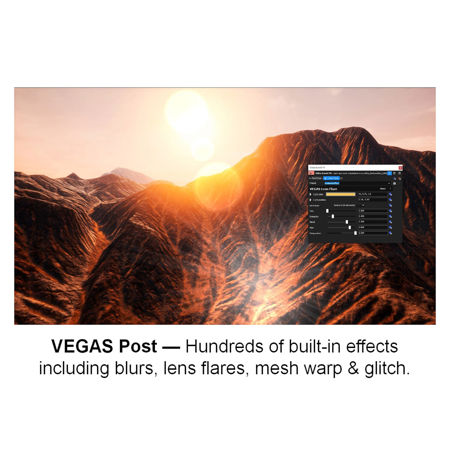
Apply super glow, cosmos, glitch, RGB spill distortion and hundreds of other professionally designed VFX presets.
Masking
Use various mask types to create shapes for motion graphics, animation or transitions.
3D compositing
Build complex layered composites - with 3D models, 2D elements or particle simulations - all within a 3D environment.
Behavior effects
Create compelling motion interactions between layers and objects.
Color adjustment
Easily correct or replace specific colors in your scene. Soften, blend and enhance color ranges for the perfect result.
Clone tool
Add or remove objects to a scene or clone part of your video to repair problems and create special effects.
Cinematic titling
Stylize 2D and 3D titles. Add textures, depths, reflections and animations for a cinematic look.
FBX camera data
Export camera tracking data to 3D software such as Blender and Unreal. Bring rendered sequences back into Effects for seamless compositions.
Crop, pan & zoom
Crop out unwanted information, create a Ken Burns effect or zero in on a specific area of your video to draw attention.
Image compositing with VEGAS Image
Create striking compositions with unlimited layers, automatic keying and zero baked-in changes. VEGAS Image keeps your image data RAW and your layers self-contained.
• Take snapshots directly from VEGAS Pro or from image files, even in RAW
• Work in an independent resolution for large format movie posters
• Effortlessly create eye-catching thumbnails or beautiful cover art for your video productions
Discover more VEGAS Image
Flexible layers
Create complex compositions with fully adjustable, non-destructive layers.
Filters & effects
Apply pencil sketch, mosaic, vibrance, dehaze, sharpen, exposure, light rays and more.
Green & blue screen
Seamlessly remove green screen and add either photorealistic or fictional backgrounds and elements.
HDR merge
Combine multiple images taken at different exposures for extraordinary dynamic lighting results.
LUT support
Import custom color grading created in VEGAS Pro or from third-party LUTs for your desired look.
Clone stamp & healing brush effect
Fix imperfections using detail from elsewhere in your image for seamless correction.
RAW denoise
Remove noise patterns from RAW images or remove defective pixels with one easy click.
Preset Browser
Organize presets into stacks with live preview then apply to your selected layer.
Focus stacking
Combine images with different focus points into one for full focal clarity.
Dynamic contrast effect
Add different amounts of contrast to different levels of detail.
Split toning effect
Add complimentary color tones to shadows and highlights.
Live streaming with VEGAS Stream
Reach, engage and grow your audience with live events and broadcast to popular platforms with VEGAS Stream.
• Take your live production from a simple webcam to multiple cameras, video play-ins, dynamic graphics and more
• Switch between cameras and remote presenters
• Broadcast to the most popular conferencing apps and streaming services
• Edit your event and upload to your favorite destinations
Sound design with SOUND FORGE Audio Studio
Recording, editing and mastering.
• Multichannel audio editing
• Reduce background noise
• Record pristine audio up to 32-bit/384 kHz
• Seamless integration with VEGAS Pro
Recording
Capture recordings quickly and efficiently using helpful tools like Remote recording.
Audio editing
Edit your recordings with absolute precision. Remove or reduce noise for perfect results.
Mastering
Achieve broadcast compliant loudness with professional effects and metering.
Includes:
• VEGAS Pro 19
• VEGAS Effects
• VEGAS Image
• VEGAS Stream
• SOUND FORGE Audio Studio
• Boris FX Primatte Studio
VEGAS Pro 19
• Text to speech
• Language translation
• Nested timelines
• Adjustment tracks
• Track grouping
• Multicam editing
• Scripting API
• HDR color grading & scopes
• Range Limited color wheels
• RGB color curves
VEGAS Stream
• 10 Live video & audio sources
• Video & image file support
• Dynamic source switching
• Transitions
• Picture in picture
• Titling designer
• Graphic templates
• Dynamic graphics
• Microsoft Graph support
SOUND FORGE Audio Studio
• Dynamic linking with VEGAS Pro
• Audio recording, editing, and processing
• 32-bit / 384 kHz
• 32 and 64-bit system support
• 6 channel
• Interactive tutorials
• ASIO driver support
• One touch recording
VEGAS Effects
• Dynamic linking with VEGAS Pro
• Layer compositing
• Proxy media
• Timeline cache
• Effect generators
• Keying
• 3D compositing
• Masking
• Text & titling
• Behavior effects
VEGAS Image
• Dynamic linking with VEGAS Pro
• Non-destructive compositing
• RAW processing
• Flexible layers
• HDR merge
• LUT support
• Brush masks and effects
• RAW denoise
• Preset browser