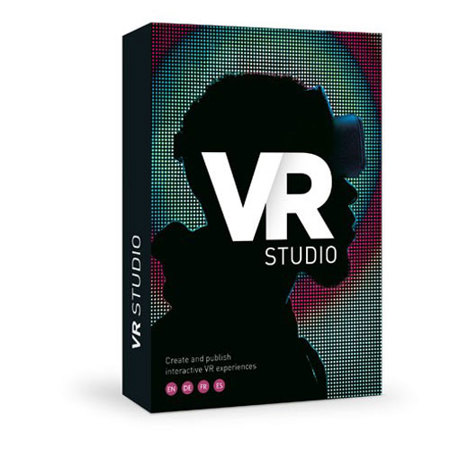
Magix VR Studio, Electronic Download
SKU: MGXAN8600ESD
This item is no longer available.
Share:
Overview
Compare
Specs
Protection
About Magix VR Studio
VR Studio is the next step for your professional video creativity. Construct breathtaking virtual worlds using 360 degree videos and photos, and build complete environments. Add words, pictures and videos to them to create revolutionizing VR experiences - from virtual tourism to selling real estate. Distribute and upload your VR projects to websites using the WebVR format or view them on any common platform with the free VR-X Player.
Transforming the Real World with VR Studio
Product presentation
Products such as real estate property can now be presented in VR so buyers can view inside and outside at any time. Additional video, text and audio can provide all the information buyers need as they look around, room by room, without actually leaving their armchairs.
Virtual visit
With VR tourism, people can 'visit' destinations to experience these magic worlds - try before you fly! VR provides a virtual experience of a resort, hotel or city, with additional audio and video helping to recreate the location's atmosphere and authenticity.
Education
In education, you could e.g. construct exhibitions within a virtual museum by linking rooms to create a walkthrough tour. Then add music, speech or video to explain the background of certain key features, or reveal how an exhibit might have existed in real life.
From Video to Virtual Reality
1. Create 360 Degree media
Set up your 360 Degree camera or video equipment, create your 360 Degree images and movies, and then stitch the content together. Import your 360 Degree media into VR Studio to create the ultimate VR experience - with just a few clicks.
2. Build professional VR tours
Create virtual worlds and produce an interactive tour within these worlds, and with integrated video stabilization, your videos will always look professional. You simply connect your virtual worlds together and add text, images, music or sound effects to bring them to life.
3. Upload and distribute
You can experience your virtual world anywhere, any time on desktop computers or mobile devices. You can view your VR within any website and browser using WebVR or, with the free VR-X Player, you can enjoy it on any device such as a laptop or VR headset.
VR Studio Features
Connect 360 Degree worlds to build VR tours
Create incredible virtual realities with 360 Degree videos and stills - it's like you're right there! Turn 360 Degree photos and videos into interactive presentations within these virtual worlds, create as many virtual worlds as you like and connect them together with ease. You can then jump between your interconnected worlds to maximize your virtual experience - your imagination is the only limit!
An even more authentic experience. Add video, text and audio
Videos and Images
It's easy to create video and image presentations to breathe life into your virtual worlds. Simply select your movies and photos, place them wherever you want and customize their size and shape to create as many as you like.
Text
Add text to your virtual world to help guide your users around it. Include in-depth explanations or simple labels - it's up to you - you can resize the text and place it anywhere you wish.
Surround sound
Create surround sound by adding music or sound effects to a virtual world for an authentic atmosphere. Any audio can be added to any element or room. You could, for example, have a virtual tour guide explain the history of an exhibit within a virtual museum.
360 degree image stabilization, a smooth & professional look
With 360 degree image stabilization, your videos will look smooth with next to no loss in quality.
You'll never have to worry about shaky movies again and you will always have professional results with an ultra-smooth camera action.
VR anywhere, anytime. On Desktop. On Mobile. On Website
WebVR
Share your virtual worlds and experiences anywhere and with anyone online. WebVR lets you quickly and easily integrate videos of your VR worlds into any website. Create the 'wow factor' on websites so visitors can immerse themselves in new realities.
VR-X Player
The free VR-X Player for Android, iOS and Windows Systems allows you to playback the VR experience you've created on any computer, smartphone or VR headsets. So you can share and present your slideshows at any time and from anywhere.
Magix VR Studio Features
- Create virtual tours from 360 degree images and videos
- Add text, audio, image and video presentations
- High-Quality Mode for photos above 4k for full quality on all devices
- Incredible 360 degree image stabilization
- Share your new virtual worlds with WebVR
- Compatible with most VR headsets currently available
- Guide your audience through your VR world live