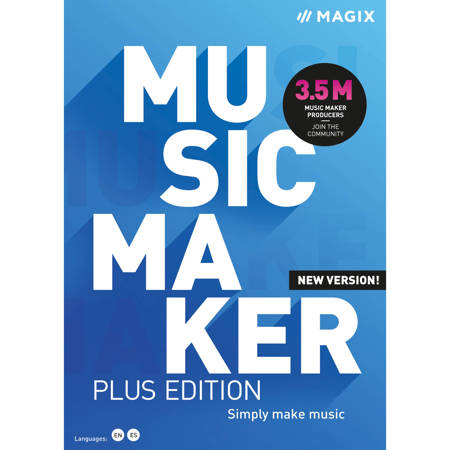
Magix Music Maker 2021 Plus Edition Simply Make Music Software, Academic, Download
SKU: MGXANR009904
This item is no longer available.
Recommended Alternatives

Share:
Overview
Compare
Specs
Protection
About Magix Music Maker 2021
Produce Your Own Songs - No Experience Required
Want to fulfil your dream of being a creative music producer, even without any experience Music Maker lets you get started right away. Simply choose sounds from a massive collection of beats, tunes and vocals at chart quality level. Combine sounds and loops per drag & drop, play a whole library of software instruments and apply professional effects. It's time for your creative ideas to take center stage. Simply create music.
1. Combine sounds & loops
Choose sounds and loops from your favorite genre and combine them with virtual instruments on your timeline. Analog synthesizers, drums that pack real boom or elegant strings - they can all be applied with a single click. Form an entire band!
2. Connect, play, record
Start recording your own melodies or vocals from the get-go. Just connect your MIDI keyboard, drum pad controller or microphone - that's all you need to do. Want to record a live guitar solo No problem. You're free to customize each and every element for your groove.
3. Customize your sound with effects
Create a track that's one of a kind. Drag & drop to apply professional effects to your sounds, loops, instruments and vocals. Add chorus, wahwah or flange to make your tracks sound even more impressive and transform a song into a real acoustic experience with 5.1 surround sound!
Create Your Own Song In Just 3 Steps - Try It Out For Yourself - With The New Song Maker Tool!
1. Select song template & Soundpool
2. Add song parts & instruments
3. Your song's ready.
Get The Most Out Of Your Songs Soundpools, Effects & Instruments For Bringing Creative Ideas To Life
The right beat - the right Soundpool
Start up your new Music Maker and browse collections in pop, rock, hip-hop, trap, EDM and tons more - the choice is yours. Explore thousands of loops and samples that you easily drag & drop to combine. And best of all - all loops adjust automatically to your song's pitch, so everything sounds great together. So there's no need for a background in music theory when making a hit!
Access popular Soundpool Collections in your favorite genre:
It's the 80s!
More than 4,500 sounds & loops that are totally retro - these 6 Soundpools are great for creating a nostalgic-tinged chart hit direct from a golden decade for music!
Burning Metal
Almost 4,000 sounds and loops packed full of energetic melodies, driving riffs and growling vocals - the best metal sounds out there!
Urban Producer
The new sound straight out of New York: Rough, full of fury - and truly inspiring. Work with the production kit for punchy trap boards, smooth R&B tunes and beats from the golden era of hip-hop.
EDM Anthems
Ready for the main stage This collection sounds like strobes, glow sticks and a whole lot of good vibes. Euphoric drops, pushing synths and powerful basslines - everything you need to create the next big floor filler.
Which instrument do you want to set the scene
Music lives and breathes through the instruments used. In Music Maker you can choose from various software instruments, each produced at studio level quality.
Rock Drums
Roll the drums. Rock Drums are perfect for creating a driving double bass grooves in metal songs, reverberant drum rhythms with an impressive arena sound or dry, clean studio drums.
Bass Machine
Crunchy bass lines and fat low-end sounds guaranteed to get your speakers bangin'. By using the custom effect settings, plus a huge range of filters and presets, creating and saving new bass sounds is a cinch.
Concert Guitar
Elegant picking techniques, subtle finger sounds and delicate slides - this acoustic concert guitar virtual instrument sounds impressively authentic. The included effects offer a massive range of editing options.
Drum Engine
The classic sound and style of legendary drum machines and samplers. The beat maker offers a range of options for experimentation. Kicks, snares, toms, hi-hats and cymbals can directly mixed via the machine.
Orchestral Ensemble
Brass and woodwind, drums, strings and a whole range of additional sounds: compose breathtaking orchestral music with Orchestral Ensemble. They're perfect for film and pop music, hip-hop beats or dance tracks.
Cinematic Synth
Lost in Space: Dark dreamy sequences lose themselves between grating bass lines and intergalactic sounds. Film music, trap electro or techno: This virtual synthesizer offers a vast range of creative options for outstanding sound design.
Add the final touch to your songs: Effects and plug-ins
Boost your songs using the diverse range of effect packs in Music Maker. Plug-ins such as coreFX VolumeFormer or Vintage FX Corvex offer professional sound editing. Create songs with full 5.1 surround sound and real spatial depth, or simply pump out some awesome beats!
Features
Double the power for your music - 64-bit & multicore audio engine
Want to make complex projects and comprehensive arrangements Do you prefer to use a lot of different instruments and effects
This often used to result in a loss in PC performance - but that's no longer an issue. The new 64-bit architecture that powers Music Maker allows for noticeably improved performance. The efficient multicore audio engine offers optimum support for your CPU and reduces RAM load. This frees up more memory for new musical ideas.
Bridging old and new: VST Bridge - Support for 32-bit plug-ins
Support is still available for all your favorite 32-bit plug-ins. You can also continue to work on your older projects in the program.
Streamlined support is offered for your VST plug-ins (PLUS Edition and higher): The previous VST scan has been replaced by a faster and more stable scan function. With the improved VST2/VST3 engine and the new 32-bit bridge, the new Music Maker is compatible with all your favorite plug-ins, whether 32- or 64-bit.
Enhanced user interface
Customize your interface: Want your Soundpools, instruments and effects to display in the lower part of the range No problem. Simply select the window layout that you like best.
New look
New and fresh: Modern music production requires modern design. The new version of Music Maker features an elegant new flat design and an interface that's sleek like never before.
Redesigned arranger
Optimized functions: Drag loops under an existing track to automatically create a new track. The volume control can be minimized in size to create more space.
Create Your Own Signature Sound Corefx Volumeformer Makes It Possible
Get the beat pumping!
Achieve an impressive pump effect without complicated sidechain routing with the coreFX VolumeFormer, which creates periodic changes in volume. You can also customize the form and rhythm of the effect to suit your track.
We've Listened To Your Requests. New Workflow Improvements From Our Developers:
Drag & drop
Travel Package Europe & effect packs included Inserting new loops is now more streamlined than before. New tracks can now be created by dragging and dropping content within the arranger. We've modified program operation to improve it for users.
Mouse modes
Keep everything in view: The currently active mouse mode displays in the form of a graphic. We've completely redesigned the mouse modes and removed glitches for a noticeable improvement in performance. Perfect for taking full control of your arrangement.
Song parts
Want to sketch out your music project in a more streamlined way Use the new song part bar above the timeline to lay down a foundation and structure your song! Set a beat for your intro and define where you want the chorus to come in. The songs parts tool gives you a clear overview of everything.
Project Notes
Need to make note of an idea right away Simply open the Notes tab and keep track of the important ideas about your song here as you progress. Your notes are automatically saved in the project and you can also export and refresh them at any time.
Loop manager
Keep track of your Soundpools - the manager is similar to the look of the in-app Store and lets you sort and filter your music by genre, so you can quickly find sounds for rock, hip-hop or whatever category you need.
Audio recording
Round off your song by recording and adding vocals. The recording process has been improved and is now free of any previous issues. Get ready to experience a fresh, optimized audio recording workflow.
Magix Music Maker 2021 Features
- 3 Soundpools of your choice
- 1 Soundpool Collection of your choice
- 3 MAGIX instruments of your choice
- 2 Tiny instruments of your choice
- Multicore audio engine
- New: 64-bit version
- New: Redesigned core workflow
- New: Song Maker
- New: VST2 & VST3
- New: Project Notes
- New: Song parts
- New: coreFX VolumeFormer
- New: VST Bridge Orange Vocoder ME