
This item is no longer available.
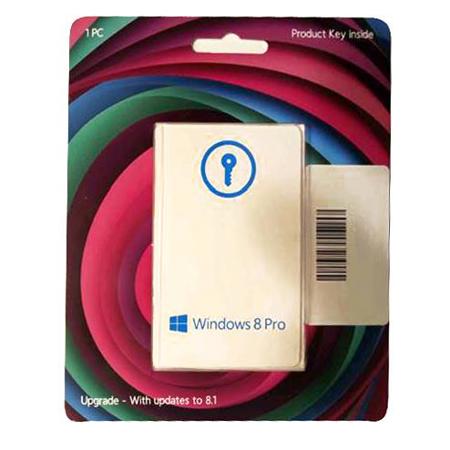
The Microsoft Windows 8 Pro Operating System Software (32 or 64-Bit) is a complete redesign of how you interact with your computer. One of the most notable features found within Windows 8 Pro is the Start Screen. This intuitive Start Screen puts your entire computer on one screen by providing you tiles allowing you to interact with virtually every aspect of your computer from email, to chat, to applications. You can also use this same intuitive interface on a variety of devices that run Windows 8 including desktop PCs, tablets and touch screen PCs.
Cloud connectivity is another major feature found in Windows 8. Simply set up a Microsoft account and you can access and manage various aspects of your account from any Windows 8 device. Utilize the Mail and Messaging apps to keep in touch with friends, family and co-workers by linking to other social networking accounts such as Facebook and Twitter. You can also take advantage of Microsoft SkyDrive to upload your files making them accessible from any Windows 8 device.
Along with Cloud connectivity, Apps help make Windows 8 stand alone as an intuitive, customizable operating system. SkyDrive, Xbox, Video, Music, Mail, Calendar, Photos, People, Messaging and Reader make up the apps that come standard with Windows 8. Each of these apps helps you to get the most out of your Windows experience. With SkyDrive, you can access files virtually anywhere on a Windows 8 device.
The Xbox, Video and Music apps enhance your multimedia experience helping to streamline your music, video and games access across multiple devices including the Xbox 360. Mail, Calendar, People and Messaging apps keep you in touch with friends and family while keeping you on schedule. Place all of your photos in one place with the Photo app, making it possible to see your photos on any Windows 8 device. The Reader app makes it possible to read a variety of different documents in PDF, xPS and OxPS file formats.