
This item is no longer available.
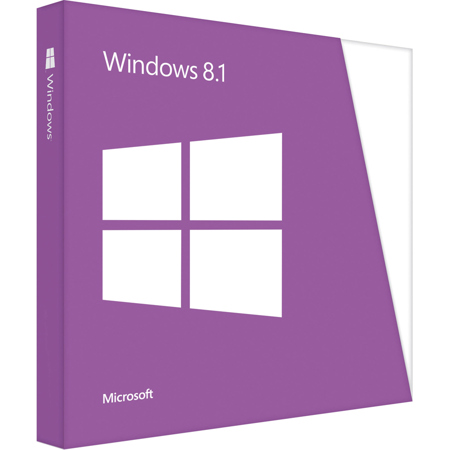
Windows 8.1 brings together everything you do - from mobile apps for your business, to Office productivity work, to searching and browsing, to accessing all your data from anywhere.
Your Windows experience works across all your devices - from the best business tablet, to a thin and light notebook, to your high-performance workstation or all-in-one, whether you are at home, in or around the office, or working on the road.
And Windows takes care of the essentials - letting you manage personal devices in your organization, utilize your investments in your enterprise infrastructure, and enhancing the security of your environment.
It plays as hard as it works.
Windows 8.1 gives you the power to quickly browse, watch movies, play games, polish your resume, and pull together a killer presentation all on a single PC. Now you can organize up to three apps on your screen at once in a single view.
The Start screen.
Personalize your Start screen with your favorite news, friends, social networks, and apps. Customizable colors and backgrounds and four different sizes of tiles make your device as unique as you are.
The apps you want.
In addition to great built-in apps for email, people, photos and video editing - you can also download thousands of popular apps from the Windows Store, including Netflix, ESPN, Skype and Halo: Spartan Assault.
Mouse, keyboard and now touch.
Windows 8.1 works harmoniously with various types of devices, including touch, mouse-and-keyboard, or both. Whatever kind of device you have, you'll discover fast and fluid ways to switch between apps, move things around, and go smoothly from one place to another.
Your files, everywhere.
Stay connected to your photos and important files and access them on your phone, tablet or PC with OneDrive. By signing in with your Microsoft account to any of your PCs running Windows 8.1 and you'll immediately see your own background, display preferences, and settings.
Your familiar desktop.
Start up in the familiar desktop to get right to work or the Start screen to easily access all your favorite apps and sites.
Multitasking made easy.
It's easy to do more at once. Snap multiple apps side by side in a single view for easy multitasking.
Security.
Stay up to date and more secure with Windows Defender, Windows Firewall, and Windows Update.
Speed.
Windows 8.1 starts up faster, switches between apps faster, and uses power more efficiently than previous versions of Windows, including Windows 7.
You keep all your files.
If your PC is running Windows 7, your files, apps and settings will easily transfer to Windows 8.1.
Your Office. Your Way.
Experience Office at its best on Windows 8 devices. Discover new and better ways to create, edit, and browse using a keyboard, pen, or touchscreen. Don't forget: Office is not part of Windows 8.
System requirements.
1 GHz processor or faster with support for PAE, NX, and SSE2
2 GB RAM
20 GB available hard disk space
1366 x 768 screen resolution
DirectX 9 graphics processor with WDDM driver
To use touch, you need a PC that supports multitouch
Internet access (fees may apply)
Microsoft account required for some features
Watching DVDs requires separate playback software
Windows Media Center license sold separately
Note: If you're running Windows 8, visit the Windows Store for a free update to Windows 8.1. If you're running Windows 7, your files will easily transfer.
Windows 8.1 is not designed for installation on devices running Windows XP or Windows Vista. Before installing, see windows.com/install for important information. Some features such as touch may require a new PC. To check compatibility, visit your PC manufacturer's website and run Upgrade Assistant atwindows.com/upgrade.