
This item is no longer available.
Performance Meets Flexibility
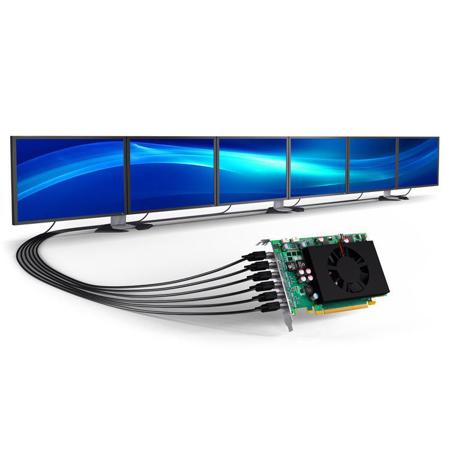
The Matrox C680 is a single-slot, PCIe x16 graphics card that drives up to six displays or projectors at resolutions up to 4096 x 2160 per output. The versatile, six-monitor video card can power the latest Ultra HD/4K panels as well as enable 12-monitor configurations when combined with a second Matrox C680 board. The board-to-board frame lock feature ensures synchronization of all displays to reduce tearing on digital signage and video walls. With its high reliability, outstanding performance and advanced multi-monitor capabilities, Matrox C680 delivers the best display density for demanding commercial and critical applications including enterprise, industrial, pro A/V, digital signage, security, control rooms and more.
PowerDesk
The robust, field-proven Matrox PowerDesk desktop management software for Windows lets users easily configure and manage multi-display setups. It offers professional users a comprehensive set of tools to deploy and control a variety of display configurations including stretched or independent desktops, clone mode, pivot, bezel management and edge overlap. Matrox advanced desktop management features also let users determine where and how program windows are displayed on the desktop-a productivity tool designed to enhance multi-display experiences.
Stretched Desktop
Create an ultra-large desktop to expand a single application across all screens.
Independent Desktop
Set displays independently from one another to open different applications within each screen.
Clone Mode
Duplicate content to show the same information on all displays.
Desktop Divider
Split up your desktop into different sections to create additional partitions for all your applications.
Edge Overlap
Adjust the number of overlapping pixels between edge blending projectors to build a seamless, unified image.
Bezel Management
Compensate for the physical space created by monitor bezels to output a continuous image across multiple displays.
Pivot Mode
Select any combination of portrait or landscape and set the orientation that works best for you.
Desktop Management
Determine where and how program windows are displayed on the desktop.
Mode Management
Increase resolution support and select display modes (wide-screen resolutions, video timings & refresh rates) not available by the default in the monitor's EDID.
EDID Management
Provide consistent EDID signal to the graphics card to ensure video is displayed correctly.
Unattended Install
Deploy different desktop configurations/environments based on individual department requirements across the organization.