


+1
more
more

Need help? Ask our experts.
Efficiency by Day, Dominance by Night
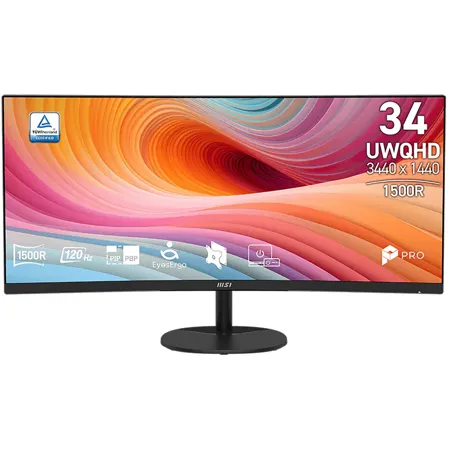
The PRO MP341CQ E12 monitor combines a 120Hz refresh rate and AMD FreeSync Premium for smooth gaming and work. Its 21:9 aspect ratio, ergonomic design, and HDR Ready feature enhance comfort and immersion, making it the perfect all-in-one solution.
Enjoy the immersive image with 1500R Curvature
Be the PRO of life and work with Ultra-Wide Panel
Broaden your horizons with the ultra-wide 21:9 PRO MP341CQ Series and enjoy every detail of your movie.
120Hz High Refresh Rate
A 120Hz refresh rate delivers smoother visuals, reduces motion blur, and enhances gaming responsiveness. For work, it ensures smoother scrolling and transitions, improving comfort and efficiency. Additionally, it's perfect for AIGC (Artificial Intelligence Generated Content) and AI-driven image and text generation, further enhancing creative workflows and making it a versatile tool for modern professionals.
Enjoy PIP/PBP Across Multiple Devices
Picture-in-Picture (PIP) and Picture-by-Picture (PBP) features boost productivity. PIP overlays a smaller window for multi-tasking, while PBP splits the screen to display different sources side-by-side for easy comparison.
Sleek Integration with VESA Mountable
The standard VESA mount design allows the Cubi Series and mini-PCs to be mounted on the back of the monitor.
MSI Power Link Support
The standard Mini-PC mountable design allows the Cubi Series to be mounted on the stand of the monitor, tidying up the workspace. MSI Power Link with HDMI CEC lets the mini-PC be powered on by the monitor's button, enhancing efficiency and user experience.
EyesErgo Tech, Your Health Protector - MSI Eye Care Technology
• Eye Care Panel
• Eye-Q Check
Amsler Grid
MSI recommends you to take a rest for 20 minutes if any of the lines in the grid appear wavy, blurred or distorted; or if some boxes in the grid don't look like a square or the same size.
Posture Correction
MSI recommends you to sit up straight and adjust your eye position to one-ninth of the top edge of the screen. A good sitting posture can effectively prevent neck and shoulder pain.
Ergonomics for All-Day Productivity
Working in a suitable position not only has a positive impact on job satisfaction and productivity but can also contribute to overall health and well-being.
Experience Stunning Visuals with HDR Ready
HDR Ready technology delivers richer colors, deeper contrast, and vivid details for a lifelike viewing experience. Whether for work, movies, or gaming, it enhances screen performance to new heights.
Built-in Speakers
Experience clear, powerful audio with built-in speakers, enhancing your multimedia without cluttering your workspace.
Firmware Update
PRO MP341CQ E12 can update the firmware through DP connector, which is simple and easy to use. This allows users to update the firmware on their own at any time when the latest version is released by MSI. This ensures that the screen is always in the best-optimized state.
Simplicity At Your Fingertips - Display Kit App
The MSI exclusive software Display Kit provides the most convenient tool, the proper display that allows you to read and enjoy the image at the same time & color mode to you while working or everyday.
• Connect to Wireless Display
• Layout Setting
• Auto Shutdown
• Zoom-in
• Project Mode
Power Saving Product
It is our responsibility to promote sustainable development and we proudly offer an eco-friendly product, contributing to a greener environment.
Sustainable Packing Solutions
Reduce the environmental impact with our sustainable solutions.
Crafted for the Modern Professional.
Inspired by the younger generation's pursuit of simplicity and efficiency, the monitor's back cover features refined engravings. This elegant design symbolizes limitless possibilities, making it the perfect companion for young professionals.
https://us.msi.com/page/warranty
888-447-6564
