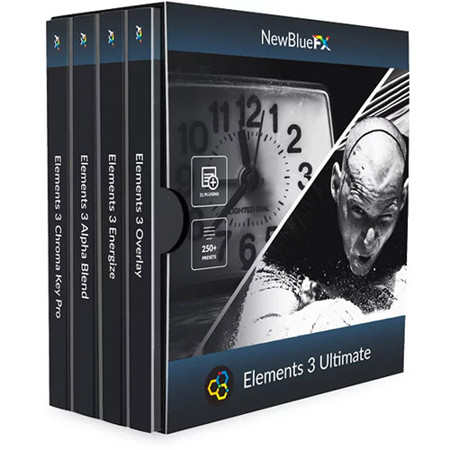
NewBlueFX Elements 3 Ultimate, Electronic Download
SKU: NBSKUELE3U
This item is no longer available.
Share:
Overview
Compare
Specs
Protection
About NewBlueFX Elements 3 Ultimate
Elements 3 Ultimate
Create and completely transform scenes with a variety of compositing plugins. Combine visual elements, create living backgrounds, add drop shadows and more.
Composite Like a Geek
Simplify your complex compositing tasks with 21 tools and over 250 presets that help you quickly generate drop shadows, replace green screens, add overlays and much more.
- Chroma Key Pro -
Let it Blend Together Seamlessly
This must have plugin simplifies color keying with a variety of easy- to- use controls. Easily remove your blue and green screens while fine tuning your look with controls over mattes, sensitivity, spill and more.
Key Colors
Quickly key out your green or blue screens with a variety of presets or fine-tune your color keying with full controls.
Add Depth With Shadows
Create depth by adding drop shadows to your keyed out subjects and objects.
Outline Your Subjects
Create glows and outlines around your subject to highlight or frame them in your composition.
The NewBlue Difference
Multi-Platform
Chroma Key Pro Works on Mac and Windows.
Multi Host-App
Chroma Key Pro Works with Adobe Premiere Pro, After Effects, Magix Vegas, Avid Media Composer and many more.
Features
Chroma Key Pro delivers advanced color chroma keying in minutes with a variety of presets, tools and controls to change the range, sensitivity, spill and more.
- Elements 3 Alpha Bend -
Explore the Alpha Blend Capabilities
NewBlue Elements 3 Alpha Blend delivers over 80 presets in a suite of 8 versatile compositing tools built to quickly dramatize footage, add outlines to objects, create drop shadows and more.
Alpha Processor
Process the alpha channel of your video in many ways, including inverting, blurring, and adjusting its width.
Drop Shadows
Create a drop shadow for overlays on any keying effect or animated matte.
Garbage Matte
Clean up a key by isolating and removing unwanted junk from the alpha channel.
Gradient Fill Pro
Manipulate, boost, or completely alter the color of both your image and text.
Luma Key
Use light level to key out areas of the video.
Outline
Add a colored outline to text, chroma key, or other visuals with transparent borders.
Time Clock
Choose from a variety of presets to overlay a running timer on your screen.
Viewfinder
Simulate the on-screen display of a video camera recording.
The NewBlue Difference
Multi-Platform
Elements 3 Alpha Blend Works on Mac and Windows.
Multi Host-App
Elements 3 Alpha Blend Works with Adobe Premiere Pro, After Effects, Magix Vegas, Avid Media Composer and many more.
- Elements 3 Energize -
Discover a Wealth of Energize Tools
NewBlue Elements 3 Energize delivers 6 compositing tools and more than 60 presets to add energy or reconstruct your images in creative ways.
Active Camera
Simulate every variety of camera jitter, from agitated hand-held to jackhammer or a gentle train ride.
Auto Pan
Make quick work of a pan and zoom on stills or video, without resorting to keyframes.
Background Generator
Magnify and alter your video image to turn it into a beautiful backdrop, complete with perpetual panning motion.
Cut Away
Use various shapes and outlines to magnify a selected region.
Reflection
Create and control a mirrored reflection of your image.
Tile
Replicate your video into a video wall with beautifully controlled image variants.
The NewBlue Difference
Multi-Platform
Elements 3 Energize Works on Mac and Windows.
Multi Host-App
Elements 3 Energize Works with Adobe Premiere Pro, After Effects, Magix Vegas, Avid Media Composer and many more.
- Elements 3 Overlay -
Discover Overlay's Toolset
NewBlue Elements 3 Overlay offers over 60 presets in 6 powerful tools that deliver fast, sophisticated compositing overlays including PIPs, split screens, image grids and more. See why Elements 3 Overlay is a must-have for any video editor's toolkit.
Flying Picture-In-Picture
Create an animated picture-in-picture including outline, drop shadow, and motion blur without keyframing.
Image Mapper
Easily overlay your videos on top of objects with four corner mapper.
Picture Grid
Create PIPs on a grid structure, for fast and effective multi-image story telling.
Picture In Picture
Add a sophisticated picture-in-picture with 3D geometry, border, shadow, and reflection features.
Picture In Shape
Create and control a mirrored reflection of your image.
Split Screen
Elegantly display two shots at once with a variety of geometric and aesthetic options.
The NewBlue Difference
Multi-Platform
Elements 3 Overlay Works on Mac and Windows.
Multi Host-App
Elements 3 Overlay Works with Adobe Premiere Pro, After Effects, Magix Vegas, Avid Media Composer and many more.