



This item is no longer available.
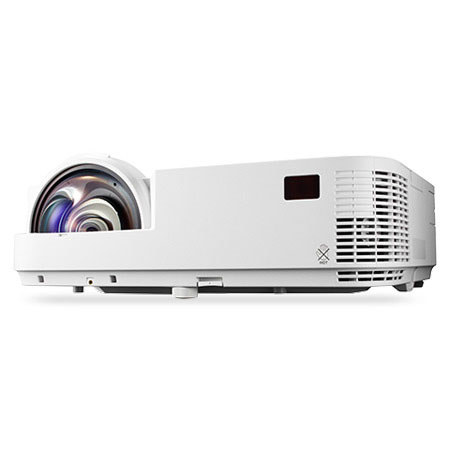
The NEC NP-M352WS Portable WXGA Short Throw DLP Projector is a widescreen, value-driven and eco-friendly portable projector which uses the latest DLP(R) technology from Texas Instruments. This model delivers an ideal short throw distance solution for education (including interactive whiteboards) and corporate applications and offers 3500 lumens to deliver remarkably bright images. With advanced connectivity, including HDMI and USB inputs and wired and wireless (optional) networking options, the M352WS benefits users requiring maintenance-free design and environmentally conscious features.
Essential Functions for Educational Facilities
It is a Plug and Play intuitive setup and operation. Bright images can be easily viewed in any application. It has a versatile, color-coded connections to computer, video sources and external monitor. It has automatic keystone correction technology instantly projects a square image even when the projector is set up at a steep offset angle to the screen . The Autosense intuitively syncs the projector with most computer signals and features one touch image optimization. One-touch source changes and complete menu control using the intuitive projector keypad. It supports Powerful 20-watt speaker provides volume needed for large rooms. High contrast images (10,000:1) from the latest Texas Instruments DLP engine featuring BrilliantColor technology with improved color accuracy. With XGA and WXGA native resolutions, high brightness up to 4000 lumens and patented NEC technologies, M Series projectors display impressive image quality.
Designed with the Environment in Mind
It has extended lamp life with ECO Mode technology which increases lamp life up to 10,000 hours, while lowering power consumption. The efficient Power management enables projector to automatically turn off when an incoming signal is not detected from any of the inputs. It powers on Automatically via the RGB (15-pin) input connector when a signal is detected from a computer . The carbon savings meter in the projector calculates the positive effects of operating the projector in ECO Mode, which is encouraged by an optional message at startup. A green ECO Mode button on the remote control makes the switch easy. Quick start (3 to 4 seconds) lets you begin presenting in seconds. Sleep timer can be set to automatically turn off the projector at set countdown times. Low power consumption (0.2W in stand-by mode) minimizes energy costs. .
Built-in wall color correction presets
These provide for adaptive color tone correction to display properly on non-white surfaces. .
Top cover lamp change
This feature provides for easy lamp changes without removal of the projector from the mount. .
Active lens cover
This cover enables presenters to immediately mute the audio and video, then seconds later lower the lamp brightness to 25% for a short period of time. .
Remote control
Easy control from remote allows you to adjust lamp mode, aspect ratio, volume and image all with the touch of a button. .
Dual HDMI inputs
Among the M Series' wide selection of inputs is an HDMI w/HDCP for connecting to high-definition sources such as Blu-ray players, cable boxes, satellite receivers and personal computers. .
Variable audio-out
This input enables the remote control to be used to adjust volume of selfpowered external speakers that are connected to the projector. In stand-by mode, the audio-out stays active, allowing the last input used to pass to the self-powered external speakers. .
USB Viewer
In instances when you'd prefer to leave your laptop behind for a presentation, M Series projectors can deliver a solution. Using the presentation conversion software included with your projector, simply place your file onto a USB drive and plug it into the projector's USB port. This allows you to display images stored as .jpgs from optional USB memory. .
USB input
Your connection options go even further with the M Series. Connect your laptop or PC directly to the projector using the USB port and a standard USB cable.