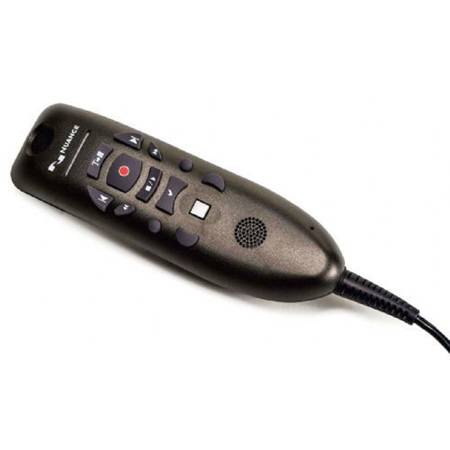
Nuance E04 PowerMic III Clinician Dictation Microphone with 9' Cord
SKU: NDM0POWM3N9
This item is no longer available.
Share:
Overview
Compare
Specs
Protection







About Nuance PowerMic III
Nuance PowerMic III is specially designed to enhance clinician productivity, providing ergonomic control of both standard dictation and speech recognition functions.
Nuance PowerMic III microphone offers simplified, thumb-control operation for dictating, navigating, reviewing, and editing speech recognition generated documentation.
With Nuance PowerMic III, clinicians can rapidly navigate report template fields, then record and use "voice fill-in" capabilities to insert recognized text into report templates. By combining an ergonomic hand microphone with PC mouse functions, clinicians gain new levels of dictation speed, ease-of-use, and productivity.
Full dictation control
Nuance PowerMic III advances clinician PC dictation to a new level, making it easier and faster to control voice recording, navigate and select fields in on-screen templates and standard reports, and move through recognized text reports for review and editing. In addition to providing complete dictation control, Nuance PowerMic III incorporates full-function, Microsoft compatible, PC mouse capabilities into the microphone to reduce the need for care givers to move between the microphone, mouse, and keyboard.
Primary Dictation Controls: Record, Rewind, Play, Fast Forward, Enter/Select.
Tab-Forward/ Tab-Backward: for speeding navigation through voice-driven templates and forms.
Flush, Angled Microphone Element: for user comfort and optimal recording level/signal.
"Track-Point" Button: and left/right click "mouse" tool to control the onscreen cursor, navigate and select functions.
Nuance PowerMic III Features
- USB connectivity for easy plug-and-play installation as well as eliminating the need for sound card-enabled PCs
- Built specifically for medical practitioners and works with all Dragon medical solutions
- Unidirectional microphone with noise-cancellation ensures higher accuracy in even the noisiest environments
- Support individual clinician preferences and workflows