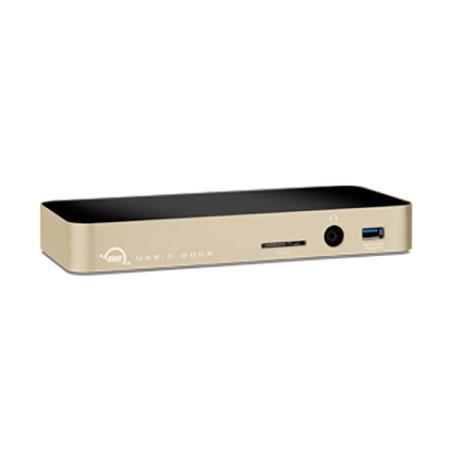
OWC / Other World Computing USB-C 10-Port Dock with 80 Watt Power Supply, Gold

SKU: OWCTCDK10PGD

This item is no longer available.

Overview
Compare
Specs
Protection

Reviews about this item

Review Summary

OWC / Other World Computing USB-C Dock Specifications

  • Operating System Supported

    OS X 10.10 or later
    Windows 10 or later

  • Driver Required

    Ethernet driver required for OS X 10.10 or 10.11 only.
    Driver not required for Windows 10 or later (PC or Boot Camp)

  • Hardware Requirements

    Mac or PC featuring a built-in USB Type-C interface3
    SD Card reader is compatible with SD, SDHC, SDXC up to 2TB
    SD Card reader is compatible with UHS-1 (Ultra High Speed) up to 70 MB/s

  • Bootability

    USB 3.0 - OS X 10.10 or later
    Ethernet - OS X 10.10 or later

  • Device Ports

    1 SD Card Slot
    1 3.5mm Combo Audio Port (microphone or headphones supported)
    4 USB 3.1 Gen1 Standard-A Ports (2 high-powered charging ports)
    1 USB 3.1 Gen1 Type-C Port
    1 USB 3.1 Gen1 Type-C Computer Link
    1 Gigabit Ethernet Port
    1 HDMI 1.4b Port4

  • Display Support

    Up to 4K/30Hz resolution via HDMI connection

  • Power Supply (Included)

    External UL-listed universal auto-switching power supply
    AC input: 100 ~ 240V, 50/60Hz
    DC output:, 20V 4A
    Adapter plugs for international use sold separately

  • Dimensions

    Height: 2.8 cm (1.1 inches)
    Width: 9.0 cm (3.5 inches)
    Length: 20.0 cm (7.9 inches)

  • Weight

    0.9 lbs (0.4kg)

  • Notes

    The Apple SuperDrive is not currently supported through the USB-C Dock.
    Driver is is NOT required, nor recommended for macOS 10.12.
    MacBook Pro (Late 2016) 15-inch with Touch Bar is currently not compatible with the OWC USB-C dock.
    A built-in USB-C connection is required to use the HDMI port on the dock. The HDMI port will not function if the USB-C connection on the computer is provided by a PCIe card.

  • Notes 2

    Computers that charge through the USB Type-C Computer Link port and require a power supply larger than 60W may charge more slowly or n ot at all.

  • UPC Code

    812437024098

About OWC / Other World Computing USB-C Dock

Reconnect your devices to your USB-C equipped computer with the OWC USB-C Dock. The full-featured connectivity companion you've been waiting for. Add ten ports with just one USB-C cable. Reconnect to your workflow, to your business, to your desktop and to your life.

PORTS FOR EVERY PIECE OF THE PUZZLE
Featuring 10 ports, USB-C Dock brings the connectivity you need back into your day-to-day. Complete with five USB 3.1 Gen 1 ports - including two high-power charging ports and one USB-C port - you can reconnect and charge your current and future devices. The USB-C Dock also features Gigabit Ethernet, HDMI and combo audio ports along with an SD card reader for even more connectivity.

PURE POWER COMPLETES THE PICTURE
Connectivity is only part of the solution. Of course, the OWC USB-C dock provides ample power alongside connectivity, delivering 80W of power to your connected devices, including up to 60W to charge your computer. You'll never have to worry about juggling between connectivity and a dead battery again.

DESIGNED BETTER FROM INSPIRATION TO IMPLEMENTATION
OWC USB-C Dock was designed to deliver the ultimate connectivity companion in both function and form. And with a choice of four colors - silver, gold, space gray, and rose gold - USB-C Dock matches your style. An aluminum chassis completes the design story, so your dock is robust enough to handle your life, wherever it takes you.

RELIABILITY AND SUPPORT YOU CAN COUNT ON
Like all OWC products, USB-C Dock is designed and built from the ground up to the highest standards of quality, reliability and performance. It's rigorously tested and backed by our 2 year warranty. OWC's award winning 24/7 customer support team is always on hand to provide support and information whenever you need.

What's in the box:

  • OWC USB-C Dock
  • 0.5 m (18 inches) USB Type-C Cable
  • External power supply and power cable
  • User Guide