


+4
more
more
This item is no longer available.
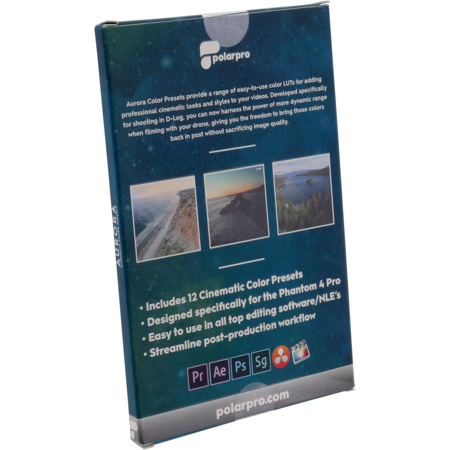
PolarPro's Aurora Color Presets provide a range of easy to use color styles for creating cinematic looks to your videos. Developed specifically for shooting in D-log, users can harness the power of more dynamic range for the highest quality playback possible. The Aurora bundle offers a creative range of Look Up Tables or "LUTs" to fit the mood and themes of any video project. Whether looking to streamline your post production workflow or simply bring more cinematic qualities to you content, Aurora will help you bring your footage to life.
• Includes 12 cinematic color presets
• Designed specifically for the Phantom 4 Pro/Adv D-Log color profile
• Streamline post-production workflow
• Easy to use in all the industry's top editing software
What is a "LUT"
A Look Up Table (LUT) is a file with a .CUBE or .3DL extension, containing instructions to replace a color based on it's RGB value with another color. This process is done pixel by pixel and has very high accuracy when replacing color values.
Included LUTs
Elektra
With added color value across the spectrum and boosted vibrance, Elektra will make colors pop! Available in warm, neutral and cool options for creating a unique and consistent look.
Purity
A natural color grade with true tones from your scene. Warm, neutral and cool options make it simple to keep a consistent look across varying lighting conditions and colors.
Deep
Taking the natural colors with added saturation along with pushed blacks and shadows creates a deep, rich look without loss in video quality. Warm, neutral and cool options provide lots of creative freedom.
Classic
A complimentary color scheme with a subtle shift to pastels delivers a timeless Hollywood look and feel.
Morpheus
A slightly bleached bypass look with limited color pallet pushes the greens, providing an iconic color style to any video.
Knight
An analogous color pallet with heavy blue tones brings a deep look and evokes a new feeling to your content.
Why Shoot In D-Log
Shooting with the on-board color presets within the drone limits your video quality in a number of ways. Using the internal video processor on the drone for manipulating color limits the capabilities when editing within your software. Color presets used during capture reduce the camera's sensor to 8-stops of dynamic range. While D-Log does shoot in a flat color profile, this setting utilizes the full camera sensor and expands the dynamic range to 12-stops. This provides more information within pixels, higher video quality and more flexibility when editing.
Video recorded in the 8-bit presets often results in "destructive editing" or loss of quality when making changes to color, exposure, highlights, saturation or other changes. Aurora color presets, when used with D-Log, provide cinematic color styles with no loss of quality in your footage.






