

This item is no longer available.
Detect Wireless and Wired Cameras
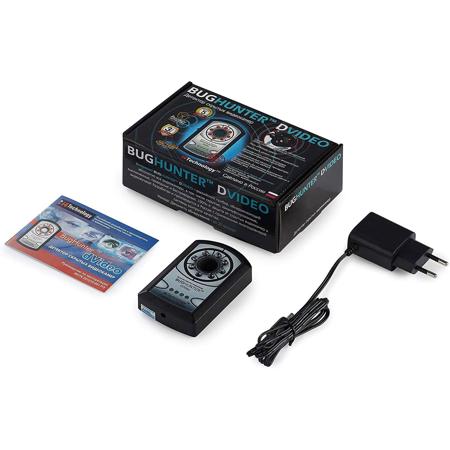
BugHunter dVideo is a hidden camera hunter. Every camera has a lens. BugHunter dVideo allows you to scan rooms for camera lenses. Hidden cameras can be anywhere. Everyday objects can be turned into hidden cameras recording your every move. When a lens is detected, you'll see it as a light spot through the built-in lens of BugHunter dVideo. If you travel, BugHunter dVideo is a must. With more and more stories surfacing about hidden cameras being found in hotel rooms, cruise ships, vacation properties, public bathrooms, fitting rooms and more, your best protection fits in the palm of your hands. The unit is rechargeable and has a battery level indicator on the back.
What Makes it Better
BugHunter products are designed and made in Russia by experts in counter-espionage. Their range of bug detectors are superior in design and production.
How it Works
BugHunter dVideo helps you find hidden cameras by detecting lens flares. When used correctly, BugHunter dVideo can detect hidden cameras, even when mounted professionally. All lenses will reflect light. BugHunter dVideo emits light to detect reflections from camera lenses. The user looks through the device while the lights turn on and off at varying intervals set by the user. When a camera lens reflects the light, the user will see a flare or flash from the lens.
Operating Modes
Users can choose from 5 levels of the frequency of flashes. The ambient light of the room being searched affects how the light will be viewed. For dark rooms, adjust the device to flash less frequently. For lighter rooms, adjust it so it flashes more frequently.