
This item is no longer available.
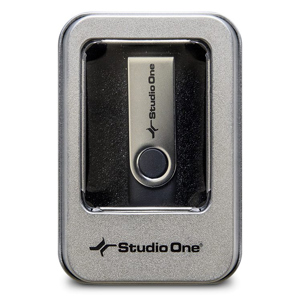
The Presonus Notion 6 USB Media is a Backup Copy of Software on USB Stick (No Licence).
The new features and enhancements in Notion 6 represent the most popular requests from the Notion user community and feedback from users of other notation platforms who are looking to make the switch.
Notable improvements include: cross-platform handwriting recognition; new layout control and features for professional score output; drag to respace measures and systems; new instruments from Soundiron; new video window controls for faster scoring to picture; the new Notion Scores library, with over 100 great works; updated Music XML support for seamless transfer with other apps; MP3 export; MIDI over ReWire for improved integration with leading digital audio workstations; and unprecedented side-by-side workflow integration with Studio One Artist or Professional on the same computer or between multiple computers on the same network.
Redefining music notation.
Bring musical inspirations to life with the blazingly fast and intuitive Notion 6 music composition and performance environment. Compose when and how you want and even enter music with your own handwriting. Take projects to the next level with deep integration with Studio One. Hear and perform music with gorgeous samples by the London Symphony Orchestra and others. Deliver polished scores faster than ever before, from complete film orchestrations to simple lead sheets and guitar tab.
Whether you are an instrumentalist, songwriter, composer, arranger, music educator, or student, you'll find Notion 6 to be the easiest-to-use and best-sounding notation software on the market today. Notion 6: Redefining music notation.
Hear your music played by world-class musicians.
Notion gives you by far the best playback of any notation product out of the box, including the unmatched realism of orchestral and Steinway samples recorded by the London Symphony Orchestra at the legendary Abbey Road Studios, guitar samples performed by Neil Zaza, bass samples by Victor Wooten, and drum samples by Roy "Futureman" Wooten. All were painstakingly recorded by top engineers using the best equipment. You get a wide array of dynamics, articulations, and performance techniques. New instruments in version 6 include the Notion Harpsichord along with the Lakeside Pipe Organ and Olympus Micro Choir sounds from our friends at Soundiron. But that's just the beginning of Notion's playback features.
Features
Traditional Notation or Tablature - Fast and Easy:
• Easily compose, play back, and edit music
• Perform scores using Notion as a live instrument and save your performance
• Create a score on a Mac, Windows computer or tablet, and continue to edit on iPad or iPhone and vice versa
• Interactive Entry Tools: Keyboard, Fretboard, Drum Pad, Chord Library (including custom chords)
• Cross-platform handwriting recognition, powered by MyScript for written entry
• Sequencer overlay to see notation and MIDI data on the same staff
• Windows touchscreen support... just use your finger or stylus and tap
• Work with Notion in your native language with options for Sim. Chinese, English, French, German, Italian, Japanese, Korean and Spanish
Create and Perform with Unmatched Sound Quality:
• Best playback of any notation product, with samples recorded by the London Symphony Orchestra, Roy and Victor Wooten, Neil Zaza, Soundiron, and others
• Full guitar and bass articulations in playback
• Custom rules editor for instrument specific articulations
• Increase your sonic palette with additional expansion sounds from PreSonus or your favorite VST Instruments and libraries
• Process audio with included PreSonus Native Effects Limiter, Compressor, and Pro EQ plug-ins or other VST plug-ins
• Mix with a DAW-style console with up to 8 individual buses
• Live performance options include play, tap, vamp, repeat, fade, playback dynamics, and navigate with Heads Up Display
Serious Studio Integration:
• Transfer audio and note data between Notion and Studio One anywhere on your network
• ReWire support (host and slave), with real-time audio and MIDI transfers to a DAW
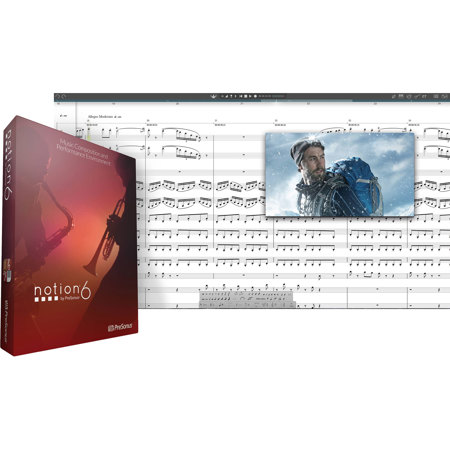
• Set music to film with advanced video capabilities
• Compose to picture with the video window
• Import video in a variety of formats: MP4, H.264, MPEG, MOV, AVI, M4V, and 3GP on Mac and Windows, plus WMV on Windows
• Native 64-bit support
• Retina (Mac) and High-DPI (Windows) support for high resolution displays
Deliver Professional Scores and Polished Performances:
• Print entire scores, individual parts, or lead sheets with chords and lyrics
• Layout control tools: drag notes, measure lines, time signatures, and more, while avoiding accidental respacing
• Show/hide parts independently by system for maximum readability
• Import/export files to/from Finale and Sibelius via MusicXML or other apps via Standard MIDI
• Export scores as PDF files
• Export WAV or MP3 audio files
• One-click Bounce All export of individual staves or mixed buses
• Share music with fans instantly via SoundCloud