


+1
more
more

See Options
Need help? Ask our experts.
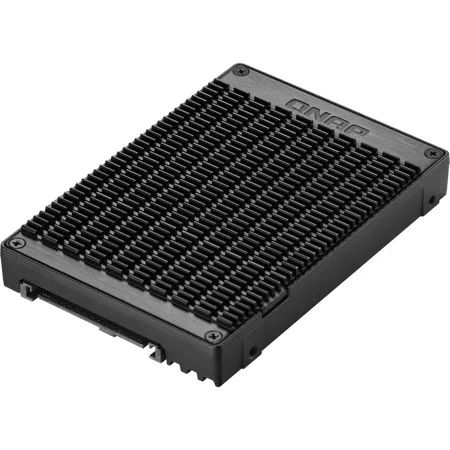
Use two M.2 PCIe NVMe SSD in a U.2 PCIe NVMe SSD drive bay for PC and NAS
The QDA-U2MP can accommodate two M.2 PCIe 3.0 x4 NVMe SSDs within a 2.5-inch U.2 (SFF-8639) PCIe 3.0 x4 NVMe SSD drive bay. No software driver is required for the QDA-U2MP, and it can be installed in a PC/workstation (Windows, Linux) or QNAP NAS to replace an expensive U.2 SSD with more-affordable M.2 SSDs.
• Install two M.2 2280 (M key) PCIe NVMe SSDs in a U.2 PCIe NVMe SSD drive bay (M.2 SSDs sold separately)
• Up to PCIe 3.0 x4 file transfer speeds
High-quality construction for better heat dissipation
The M.2 SSD thermal pads and aluminum-alloy metal frame assist in dissipating heat from the M.2 SSD to ensure high performance.
Install in a PC/workstation for higher performance with lower costs
Use the QDA-U2MP to install two M.2 SSDs in the 2.5-inch U.2 SSD tray of a high-end PC/workstation (Windows or Linux), and easily deal with tasks that require intensive data transmission (such as on-the-fly video editing, server-grade applications, or online gaming). Users can use utilities from their SSD manufacturer or third-party providers (for example: CrystalDiskInfo) to view the health status of installed SSDs.
Install in QNAP NAS for efficient yet cost-effective storage
Install one or more QDA-U2MP in a NAS to maximize PCIe bandwidth utilization in a cost-effective way by using M.2 SSDs instead of expensive U.2 SSD for optimizing data-intensive applications. It can also boost IOPS performance when configuring SSD caching. Users can monitor drive health and manage SSD usage from the QTS Storage & Snapshots Manager.
909-595-2782







