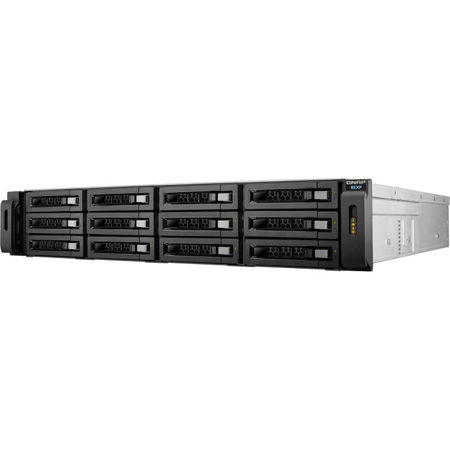
QNAP REXP-1610U-RP 16-Bay SAS 6G RAID Expansion Enclosure for QNAP NAS, Redundant PSU
SKU: QNRX161URPU
This item is no longer available.
Recommended Alternatives
Share:
Overview
Compare
Specs
Protection







About QNAP REXP-1610U-RP
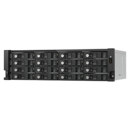
The REXP-1610U-RP expansion enclosure is designed for expanding the storage space on a QNAP NAS by attaching multiple expansion enclosures via high-speed mini SAS cables (6 Gb/s). It is a flexible and budget-friendly solution for organizations to tackle applications with intense data growth (such as archiving, high-resolution media storage, and video surveillance) without needing a large up-front investment.
Easily expand your NAS storage.
QNAP expansion enclosures provide affordable choices to store and back up an ever-growing amount of data. Check the compatible expansion enclosure for your QNAP NAS and the maximum number of applicable expansion enclosures.
Plug and use, seamless capacity expansion
Simply connect a REXP-1610U-RP to a compatible QNAP NAS and power it on. The NAS will detect the hard drives in the REXP-1610U-RP as newly-installed local drives. You can seamlessly expand and manage the NAS capacity by using the powerful QTS Storage & Snapshots Manager.
Note:
1. The NAS must be using QTS 4.2 (or later).
2. Each QNAP expansion enclosure supports concurrent 1 inward and 1 outward connection.
Missing mode protection
If the disconnection of an expansion enclosure is detected, the NAS blocks IO access to protect data. The system can recover from missing mode to its normal state with the data staying intact.
High density, high efficiency and highly scalable
The REXP-1610U-RP supports a high storage capacity by accommodating up to 16 hard drives in 3U rack space. The REXP-1610U-RP has three SAS wide ports for host connectivity and daisy-chaining respectively. Each SAS wide port combines four SAS channels, with each supporting 6 Gbps full duplex speed. This solution delivers unprecedented performance of up to 24 Gbps per host connection.
Powerful Storage & Snapshots Manager
The QTS Storage & Snapshots Manager neatly presents tools and options for managing system storage with an intuitive graphical user interface to simplify NAS capacity expansion and REXP-1610U-RP management. Administrators can easily monitor the health of the REXP-1610U-RP and the disks within it. When cascading multiple expansion enclosures in a rack, the "Locate Disk" and "Locate Enclosure" functions assist in quick maintenance.
An excellent backup solution for QNAP NAS
In addition to expanding an existing volume, REXP-1610U-RP can be used as a budget-friendly external storage to perform speedy and secure backup tasks for a QNAP NAS. The QNAP RTRR (Real-Time Remote Replication) or rsync service lets administrators back up NAS data to the REXP-1610U-RP on a real time or scheduled basis. With the support of QJBOD Express (JBOD enclosures roaming), you can migrate data stored on the REXP-1610U-RP to another NAS without needing a network connection.
QNAP REXP-1610U-RP Features
- Supports 16x SATA 6 Gbps hard drives and SSDs
- Plug and use, seamless capacity expansion
- High capacity and affordability as an excellent backup solution for QNAP NAS
- Storage & Snapshots Manager provides easy and flexible storage management
- Redundant power supply ensures continued operation with higher reliability
- JBOD migration provides a convenient way to move data to another NAS without needing a network connection