
This item is no longer available.
Make your next presentation more collaborative
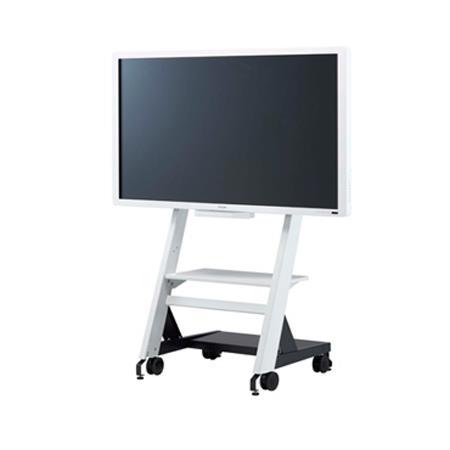
You have great ideas - but you're not the only one. Use the RICOH D6500 Business Edition Interactive Whiteboard (IWB) to give your audience an opportunity to share theirs. Add feedback and new insights directly to presentations showcased on the 65-inch LCD flat panel display and share that information and collaborate in real time with onsite or remote audiences.
• Customize presentations in real time on a 65-inch LCD panel
• Share critical information with onsite and remote audiences quickly
• Make precise edits to tailor every presentation for any audience
• Use PIN codes to invite remote participants and protect information
Start off on the right screen
Capture the attention of your audience immediately with brilliant high-definition images with up to 1920 x 1020 resolution. Simply turn on the device to get started, without calibrations or IT support. When you want to reach even more people, connect to a Ricoh Video Conferencing system or to a Ricoh projector to present in large conference rooms and auditoriums.
Add your personal touch
Use your finger or the felt-tipped electronic pen to add text, draw shapes and highlight key information directly on screen. Or take advantage of the optional Pen Sensor Kit for even more precision when working with your most detailed spreadsheets, schematics and blueprints.
Get your message out (of the room)
Opportunities are limitless when the right people have the right information. Whether you're on a wired or wireless network, you can connect up to 20 Ricoh interactive whiteboards to show the same presentation simultaneously in multiple remote or onsite locations. Another 20 participants can login via PIN to each of those whiteboards to view the presentation from their PC, smartphone, tablet or other device. Remote users can download a Ricoh iPad app and interact in real-time by drawing, editing or highlighting information directly on the presentation.
Carry on after the lights are off
You've customized your presentation to make it more accurate and insightful. Why stop now? Keep collaborating after the meeting by turning the revised presentation into a PDF and sharing it with your audience. Every time you add text it's saved as searchable PDF text, so you and other users can use keywords to track revisions and specific annotations.
Keep some information to yourself
Choose what happens to your presentation after you share it. You can simply shut off the device and erase everything automatically to keep the next group from accessing confidential details. Or you can store it in a network directory or USB drive directly from the device for later use. If those aren't available, you can store it temporarily on the whiteboard's solid-state drive until you find a better, more permanent and more secure location.