



This item is no longer available.
Bring dynamic collaborations closer
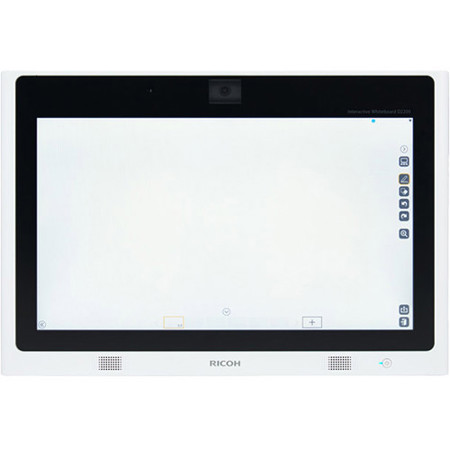
Sometimes, the smallest things can make the biggest difference. Case in point, the RICOH Interactive Whiteboard (IWB) D2200 allows you to showcase designs, blueprints, sales proposals and other presentations in breathtaking colors and clarity with students, colleagues, clients and other audiences via 21.5" display. Use it as a whiteboard to collaborate from your desk, in front of the class or take it with you on your next sales call.
Connect it to your Mac or PC to add handwritten notes, drawings and more and give collaborators more relevant and accurate information. Or, take advantage of its embedded video camera and microphone and use it as a videoconference tool. Share your biggest and brightest ideas with audiences in up to 20 other locations and receive immediate feedback from more people. Connect it to a RICOH Business Projection System to show off your work for larger groups in conference rooms and auditoriums without compromising dynamic interactive features.
Connect quickly from anywhere
When you've hit on a great idea, you want to hand it off to the right people as quickly as possible. Whether you stand the compact IWB D2200 on your desk or mount it on the wall, you'll be able to share incredible images, detailed drawings, compelling videos and more via an LCD display with LED background lighting and 1920 x 1080 dpi resolution. It's HDMI-ready, so there's no need to calibrate settings or configure software.
You won't have to wait for IT support either. Connect the 21.5-inch device to your PC, tablet, smartphone, tablet, USB flash drive or other device to share critical information with audiences in smaller rooms and venues. It includes 12-watt embedded speakers so you can pair audio with your visuals to capture your audience's attention even more.
Create a more personal experience
By making a presentation your own, you make it more memorable. Use the interactive touch sensor to add shapes, circle important details or even write handwritten notes with your fingertip. With the same swipe scrolling and pinch-and-flick techniques you use on your smartphone or tablet, you can zoom in on images and text to highlight key information and details. Let your audience in on the fun. Let participants download images or documents from their Apple , Android or Windows personal mobile device. When working in small collaborative group settings, whether in your office, classroom or training lab, simply place the device on the table so multiple participants can add their own feedback with notes, drawings and other edits simultaneously.
Bring remote audiences together
There are no limits on how far a great message can take you - especially when you can get it in front of the right audience. Connect the IWB D2200 to a wired or wireless network and share your presentation with up to 20 RICOH Interactive Whiteboards or RICOH Interactive Business Projection Systems. Add a remote license so up to 20 participants can connect to each of those devices and view your presentation from their smartphone, tablet or laptop when they're out of the office, in transit or at another remote location. It's a fast, affordable way to move information and save on travel expenses, without losing any of the collaborative editing tools that can help shape your message.
Think big by bringing your next presentation to the small screen
Make videoconferences more interactive
The IWB D2200 gives you multiple ways to show off your latest and greatest ideas. With its embedded video camera and microphone, you can use it as a videoconferencing system with a single touch and conduct face-to-face meetings from multiple locations while taking advantage of the whiteboard's unique interactive features. You can pair the device with a RICOH Business Projection System and show interactive presentations on larger screens.
Use it with the RICOH Smart Device Connector app to download PDFs and Ricoh's Universal Print Driver to print. In addition, its small size makes it perfect for fast, convenient meetings in small spaces. Stand it up on your desk. Carry it with you on your next sales call. Gather a small group of students to review anew lesson. Or, get an up-close view of blueprints on the job site.
Share your message without losing sight of it
If you lose control of your message, you lose its impact. Include a PIN access code with every invitation to control who sees your presentation and what these remote viewers can do with it. You can also control what your next audience sees. Save your presentation - including your handwritten notes and markings - to a shared network directory, USB drive or even temporarily on the whiteboard's solid-state drive. Or, you can delete it entirely to protect confidential or proprietary information from mass release. All you need to do is turn off the IWB D2200 and the presentation is discarded. The next whiteboard user won't have access to it, nor will non-invitees. Add further protection from security threats, including viruses, with McAfee whitelist.
Find more ways to collaborate
You're not the only one with great ideas. With the IWB D2200,your audience can help enhance your message with a wide range of collaborative tools. Transform your presentation into a password protected PDF file and email it to participants or other recipients moments after your meeting. Each user can make new edits and add annotations to the presentation and save it as a searchable PDF.
You can find the latest changes with each revision through a quick keyword search. You can also download the RICOH iPad app to keep the flow of information moving while you're in meetings, out of the office or on the road. Use the app to edit the presentation from any web browser on your personal mobile device.






