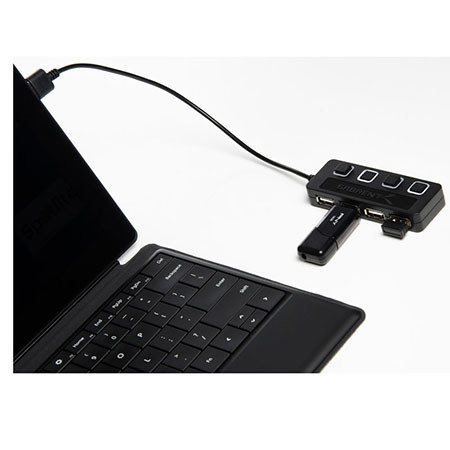
Sabrent 4-Port USB 2.0 Hub with Power Switches - Black
SKU: SBRHBUMLS
This item is no longer available.
Share:
Overview
Compare
Specs
Protection

About Sabrent 4-Port USB 2.0 Hub with Power Switches - Black
The Sabrent 4-Port USB 2.0 Hub adds up to 4 peripherals quickly and easily. The thin, lightweight design makes this hub a great travel companion to expand one USB 2.0 port into four. Especially great for notebooks which come with only a few ports in an era when you need to attach many USB devices at once, such as a printer, card reader, cell phone, iPod, thumb drive, mouse, keyboard or an external hard drive. Fully backwards compatible with the USB 1.1 products. Plus, each port has its own separate power switch so you can control each port independently. The USB 2.0 standard allows the high speed data transfer rate of up to 480Mbps. Also Blue LED indicates power status for each port.
Expand your high speed USB 2.0 ports
The Sabrent USB 2.0 Hub is a great tool to expand a single USB 2.0 port into 4 ports, so now you can connect all of your USB devices at one time. Plus, its small and elegant design has been configured to be as thin as possible so as to not take up precious space as you travel. Yet, it is still backward compatible with your older devices, so you can still use it in conjunction with USB 1.1 devices.