


This item is no longer available.
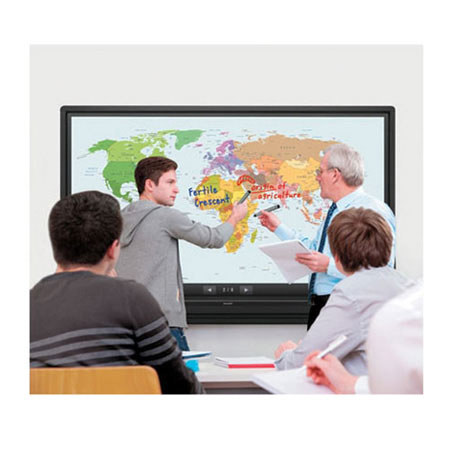
Sharp's AQUOS BOARD PN-L703A is designed for smooth and effortless communication in a wide range of contexts. The PN-L703A's highly responsive touch pens allow several people to write on the same screen at the same time. And Sharp's Touch Display Link software enables multifaceted wireless communication. Whether in the boardroom or the classroom, Sharp changes the way you communicate.
70" Class (69-1/2" diagonal) Interactive Display System
Sharp's latest AQUOS BOARD can be easily viewed from multiple angles, in both dark and well-lit rooms. The new and improved anti-glare film helps to reduce glare and reflections, as well as minimize fingerprints on the screen.
Annotate, Create and Present Content
Sharp's intuitive Pen Software 3.0 gives users the power to annotate, draw, insert, modify and create images, PDFs, documents, spreadsheets, PowerPoint presentations, websites, software and other media.
Up to 4 Simultaneous Users with Interactive Touch Pens
Smooth and highly responsive, the dedicated touch pen with function buttons(1) is pressure-sensitive and customizable. Up to 4 simultaneous interactive touch pens may operate the AQUOS BOARD at a time, each writing in different colors.
View, Share, Collaborate with up to 50 Mobile devices
Onscreen content - including handwritten notes and drawings made in real time - can be viewed simultaneously on the AQUOS BOARD and mobile devices such as PCs, tablets and Smartphone's.
Multiple Gestures with 10-Point Touch Screen
Write, draw and gesture with more than one finger at a time with the AQUOS BOARD 10-Point Multi-Touch Screen.
Built-In Whiteboard Controller with Quick Startup
An ideal "turn-key" solution for busy offices, conferences rooms and classrooms with multiple users, the PN-L603A/703A comes with a built-in whiteboard controller with a quick startup. No additional PC is required.
Business-Class MFP Connectivity
Documents and images scanned from a color-scan-capable Sharp MFP can be imported directly to the Sharp Pen Software for display on the AQUOS BOARD system. For added convenience, image data shown onscreen - including notations - can be saved to a PC, sent via email or sent directly to an MFP for printout.
Web-Conferencing Options
Open your boardroom or classroom to a broad range of web conferencing options! Web Conferencing Applications such as GoToMeeting and WebEx facilitate live video conferencing and screen sharing with the AQUOS BOARD.