
This item is no longer available.
Shading your Blackmagic Camera with Hardware
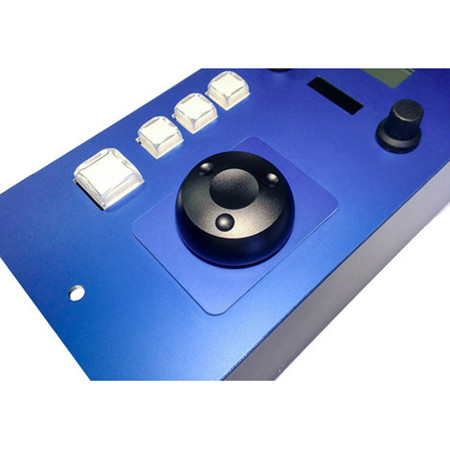
RCP panel for CCU control of Blackmagic URSA Mini (+ Pro) and Studio Camera series in a Sony form factor. CCU control of Blackmagic Design cameras has been notoriously difficult through software only. We have already specialized in CCU control of multiple cameras (ATEM CCU & ATEM CCU Lite) but now we present a Sony form factor remote control panel (RCP) for Blackmagic Cameras, such as the URSA Mini (+ Pro) and the Studio Camera series. The RCP even allows you to control cameras without the need of an ATEM switcher thanks to the BMD Arduino Shield inside.
Blackmagic Arduino Shield
Embeds CCU Data on the 3G-SDI Return Feed
On the backside of the controller, you find a 3G-SDI in and out BNC plug. Route the return feed to the camera through this connection to insert CCU data on the signal. If you use the Blackmagic 3G-SDI Arduino Shield for camera control the following outputs are supported: 720p50, 720p59.94, 720p60, 1080i50, 1080i59.94, 1080i60, 1080p23.98, 1080p24, 1080p25, 1080p29.97, 1080p30, 1080p50, 1080p59.94 and 1080p60, but the camera doesn't have to be running the same video format as the program input, so you can use cameras in Ultra HD while the camera protocol is sent over HD signal to the camera.
Camera Support
The RCP controls any Blackmagic camera that supports CCU over the return SDI feed. This includes the Micro Studio Camera 4K, Studio Cameras and the URSA Mini (+ Pro). The CCU data is inserted on the SDI return feed.
BMD ATEM and VideoHub Support
The RCP feature a push button on the top of the joystick that will bring up the source on a local monitor. This can be achieved in three ways: Through the AUX output of an ATEM switcher (so, the CCU will have to be connected to an ATEM switcher), through connection to a VideoHub which will route sources to the monitor - or via a traditional Sony DB-9 relay plug (pin 1+2+3), also known as "EXT I/O".
Runs on UniSketch OS
Configure to your Liking
The device will ship with a great default configuration that make it work out of the box. However, the unit will run on the Skaarhoj UniSketch OS which provides a fantastic on-line configuration tool to change, extend or limit the functionality of the controller including shift levels, controller states and presets to add flexibility and conditions and which ensures new features and hardware supports will be available through software upgrades from Skaarhoj over time.