


+1
more
more

See Options
Need help? Ask our experts.
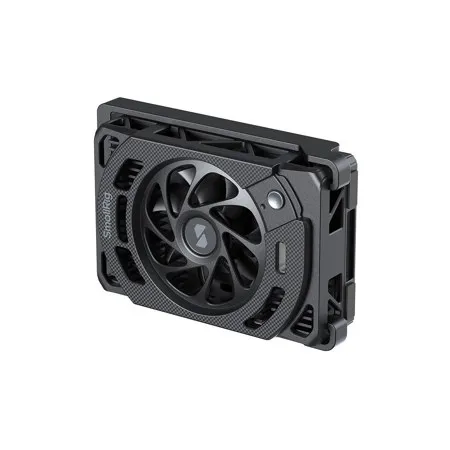
SmallRig Cooling Fan for Panasonic LUMIX S1 II / S1 IIE / S1R II 5875 is engineered to mitigate overheating in the Panasonic LUMIX S1 II / S1 IIE / S1R II camera, enabling extended recording times for high-resolution video. Its advanced cooling system combines a 7000 RPM high-speed fan with a TEC (Thermoelectric Cooler) chip for superior heat dissipation, effectively preventing thermal shutdown. The fan offers two speed settings (high and low) to accommodate various shooting scenarios. Its innovative, tool-free snap-on mount allows for swift installation or removal, ensuring effortless operation and unimpeded access to the camera's LCD screen. For extended power and continuous cooling, the unit is compatible with SmallRig V-Mount battery mount plate kits (ID 4064B, 4063B, 5315, 5227) and V-Mount batteries (ID 3579, 4608, 4292).
Note:
• After installing this product, the camera's LCD screen cannot be retracted. Please remove the cooling fan before retracting the LCD screen
• This product does not include a built-in battery and must be connected to an external power source to operate
• This product is not waterproof. Do not store or use it in humid environments
• Do not obstruct the air inlet or outlet while the cooling fan is in operation
• Do not use the cooling fan when the camera is inactive to avoid internal condensation
• When the fan is not in use, press and hold the power button for about 2 seconds to enter standby mode, or unplug the power cable to turn it off completely
• In ambient temperatures of 40 Degree C (104 Degree F) or higher, the cooler's effect on lowering the host device's temperature may be limited
• When shooting in a quiet environment, the microphone may pick up fan noises. Before use, monitor the audio through the camera's headphone jack or a similar monitoring interface







