
This item is no longer available.
The Sony Catalyst Prepare is a cross-platform media preparation solution that reads Sony pro video formats as well as formats from other leading manufacturers, such as Canon and GoPro. It's the ultimate preproduction assistant that allows you to easily and intuitively browse storage devices, create and view clips, edit metadata, transcode to a wide variety of pro formats, load media onto production drives and more. Catalyst Prepare features include source color space support, color correction and color looks and storyboard creation.
The perfect companion to your camera, Catalyst Prepare enables you to easily navigate to and browse your xDCAM, NxCAM, GoPro, or Canon cameras. Easily scan and audition clips and metadata contained on drives, decks and card readers. Browse and sort files in list or thumbnail views. Rename, delete and copy files. Transcode to a wide variety of formats, including AVCHD, xDCAM, MPEG-4 AVC, XAVC, SStP and Sony RAW.
Media production is growing more complicated. Turnaround times are getting tighter. You need a tool that eases the workload on your editor, ensuring that projects meet their deadlines. With Catalyst Prepare, you can quickly identify the right footage to deliver, in the correct format, with your desired folder and clip-naming structure, even when using a variety of popular cameras. Jumpstart the editing and review process by creating a rough cut storyboard with a quick initial color grade, then render it out directly or export an EDL for use in popular NLEs.
Import
Import mode enables browsing of multiple devices. Connect cameras, decks and card readers and preview clips in detail. View clips as thumbnails, or as lists with associated metadata. Copy all media, selected media, or portions of selected media to production drives and backup drives. Create full camera card backups with strong checksum verification and rest assured that you have perfect copies of your assets before reformatting.
Library Auto Save
Never lose your progress - Catalyst Prepare reliably auto-saves your libraries as you work.
Supports formats beyond Sony
In addition to comprehensive support for Sony professional formats, Catalyst Prepare supports popular formats by Canon, GoPro and others.
Organize
In Organize Mode, create project-specific libraries and folders; rename files and move them between folders; create, render and export storyboards; and upload media to Ci, the cloud-based media production workspace by Sony.
Create and load libraries
Catalyst Prepare is a key organizational and creative tool that allows you to arrange media into targeted, meaningful libraries and then launch the creative process with solid rough drafts. Locate the correct media, create subclips and develop rough drafts on a storyboard in a dedicated tool designed specifically for these tasks. A library is automatically created when media is imported. Create new libraries as needed; all imported media will be saved alongside the library file.
Create subclips
Deliver only material of interest and apply a meaningful name for the editing stage.
Use Existing Media
Access existing media drives directly in Catalyst Prepare; simply add their folders to your library and start leveraging the organization, editing and export benefits right away without having to import.
Storyboard
The storyboard feature allows you to organize and sequence a set of clips into a rough cut. Add clips to the story, change the sequence and edit in/out points for individual clips. From there, render your storyboard out to a single file for review; the perfect solution for keeping your team informed and in sync, right from the start. Alternatively, Catalyst Prepare allows you to pass projects to post as media with EDL, for significant time savings in the editing suite; in this case, the project is already started, the initial edit is done and the media is present and accounted for, sequenced and ready for post. Supported NLEs include Vegas Pro, AVID Media Composer, Adobe Premiere, Final Cut Pro and DaVinci Resolve (via the FCP xML format).
Logging
Log clips and assign the metadata that your online editors need to see, including Status (OK, Keep, NG, etc.), Title, Creator and Description.
Logging and simple editing
Edit mode enables additional logging, adjusting of in/out points, creation of subclips and first-pass color correction.
Support for Tangent Surface controls
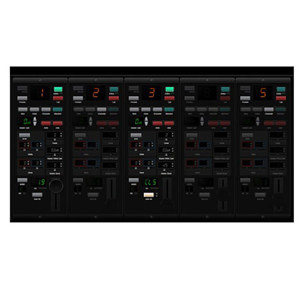
Use the Tangent Wave or Element line of surface control devices to adjust color settings. These devices provide dedicated hardware controls for fluid adjustment of RGB, Lift, Gamma and Gain.
Color correction
Work in the same High Dynamic Range and Ultra-Wide Color Gamut as professional cameras. Set source, convert-to and grade-in color spaces. Apply a look profile. Use the brightness, contrast, tone curves, color wheels and color correction sliders to adjust color while viewing the waveform, vectorscope and histogram displays. Transcode files that carry the new color adjustments, or save the settings as standard ASC-CDL to apply later in the finishing session. Compare before-and-after adjustments by setting the preview display to a before, after, split, or 2-up view.
Transcode or copy
Export Mode can export files in their native formats as well as a wide variety of NLE-specific formats. During this process, files can be renamed with a prefix or suffix, creating a more intuitive reference as they move to the editing stage.
Export to NLE
Export proxy, intermediate/mezzanine, or full resolution files suitable for various NLEs. Export subclips that focus on specific sections of the media. A storyboard can be exported as a single media file with the option to include the color look and uploaded to the Sony Media Cloud Services Ci Workspace, or exported as an NLE-specific EDL-with-media to the finishing editor, saving valuable time. Supported NLEs include Vegas Pro, AVID Media Composer, Adobe Premiere, Final Cut Pro and DaVicni Resolve (via the FCP xML format).
Supported formats
Transcode to AVC/AAC (.mp4), DPx, OpenExR, ProRes (Mac only), DNxHD, or XAVC, with presets ranging from Internet- and tablet-focused delivery, to large-screen 4K displays. Include color adjustments if desired and select output color space in the transcode process.
Enhanced batch processing and transcoding
View and edit files, apply color correction and more, all while rendering, copying and exporting media in the background.
Preview
View details clip-by-clip, in full-screen or predefined magnification modes. Zoom in and out quickly during playback to spot-check every corner of the scene. Take advantage of viewing your Rec. 709, S-Log1, S-Gamut/S-Log, S-Gamut3/S-Log3, S-Gamut3.Cine/S-Log3 and Sony RAW sources in the full high dynamic range color space. Show safe areas and apply clip settings such as horizontal/vertical flip and anamorphic stretch. Preview your clips using the source frame rate or the Play all frames mode to accurately view every frame. Adjust the playback speed up to 4x. Loop playback to review material and use the scrub control for frame-accurate monitoring. J, K, L keyboard shortcuts are fully supported to start, stop, reverse, speed up, or slow down playback. Adjust the master audio volume, preview and route up to 16 audio channels to stereo outputs.
Color workflow
Take advantage of the high dynamic range and ultra-wide color gamut of your professional camera. Adjust the color content of your clips. Choose the source color space: Rec.709, S-Log1, S-Gamut/S-Log, S-Gamut3.Cine/S-Log3, or S-Gamut3/S-Log3. Select the grading color space: Rec.709, Log, or ACES. Adjust lift, gamma, gain and saturation with standard 3-wheel tools and adjustment sliders. Make graphic RGB tone curve adjustments. Waveform, vectorscope and histogram displays update during playback. Compare the color corrected version to the original in split-screen or side-by-side preview modes.
Accurate copy and backup
Copy a single clip, a portion of a clip, a group of clips, or an entire volume to local or network storage locations, with checksum and hash verification applied on transfer.
Upload to Ci Workspace by Sony
Securely upload assets to the Ci Workspace and instantly connect your team to your media files. Ci offers tailored online apps so your team can review, annotate and collaborate on media files across multiple locations in real time. Get the notes you need, as soon as possible.
Native format support
Catalyst Prepare natively supports Sony professional formats such as xDCAM SD and HD, xDCAM Ex, XAVC-Intra, XAVC Long-GOP, XAVC S, NxCAM, Sony RAW, HDCAM SR (SStP), AVCHD, AVC H.264/MPEG-4, DNxHD, HDV and DV. All formats can be mixed and matched when building a storyboard. Multichannel files? No problem: Catalyst Prepare supports files with up to 16 channels of audio.
Touch enabled
Catalyst Prepare puts browsing, viewing, file organization and playback at your fingertips with a touch-enabled interface. Use gestures to manipulate the interface, select and move files, start and stop playback, scrub the file, adjust colors and more.
GPU accelerated
Catalyst Prepare takes advantage of the power of modern GPU devices from Intel, NVIDIA and AMD to enhance playback and transcoding. The optimal GPU device is automatically selected.
External monitor preview
Output to an external reference monitor via HD-SDI by using a Blackmagic SDI or UltraStudio device-perfect for working on critical color adjustments.