2012-06-14T20:00:00
Rated 4 out of 5
Good but not great
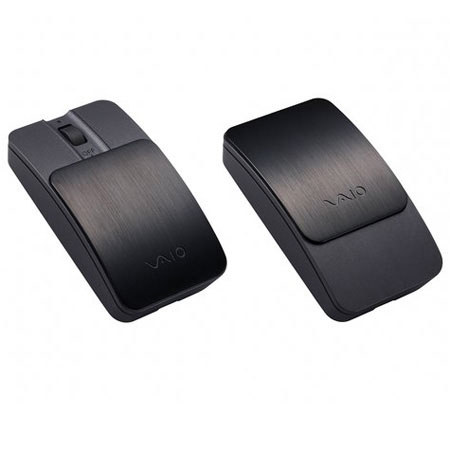
This is a great stylish mouse for you Vaio. The only problem is that it sometimes connects and lags, but you can solve it by turning it on then off again.
PCMan
Originally posted at

2012-01-03T19:00:00
This product is another Sony failure -- It keeps dropping connection when connect via Bluetooth - Nice look but not usable - after one minute of connection -- call the 800 number and that was more painful then the mouse issue.....
SliverTrick
Originally posted at
2011-11-01T20:00:00
Rated 1 out of 5
Disappointing
This mouse constantly disconnects from my PC and will not reconnect without a reboot. Very unreliable and frustrating.
DSH0
Originally posted at
2011-08-18T20:00:00
Rated 1 out of 5
Too Expensive
This Bluetooth Laser Mouse frequently disconnects from my laptop, and the connection cannot be restored through either the Windows 7 Mouse Options found within Devices and Printers nor the Mouse Options found within Hardware and Sound. Turning the device on-and-off is also of no use. The only remedy for the disconnection is to reboot your OS and hope the connection restores itself, which is quite irritating when such a remedy is required several times over the course of few hours.
Boniccal
Originally posted at
2011-01-12T19:00:00
does not work wiiith off OS programs like KILL DISK
dut you can use the touch pad
SACHIMO34
Originally posted at
2009-12-19T19:00:00
Rated 4 out of 5
Great for Vaio X, but pricey
I bought this for my Vaio X. Works great, but for the price, It would have been nice to include a travel pouch. Otherwise a great, mouse that matches the style of the X.
SonyBiz
Originally posted at