2026-05-28T20:00:00
Rated 5 out of 5
Well worth it!
very much liked this scanner (and, I should mention I received one without charge to review). The interface is extremely simple and the setup is as easy as any peripheral device I own. In the past, I have had to open several different programs and interfaces to capture a scan, whether for photos or PDF documents, which was always less than optimal. This was particularly the case with multiple-page documents, even with a feeder. The Canon native program is simple, intuitive and basically plug-and-play. Saving, grouping, and organizing is easy, and the image quality is exceptional. I would recommend this for anyone who has more than one or two documents to scan per month. Absolutely worth the investment in space and time.
Minnow
Originally posted at

2026-05-28T20:00:00
Rated 5 out of 5
Quick and easy, a pleasure to use!
I received this product in exchange for my honest review. This scanner was promptly put in my home office for use by my husband for the infrequent scan, and my daily use. I am scanning in decades of photographs and this scanner is truly making quick work of it. I literally scan two photos at once and it is quicker than I could ever expect - wicked time saver, and truly feel like I'm using a top of the line product. This is a great scanner for both professional and home use, loving it!
AliciaMMK
Originally posted at
2026-05-28T20:00:00
Rated 4 out of 5
Great Addition to Your Home Office!!!
I received a Canon imageFormula R40II Scanner in exchange for my honest review.
It took a minute to get everything set up for me and I am pretty equipment savvy. For the life of me I couldn't get my Windows 11 laptop to recognize to scanner and that was quite frustrating. I eventually just installed it on a computer with an older version of Windows and everything went smoothly. If it wasn't for the computer issue, the setup would have been straightforward and completed without any issues.
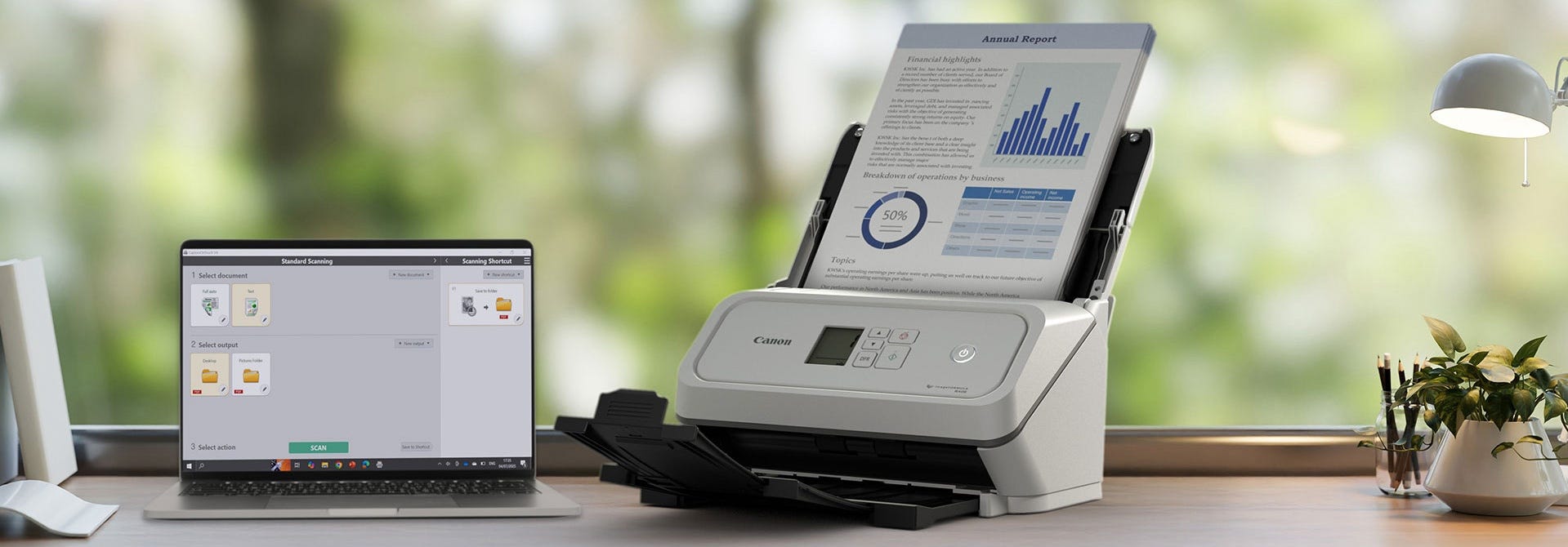
I used the scanner in my home office to help me organized paperwork, receipts, miscellaneous documents, and business cards I had lying around. They needed to be scanned into my computer to be accessible when needed and this was the perfect scanner for the job. It was very quick and very efficient with the capability of scanning both sides at the same time. I loved that. The CaptureOnTouch software is easy to use. The automatic feeder was able to accommodate about 50 documents at a time, which made the process go quickly.
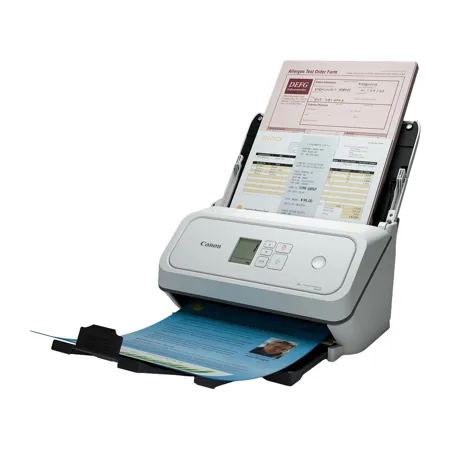
I love the compact size of the scanner, the automatic feeder, and the ease of storage. You can easily fit this into an corner, a cubby hole, under your desk; virtually anywhere..
The one thing I didn't like that it had to be connected via USB. I would have preferred wireless connection because it is so much easier. I would have thought that any new scanner would at least have the option of being connected either way.
Overall, I feel that the R40II is a great addition to any home office. It is compact, easy to use, fast, and efficient. It will help you keep paperwork, business cards, and important documents organized and allow you to get rid of PAPER!!!!! ??
If you need a scanner-grab this one?.
Caligirl
Originally posted at
2026-05-28T20:00:00
Rated 3 out of 5
Easy to Use and Efficient Scanner (no bluetooth or wifi capabilities)
Overall 3 stars, easy to use and efficient scanner (received for free for an honest review); however, was not a fan of needing to download software to use, it will not scan longer receipts that are not letter / legal size, and no wireless / bluetooth capabilities.
Set up was easy - unboxing was quick, tape that protected sides and moving parts left no residue. Only one piece to attach. Loved how small it is and folds to cover top of scanner where papers enter.
Scanning was very efficient vs. my printer scanner. Scanned 2 sided documents with one very fast scan. Tried scanning 20 documents at once and was done before my usual 1 document scanned with my printer. Will definitely save time and quality was great - captured a water color painting my daughter did - but also slightly frayed the end so not for delicate artwork. No issues with ripping receipts that are thin paper.
It did straighten documents that were slightly askew which was nice especially with receipts; however, I would have liked to have something there to keep them upright like printer trays have to keep the paper together and straight.
Downsides: have to download software and does not have bluetooth or wireless capabilities so you need to have it close to where your computer is. I had a longer receipt that I needed to scan and I got an error every time when it got to legal paper size.
If it had wireless and fixed the issues with scanning longer receipts, then it would be a 5 star product.
megs_4
Originally posted at
2026-05-27T20:00:00
Rated 5 out of 5
imageFORMULA R40 II: Fsst, easy, and capable
I was provided with the reviewed scanner as remuneration for the testing and review.
\The download site's automatic OS detection was incorrect. It reported MacOS Catalina, when I currently run Tahoe, which is significantly newer (this seems out scope for this review, but matters later on. Tahoe is selectable from the menu, but should have been the default choice.
The step-by-step use instructions in the installer are great.
The first time I installed the OnTouch app, it wouldn't work, throwing an app error about not being able to use the driver. I tried a opuple of tricks. and eventually asked Gemini for an answer,I learned that there are two versions of the installer, an older DMG, and a newer PKG. One installer, the older one, apparently corrupts the application on install if you're using a newer OS. I used the PKG installer and the app ran normally. The Canon support site should have mentioned this and pointed me to the proper software.
Other than that, the one-touch app is simple to set up and easy to operate.
Hardware is similarly easy, with only a couple of mior pain points. The amount of stabilization tape in this thing is astounding, and I have trouble gripping the pull tabs to remove it. Then, fitting the top of the feed tray into the printer was quite difficult, even after consulting the directions twice.
The USB-C cable is appreciated, and was easy to connect. Direct connection worked well, connecting through my Anker USB hub...did not. At first wouldn't work with the hub unpowered. After I connected a power cable to the hub, the computer was able to see the scanner. After removing power from the hub once again, the computer remained able to see the scanner, and it works normally.
When I put in my first batch of documents, I noticed that there's no indicator on the feed tray as to which direction the documents should be fed. By luck, I chose the correct orientation, and it worked, but an indicator on the feed tray would be nice.
Scans, both black and white and color, are simply great - crisp, sharp, and easy to read. The scanner will very occasionally slip a page and blur the scan, but this is true of any machine, and it doesn't seem to happen often. Unsurprisingly, the best scans come from flat documents with relatively pristine edges. The scanner also handled trifold documents easily.
Card scans are similarly easy, and of comparable quality. Just make sure orient the card properly, or it won't scan.
I was able to fit 60 pages of single-sided 8.5x11 20# bond i the hopper, and scan them in about a minute. A similar quantity of double-sided docs were simlarly fast, which make the job easier to complete. Be sure to extend the output tray, or the scanned pages will get out of order, as the pages will not sit consistently on output.
I also scanned a sheaf of 24# without incident. I don't have any 40# around at the moment, but I doubt it would cause any problems.
I appreciate that the scan can be initiated either from OnTouch or from the scanner. As well, I like that the rollers are easily replaced when they wear out
All in all, a capable addition to my offfice that will simplify the process of digitizing a significant quantity of stored documents.
B L.
Originally posted at
2026-05-26T20:00:00
Rated 5 out of 5
Love the 2 sided scanning capability
I received a free sample of the Canon scanner to review. The setup was quick and hassle free. I love that it is a stand alone and compact scanner that does not take up a lot of space on my desk. The most amazing part is that it allows you to do 2 sided scanning. I had to attach several 2 sided documents to an email and was pleasantly surprised by how quickly it scanned multiple 2 sided documents.
Ivette89
Originally posted at
2026-05-26T20:00:00
Rated 5 out of 5
Great compact scanner
Set-up was quick and easy! The scanner scans things in no time at all! Very nice and compact compared to other scanners I have used in the past. The double sided scanning feature was so nice to use and it was faster than I had expected. Over all a great product!
BuffaloGing
Originally posted at
2026-05-26T20:00:00
Rated 5 out of 5
Great Little Device!
I received a free sample of this scanner in exchange for writing a review, and overall I've been very impressed with it. The setup process was quick and straightforward. It only took a few minutes to get everything connected and ready to use. The instructions were easy to follow, and I had no trouble installing the software on my computer.
The scanner quality was excellent for my needs. Documents came through clear and sharp, and the scanning speed was faster than I expected. I also tried various sized photos and they scanned beautifully as well. Even with the varied sizes, it handled everything without hesitation.
One feature I especially appreciated was the duplex (2-sided) scanning. It saved a lot of time because I didn't have to manually flip pages over to scan the back side. The software automatically detected a two sided document without my input.
Overall, this scanner was easy to use, reliable, and worked very well for everyday scanning needs. I would definitely recommend it to anyone looking for a dependable home or small office scanner.
indianaskier
Originally posted at
2026-05-26T20:00:00
Rated 5 out of 5
Portable, light, easy setup, user friendly
The setup process was amazingly easy and quick. I used this for uploading important documents onto my at home use computer. I did use the 2 sided scanning a few times. It worked really well. I liked this scanned a lot. I would recommend to anyone.
I also love how portable and lightweight this scanner is. I can pack it into a small basket box thing i bought for it. Once I start traveling again, it'll be so easy to pack it up and go.
WendiCsorba
Originally posted at
2026-05-26T20:00:00
Rated 5 out of 5
Incredibly Fast Scanning
I received this scanner in exchange for agreeing to write a review. The setup was quick and easy on my Windows 11 laptop. However, I was disappointed that I could not install it on my chromebook. The scanning speed was incredible. So fast! I used this at home to scan lengthy (50+ pages) 2-sided documents and they went in and came out and the job was complete within seconds. It was great that it scanned both sides at the same time, kept everything in order, no paper jams, no errors and mind-blowing speed. Plus, it folds up to a compact size when not in use.
Rosen
Originally posted at
2026-05-26T20:00:00
Rated 4 out of 5
Perfect Compact & Superior in Home and Office Scanner
I was given a free Canon R40II scanner, in order to perform my honest review of the product. The product was slim and compact, in compassion to other scanners that i have used before, with few buttons on the front face. There was not a lot of complicated buttons for me to try and figure out what they are or mean. The set-up process was quite simple and not complicated at all. The scan quality and speed were superior to current all in one scanner, printer etc. The ability to do duplex scanning was a feature I particularly liked compared to my traditional flatbed scanner. I found though that in the set up and using the duplex scanning feature, I had missed seeing the two little guide paper holders on the flap of the scanner. Hence, at first my original scans were distorted and paper crumpled. I think if they were made in a different color, such as gray, white or a lime green to make it more visible (since they are folded in) would be helpful.
roberma
Originally posted at
2026-05-24T20:00:00
Rated 5 out of 5
Very effecient, compact scanner
I was excited to receive this scanner in return for my honest review. The scanner was more compact and lightweight than what i was initially expecting. The setup was fairly easy, it took me about 10 minutes to get started using the scanner after the software was installed on my laptop. The whole setup process was pretty straightforward.
As for the scanner's performance, this is probably the fasted and most visually detailed piece of office equipment I've ever used. The speed in which it scans, and the details that it captures is incredible, it makes my original scanner look like a dinosaur haha. I have been using my printers 1 page at a time scanner and it takes forever. I've used both the single sided scan, and the duplex scan and the duplex scan is just as fast and detailed as the single sided scan. I like how it folds up on my desk as to not take up too much room.
As of right now, I don't have any critiques or negative things to write about this Canon Scanner. It's the fasted piece of office equipment I've used if I'm being honest. If you're in the market for a compact, efficient scanner than I highly recommend giving this one a chance!
Michelle K.
Originally posted at
2026-05-23T20:00:00
Rated 5 out of 5
Compact and Fast Scanner
I received imageFORMULA R40II Office Document Scanner to test out and me to provide my honest feedback. I do have a side hustle where I need to scan lot of paper to pc, I used mostly my phone to take picture. Since its arrived, I have been scanning and storing my documents to pc any format I like. I tried out different sizes and double sided scanning of my documents, I have not been disappointment yet.
It packaged very well, lot of green tapes to protect scanners parts and feeder was in nicely packaged in a cardboard. It took me less then 2 minutes to setup the whole thing and to download the software. Only thing is I wish it would be wireless, Its kind of tied to only one pc with USB wire.
uansolu
Originally posted at
2026-05-21T20:00:00
Rated 5 out of 5
imageFORMULA R40II Office Document Scanner
I received this scanner for free to try out at my home and review its features and how it performs. The set up was quite easy and made it easier to continue scanning our documents which we do a few times a week whether its for work and or school. It is small but its a great size for my home office and performs very efficiently. I especially like that I was able to scan a few documents at a time and also use the double sided feature which is a plus to save paper. Did I also mention its a scanner and prints making multitasking at work a breeze. I fully recommend this image FORMULA R40II Office Document Scanner to everyone that wants an upgrade in their office to work more efficiently.
jennialdo
Originally posted at
2026-05-21T20:00:00
Rated 5 out of 5
Great High Quality Scanner
The setup process was very easy and straight forward. The only thing i didn't like is that there was a lot packaging material, including tape on parts of the scanner. removing all that was a bit annoying, but the scanner was in perfect condition.
The scanning speed and quality is great. I use it in my home office, and love that i can can two sided. It's much faster and better quality my older scanner i have been using.
Yooperdawg
Originally posted at
2026-05-20T20:00:00
Rated 5 out of 5
Fast, easy to use
The set up and use are really easy to do. You go online to the site and walk through the simple steps of downloading and setting it up on your computer. Its as easy and install, plug in and use.
This scanner works rather well. You can feed in a decent amount of papers at a time. The duel scanning really does safe time. The scanning process is rather fast and it is very simple to use.
I have used this scanner for many different things, from my professional to my personal life and also my child schooling. The ability to scan and print or scan and save documents is great also
Dmgirl03
Originally posted at
2026-05-20T20:00:00
Rated 4 out of 5
Crisp Clear copies scanned into our files.
First off this Cannon Scanner is a nice compact size that should fit on any desktop. The installation process for the software was a bit frustrating as the QR codes that were to be scanned did not bring up the proper software installation process without multiple tries. After you got through that the machine worked as it should. There were no clear instructions on just where the file would be in your computer but also after some research we were able to figure this out as well. Scanned copies were crisp and clear , nice quiet running machine when in use which is nice. This is being used in our small business home office to keep records of invoices and it makes document filing clean and clear. This was received in exchange for agreeing to write a review. It helps to have windows and file knowledge going into it. Overall a nice piece of office equipment to have on hand.
JulieP
Originally posted at
2026-05-20T20:00:00
Rated 4 out of 5
Quality Scanner
I received this scanner for free to try out in my home and review. I must say that I was thoroughly impressed with the quality of the scan, the quickness of the scanning and the ease of use. I wish the set-up process was a little clearer, it did take my wife and I about 20 minutes to get the scanner up and running (we had to restart our computer and re-read the instructions before the scanner was fully functional). We typically scan a few times per week, depending on what documents my kids have for school or what personal documents we need to file. The scanner is small enough to fit on our desk, not bulky so doesn't take too much real estate. Overall, I'd give the scanner a 4 out of 5 stars, if the installation process would have been easier to navigate, I would have given this scanner a 5 out of 5.
jlron23s
Originally posted at
2026-04-30T20:00:00
Rated 5 out of 5
Fantastic scanner
This scanner is small but mighty. I am extremely pleased with it - it's fast and accurate. The most pages I've put into it at once so far is 15; I was skeptical it could handle feeding them in the correct order but it did great. The only downside is the software for it has closed unexpectedly on me several times (I use a Mac), but I'm hopeful that will get fixed with an update. Very pleased with my scanner.
fireserpent011
Originally posted at