2026-02-13T19:00:00
Rated 3 out of 5
Borderless design? I'm not seeing it...
I picked up two of these for my desktop setup, in a vertically stacked orientation. They were part of the Winter Olympics sale, so I didn't have to pay $330 per monitor. They arrived safely and I went about getting them mounted on my monitor stand. They can get very bright, have great color and contrast, and seem to display smoothly when I don't overdo it with my 30 series nvidia GPU.
It turns out that no VESA screws are included, so I had to order extras since I didn't have enough for both monitors. Once mounted, I do notice that I have to turn my head a bit more due to the small desk I'm using. It's very wide, but not very deep, so ideally, you should have some extra space between you and the monitors to make them more ergonomically sound. If they were curved, they might be better suited for a desk like mine.
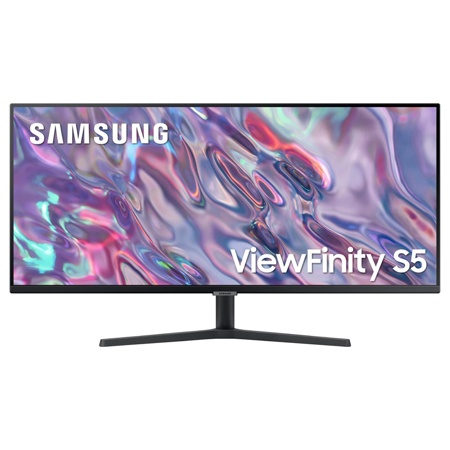
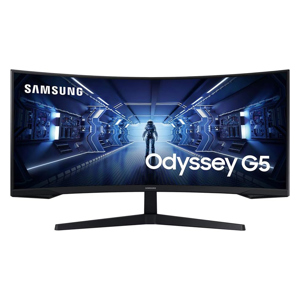
I noticed that the website description claims they are a 'borderless' design and shows a picture with just the 2mm thin plastic bezel being the delimiter for the monitor screen. I'm here to tell you that this is definitely not the case. I have nearly a centimeter of space between the sides and top of the screen and the bezel. I have nvidia control panel set to no scaling and the monitor is being run at full resolution, 3440px by 1440px 100Hz. Both monitors are similar in this, so it must be a production change or false advertising.
So, I'm rating them 3 stars because if I had to pay $660 + tax for these two monitors, I would be sending them back. As it is, I will probably end up with a different, larger, single ultrawide and use these as wall-mounted displays for something else.
zer0
Originally posted at

2025-12-08T19:00:00
Rated 5 out of 5
Great ultrawide monitor
I bought this monitor specifically because of its ability to display 2 different inputs side by side and it does that amazingly! Coupled with MS Mouse without borders i able to move between my notebook and desktop screens seamlessly!
Tervel
Originally posted at
2025-11-20T19:00:00
Rated 5 out of 5
Wow! It's more like a window!
The picture quality is so clear & crisp. It's seriously like I'm looking out a window not just my monitor. I should have made the switch so much sooner. The refresh rate is excellent so when I'm streaming movies they are nearly theater quality if not better. The color on it is breathtaking when I'm talking to friends on conference calls there is no hiding anything I can see everything. Lol. This is the one to buy if you're looking for a new monitor!
Tomorrowtodayforever
Originally posted at
2025-10-30T20:00:00
Rated 2 out of 5
Questionable quality and poor customer service.
Questionable quality and poor customer service. Product arrived with a crack in the base. Samsung told me I would need to return the entire product rather than sending out a replacement base part to address the issue.
KDHNC
Originally posted at
2025-10-10T20:00:00
Rated 5 out of 5
This product has the best view
Movies are like being at a theatre, gaming is live and crisp, no lags, and sound is amazing!!!!
Samsung4life
Originally posted at
2025-10-06T20:00:00
Rated 4 out of 5
It is a great gaming experience
It has vivid color, nice sound system. I liked the operation system features available to me. Makes for a good gaming experience.
Shining4HIM
Originally posted at
2025-09-30T20:00:00
Rated 4 out of 5
Two for the price of one
Monitor allows me to have side to side screens on one monitor. Very helpful especially with financial spreadsheet. Resolution is good.
SteveS
Originally posted at
2025-09-26T20:00:00
Rated 5 out of 5
Very helpful to used for linking to phone
I used for work to link movies and editing. This help with a lot of my onlyfans work
JHardenKissimmeeFla
Originally posted at
2025-09-25T20:00:00
Rated 5 out of 5
The product is amazing with great features.
Everything works smoothly and experience is great until now.
Robbie
Originally posted at
2025-09-22T20:00:00
Rated 5 out of 5
Satisfaction
Meets all if my expectations, I use 2 in my home office
SocialWorking
Originally posted at
2025-09-12T20:00:00
Rated 5 out of 5
Features amazing contrast
It makes viewing amazing and makes daily tasks more appreciative
Kaye11
Originally posted at
2025-09-10T20:00:00
Rated 5 out of 5
Great Monitor for Multi-Tasking
I have been using this monitor for two months, and overall, it has both strengths and weaknesses.
Pros
1. Ample Screen Space
Thanks to the 21:9 ultrawide aspect ratio, it's great for multitasking with multiple windows open at once. It also offers excellent horizontal space for tasks like video editing and design.
2. Resolution, Contrast, and Black Levels
With Ultra-WQHD (3440 × 1440) resolution and a VA panel, the monitor provides high contrast and deeper blacks than IPS, offering a comfortable viewing experience in dark scenes.
3. Good Value for the Price
Features like high refresh rate (100Hz placeholder), FreeSync, and HDR10 are all included, making it a solid value option.
4. Solid Basics: Viewing Angles & Design
With 178° viewing angles, a matte anti-glare coating, and slim bezels, it reduces distractions from the surrounding environment.
Cons
1. Response Time
While 5ms GtG is decent, fast transitions-especially from dark to bright scenes in games or action content-can show noticeable ghosting.
2. Brightness Limitations
The brightness is adequate for normal indoor use, but in bright environments or direct sunlight, visibility can be reduced.
3. Stand Adjustability
The stand only supports tilt adjustment. It lacks ergonomic features such as height adjustment or pivot rotation.
4. Not Ideal for Professional Color Work
sRGB coverage is solid, but for professional design or photo editing that requires wider color gamuts like Adobe RGB or DCI-P3 would be necessary.
Jacky830
Originally posted at
2025-09-09T20:00:00
Rated 4 out of 5
Love my Samsung monitor
I use my monitor in my work from home setup - I WfH five days a week. It's great - no lag, colors are sharp, great for Teams, PowerPoint, word and excel. Two things: 1. Wish it had a place on the bezel for my webcam and light, and 2. we have curved big screens at my work office - that's a nice value add.
Tommy123
Originally posted at
2025-09-04T20:00:00
Rated 5 out of 5
Best wide monitor ever
Super great for the price I paid.sgsusijsnsbsbshjebdbdn
TheNecessaryEvil
Originally posted at
2025-08-27T20:00:00
Rated 5 out of 5
Great monitor
It works great as a great picture.And resolution, and the sound is great
Delow1985
Originally posted at
2025-08-24T20:00:00
Rated 5 out of 5
Great for office work
I use it on a daily basis in my work as an independent insurance agent. Even on days of more than 8 hours of work and also some weekends.
I liked its image quality and the ease of connecting it.
It also helps me take care of the health of my eyes.
The only criticism is that it should have had the webcam included.
But in general terms it is an excellent monitor and meets my work expectations.
Alescox
Originally posted at
2025-08-22T20:00:00
Rated 5 out of 5
Great graphics
I use this monitor for work and it truly has made my work day easier and more efficient. Great for multi tasking and high speed processing.
KayCWFH
Originally posted at
2025-07-25T20:00:00
Rated 5 out of 5
This is the one if you need space and good vision
Able to replace two smaller monitors and gain better vision and control.
Larry
Originally posted at
2025-07-08T20:00:00
Rated 5 out of 5
Great monitor! Just what I need!
This monitor is for my home office setup. I use it everyday and sit in front of this crispy screen at least 8 to 9 hours a day for work. I have it for over 15 months now. I hardly have any eye fatigue with this monitor. With the 34 wide screen ratio. I can get more space to fit my day to day applications without sacrificing the performance. I used to have a 27 inch monitor as my primary monitor and with this 34 inch wide screen, I get more done without having to choose what applications to display.
PCman925
Originally posted at
2025-07-07T20:00:00
Rated 4 out of 5
Great Display and Smooth Performance
I'm using for my office work. display quality is absolutely top-notch - vibrant colors, deep blacks, and sharp details make it perfect for everything from daily work and streaming.
Sriniva
Originally posted at
2025-06-07T20:00:00
Rated 5 out of 5
Lovely Monitor
Great resolution and display, and easy to use menu interface. I traded 2 dual monitors for just this one for my home office and have never looked back.
DB9988
Originally posted at
2025-05-31T20:00:00
Rated 5 out of 5
Great Resolution and Graphic
high resolution and good graphic, no lag amd very bright
criscris
Originally posted at
2025-05-29T20:00:00
Rated 5 out of 5
Great Price for Size and Quality
I am someone who WFH a lot and have had two monitors in the past - this one is the best by far. It's a great size and has a slight matte finish to help with glare. I am very excited to keep this in my setup for the next few years.
Valeria
Originally posted at
2025-05-27T20:00:00
Rated 4 out of 5
This product is fantastic
This product is really nice I have set it up on an adjustable arm from Amazon. I have one issue with this monitor and the PIP doesn't work well with display port docks older ones. I have 2 docking stations. One is a dell D6000. I am also using a KVM. The picture looks smushed together a bit when I try the PIP. Honestly the price of this monitor is fantastic for all of the features that it has. I really like the monitor. I do wish I went for the 37 inch instead for more vertical space also, but I'll stick with this for now.
Yeesushinfan177
Originally posted at
2025-05-09T20:00:00
Rated 5 out of 5
Great value
This monitor offers a vibrant and crisp display, making it a joy to use for both work and entertainment. The sleek design complements any desk setup, while its adjustable stand allows for personalized comfort. The impressive image quality truly enhances the viewing experience, whether you're gaming or streaming movies. Its user-friendly controls make it easy to adjust settings to your preference. This monitor is a fantastic investment for anyone seeking a high-quality visual experience.
Nick34
Originally posted at
2025-05-06T20:00:00
Rated 5 out of 5
Better choice than multiple displays
I was undecided between multiples displays and a bigger monitor. Turned out that my Mac did not support multiple monitors so I had to compromise with this one. Very happy that now I can have 5 screens working at the same in one monitor.
Because of the size I can fit my 5 most popular applications in one screen.
Great purchase.
Papito
Originally posted at
2025-05-06T20:00:00
Rated 5 out of 5
My favorite monitor yet
I am a software engineer so I use my monitor for my day-to-day work use. This often entails having 5 to 15 applications running at the same time and often a need to view several at the same time. This monitor provides the ability to place applications side by side or all four corners and yet still have a good view of each.
I would highly recommend for someone looking to maximize their viewing space
Munny8
Originally posted at
2025-05-06T20:00:00
Rated 5 out of 5
This product has wonderful definition
I love my monitor it has great definition and is very bright easy to hook up.
Lovetheinternet
Originally posted at
2025-05-06T20:00:00
Rated 4 out of 5
One minor issue, otherwise very good
Configuration: msi gaming pc, NVIDIA GeForce RTX 4070. I'm using it in 3440x1440, 59.97 Hz mode. On the left I use a onn set vertically and on the right a Samsung C24F390.
Use: video, spreadsheets, documents
Issue: Inside the border was a gray line and it would blink black. A firmware update appears to have resolved the issue and it is working well.
techhobby
Originally posted at
2025-05-05T20:00:00
Rated 4 out of 5
Love it but wish it was curved
I work from home with a work-supplied laptop. The Samsung is my primary monitor. It displays all the work stuff - web apps, spreadsheets, PPT, PDFs, and so on. It offers room for lots of windows, way more than my old 27" display. Colors are sharp, videos displayed on it look good. The only regret - not having the spare change for a curved monitor. Next time.
douglas
Originally posted at