2024-12-19T19:00:00
Rated 3 out of 5
ST4300USB3
To be completely honest in my review, I bought a ST4300USB from Amazon this month and after working with Tech Support it was determined defective. I returned it and received another and that one also would not connect. Sent it back for a refund.
I also bought one back in June 2024 and after a few months it stopped connecting. I worked with Tech Support with that one as well and determined it was defective. Because of the return policy with Amazon, I contacted StarTech for a replacement. My confidence level wasn't high, I connected it and it worked just fine. I have had (3) total that did not work, possibly a better Quality Control on these units would turn out a quality product. I like the Hub when it works, but working through the issues and returning defective units may not be the best for customer service. Hopefully this latest Hub I received will continue working properly. Thank you for sending a replacement quickly.
PHCleve
Originally posted at

2024-04-23T19:05:10
Rated 5 out of 5
Performs as advertised
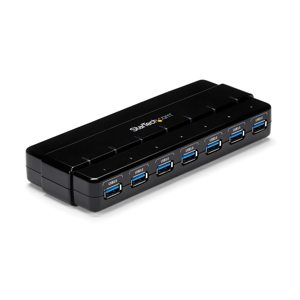
Several years ago, we purchased an externally-powered Star Tech seven port Hub from Adorama. It has performed without any issues, connecting multiple devices to one of our desktop computers. We required port expansion on two more computers and based on our Star Tech experience, purchased two more that depend on USB-provided power and have four ports. The connecting cable is long enough for accessible placement. The number of connected devices is lower than on the original Hub. The Hubs are well-made, and connecting devices is simple.
They are working very well; easy to install and so far, no issues.
ROBERT M.
2023-08-11T20:00:00
Rated 5 out of 5
astronomy
worked great right out of the box to link Gemini 2 system, auto focus motor and a guide camera to my laptop for my telescope. Very happy with this product.
Firstlight
Originally posted at
2023-06-17T20:00:00
Rated 4 out of 5
Good for a laptop/notebook, not for a desktop.
I purchased it with the intention of plugging it into my desktop computer's front panel port and mounting it on the top of my case, but the cable is too short for this purpose... I'm sure it's great for a laptop or notebook!!
Cookie589
Originally posted at
2023-02-19T19:00:00
Rated 1 out of 5
Dead out of the box
Dead out of the box. MacBook Pro can't see any external drives connected via this hub.
DONTBYSTARTECH
Originally posted at
2023-02-14T19:00:00
Rated 1 out of 5
Dead on arrival
Received a unit that doesn't work. When I press the power button the leds flash for a brief moment and then it's completely dead.
Checked the power brick, it puts out about 11V (i guess it's within range) so I guess it's something in the hub itself that is broken.
Also dissapointingly there is a sticker on it inside saying that the dedicated charging ports don't output higher power when it's connected to a computer, only when the computer is turned off, otherwise it will just charge with the usual power a USB port has (very vague, probably means 0.5A)
dutzu
Originally posted at
2022-09-09T20:00:00
Rated 5 out of 5
Works Perfectly
I use this hub continuously and during several years, it works perfectly for me. I can charge a mobile phone with the USB ports, maybe not super-fast but it charges nonetheless. It has a power supply but that´s only necessary if charging something, to just plug in standard mouse and keyboard peripherals it´s not necessary, so you can travel without it.
I am very satisfied with all StarTech products including this one.
KevinBCN
Originally posted at
2022-06-27T20:00:00
Rated 1 out of 5
Thought this would be great, but...
My company included this with all my other devices, laptop, monitor, wireless keyboard, wireless mouse, wireless headset. Fantastic idea since only 2 USB ports on my laptop and 3 wireless devices provided, worked fine at first but, after 2 months, kept getting the chime that something was not working, moved it to the second USB port, fine then one month later, today, same chime, plugged my two usb connectors into the laptop and working fine, so, obviously something is up with this hub.
djshizzl
Originally posted at
2022-02-17T19:00:00
Rated 1 out of 5
hub died after a week
Worked fine for a week then stopped sending data and only power. Checked all connected cables and devices and they all work fine. Nothing in manual to suggest how to reset the unit. When will computer companies make something that actually works??
drbazh
Originally posted at
2021-11-25T19:00:00
Rated 5 out of 5
Works Perfectly
This part works perfectly. It provide stable connections to critical components at our working observatory. Highly recommended.
WellsFRAS
Originally posted at
2021-10-10T20:00:00
Rated 1 out of 5
No good. If it was heavier could be a boat anchor.
Got this 2 weeks ago and it does not work. Have tried it on 3 different Windows10 laptops and it is not detected. Went to the Startech website to download drivers and in the download drivers section there is only the same PDF manual that came with this device. There should be a section for a negative rating as I am negative $40 with nothing to show.
jjki
Originally posted at
2021-10-06T20:00:00
Rated 4 out of 5
Mostly great
I also use this hub in my observatory, and I actually have two of them. One of my hubs frequently needs the power to be cycled on and off with the USB connection to my computer unplugged and then reconnected to work on many occasions. I am not sure what is causing this, and I wonder whether it possible to accomplish this remotely via code.
ArthurS
Originally posted at
2021-07-27T20:00:00
Rated 4 out of 5
Driver for Windows 10
This adapter works still under Windows 10, you have to install the driver (Rev2 - TUSB3410) manually from the list. It is not signed, but it works!
hale
Originally posted at
2021-06-27T20:00:00
Rated 5 out of 5
startech 3.0 4 port
the startech 3.0 gen 1 4 port usb has been working consistently well. flash drives from usb 2.0, usb 3.0 gen 1 and usb 3.1 gen 1 extreme have all worked well with the port replicator and as intended. system backup times, using usb 3.1 extreme have gone from 1 1/2 hours (usb 2.0 down to 20 minutes. formatting of external drives have also worked well with reduced time to full format.
dell c.
Originally posted at

2021-06-21T20:00:00
Rated 2 out of 5
Not working
When I plug it into my Lenovo M720 Tower I get a USB Port Failure. How do I fix this?
ghfan1963
Originally posted at
2021-05-05T20:00:00
Rated 1 out of 5
Not so good
It recognizes the drives in Devices & Printers but you cannot access them in My Computer
NateTheGrate
Originally posted at
2021-04-27T20:00:00
Rated 1 out of 5
would not use
I bought this a while ago and it's great up until you have to charge your device so if you're a businessman I would go for something better unless u wanna charge your device very often. Personally, I haven't had any issues besides the fact I can't charge it and I have to unplug the USB hub in order to charge my device.
Hunter
Originally posted at
2020-12-02T19:00:00
Rated 5 out of 5
Awesome little USB 3.0 Hub!
I needed a device to expand my single, easy to reach USB 3.0 SS Port on my desk that is built into my LG 32" monitor. We use Startech at work for many applications, so it was a "no brainer" for my management to approve this purchase for home usage. I appreciate being able to keep my Galaxy Tab fully charged, and also be able to charge my Galaxy S based Android phone at the same time! This is just the charging ports I am talking about! I also have 4 SuperSpeed USB 3.0 ports for connecting my 2 external hard drives, and also drive my 128GB USB 3.0 Memory Stick, and have a port left over. Copying external drive to external drive easily sustains an average of 65MB/s or so, so big files move across the wires quickly. I love the build quality as well!
dc_IV
Originally posted at
2020-10-01T20:00:00
Rated 4 out of 5
HOW CAN YOU TURN OFF ANNOYING LEDs
Agree with other reviews but those Led lights are just too much. How can you turn them off.
GTKR
Originally posted at
2020-09-05T20:00:00
Rated 1 out of 5
Unknown voltage
It uses a nonstandard voltage and that voltage is written nowhere on the unit. So I plugged in a 12v power adapter and it broke. I don't know who thought it would be a good idea to use a barrel plug and not write the voltage.
sajo
Originally posted at
2020-09-04T20:00:00
Rated 5 out of 5
updated review
I previously wrote a review stating it never worked properly. Since then, I disconnected and moved it to a different set up. It seems to be working just great now. I'm happy with the product and hope that continues!
Dee w.
Originally posted at
2020-07-28T20:00:00
Works good; but too pricey.
gmknowles
Originally posted at
2020-07-12T20:00:00
Rated 1 out of 5
Worked only twice
Bought about 3 or 4 years ago so it's out of warranty. Only worked once, now that I try to use it again it will work only if I press hard the serial connectors so probably the soldering is defective.
paul0207
Originally posted at
2020-04-09T20:00:00
Rated 3 out of 5
Never-Shuts-Off USB Hub
The 4 Port Black SuperSpeed USB 3.0 Hub works well; however, when the computer is shut down, the hub stays on, and other devices attached to it do not shut down. Because of this these attached devices' hard drives continue to spin, thus wearing them out. I have another hub that although it is plugged in to an AC receptacle, it shuts down allowing anything attached to it to shut down as well.
chezmich
Originally posted at
2020-03-10T20:00:00
Rated 4 out of 5
Works good, but some failed
Got 10 for a project and after a couple days two started having an issue where 5 of the 10 ports stopped working. Removing and reapplying power re-enables the ports but eventually the same 5 ports stop working.
55ffpw
Originally posted at
2020-03-06T19:00:00
Rated 4 out of 5
Works well
I bought this item about three years ago and have it connected to my desktop PC to provide additional USB ports for data transfer and charging purposes. I have had no problems and it works as advertised.
Owrlover
Originally posted at
2020-02-20T19:00:00
Rated 4 out of 5
great quality, DIN mount bracket not included
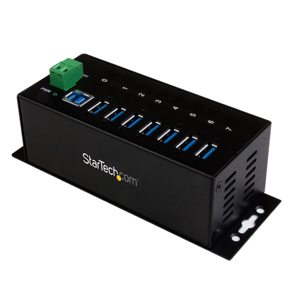
I've been using these for years quite happily, they are far above and beyond the build quality of typical USB hubs, and running them from 24v DC is perfect for my offgrid house. I switch terabytes of USB drives on and off on demand using one of these hubs. I recently bought a second one, and the DIN rail mounting bracket was not included. I don't know where to find a mounting bracket, and had hoped to DIN mount it.
joeyh
Originally posted at
2020-01-29T19:00:00
Rated 1 out of 5
It was used & scratched up
I got last year and I should have sent it back. It worked at first, then stopped and prts work when they want too. I tried it on thre laptops. Doesn't work properly. Wasted my money!
ddd
Originally posted at
2020-01-16T19:00:00
Rated 4 out of 5
Works fine with Win10, but
Works as described (plug and play, but very tight ports which can make it difficult to insert devices in certain positions especially since cord is short. Probably better for laptop use. Regardless it's worth the price.
Kevin
Originally posted at
2020-01-04T19:00:00
Rated 4 out of 5
Pretty Good
sometimes my mouse does not tract properly when I plug the USB into the StarTech USB hub. It could be an issue with the mouse.
LmBr
Originally posted at