This item is no longer available.
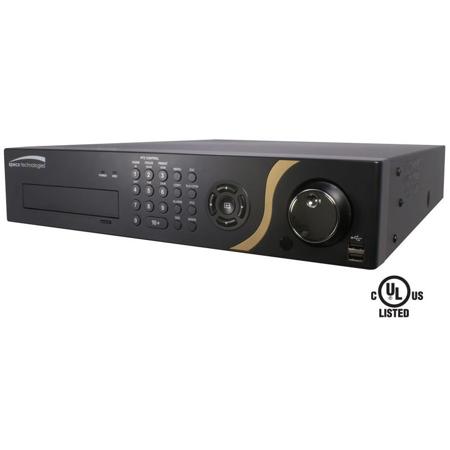
In addition to replacing both a time-lapse VCR and a multiplexer in a security installation, your DVR has many features that make it much more powerful and easier to use than even the most advanced VCR. The DVR converts analog NTSC or PAL video to digital images and records them on a hard disk drive. Using a hard disk drive allows you to access recorded video almost instantaneously; there is no need to rewind tape. The technology also allows you to view recorded video while the DVR continues recording video.
Digitally recorded video has several advantages over analog video recorded on tape. There is no need to adjust tracking. You can freeze frames, fast forward, fast reverse, slow forward and slow reverse without image streaking or tearing. Digital video can be indexed by time or events and you can instantly view video after selecting the time or event. Your DVR can be set up for event or time-lapse recording. You can define times to record and the schedule can change for different days of the week and user defined holidays.
• EZ Setup: for quick system setup
• EZ Network: for quick set-Upon a network
• EZ Search: quickly search events from thumbnails
• EZ Record: quickly setup recording resolutions and recording type
• EZ Copy: auto copy what you are playing onto a USB flash drive
• H.264 video compression
• Full D1 real time recording
• Optimized for full HD surveillance
• Expanded video display options - HDMI support
• Storage expansion via eSATA and iSCSI
• D24GS: 8 analog channels + 16 IP channels
• ONVIF support
• Rack mountable (hardware included)
• 3 year warranty
Monitoring
• Up to 5 monitors connectable simultaneously
• 16 ch display for every monitor including spot monitor
• Full HD (1920 x 1080p) resolution support
• Various screen formats for Full HD and standard monitors
• On-Live Playback (Triplex)
• Data archiving support
• User Access: up to 10 concurrent users
Record / Search
• Various recording modes: Continuous, Motion, Alarm, Pre/Post-Event, Panic
• Easy record scheduling
• Various searching modes: Date/Time, Calendar, Time Bar, Event, Motion, Alarm, Text-In
• Disk mirroring, data archiving support
• Various actions (PTZ preset, record cameras, alarm, save image) configurable
External Device
• External hard drives attachable via eSATA port
• iSCSI support
• Remote keyboard support
• Various PTZ protocol support (60+)
• Free Speco DDNS service for use with dynamic IP addresses
• MAC software provides live view and playback
• Simultaneous live view or playback while continuing to record, network transfer
• SNS communication alert via Twitter
External Device (cont.)
• Remote monitoring, recording, playback, change system settings and camera control via network and/or Internet
• Real time live display
• IR remote control included - individually control up to 16 DVRs
• Multiple analytics such as museum search and advanced motion detection frame rate & picture quality or globally via EZ record
• Easy software upgrade via Network or USB flash drive
• Configurable per channel normal and event recording
• Full system monitoring
• Email notification of alarm events
• Per channel built-in PTZ camera protocol including Pelco D
• Automatic camera detection (Plug & Play)
• Digital zoom in live mode and playback
• Covert camera operation provides enhanced security and administrator control
• Hard drive status monitoring
• USB mouse supported (not included)
• Multiple language on-screen menus
• Playback while watching live on same monitor
• Up to 30 minutes pre-alarm recording
• Up to 30 minutes post-alarm recording
• Concurrent User Connections: Admin (2) / Watch (10) / Search (2)
• USB mouse supported (not included)
• Password to secure installation with configurable user authentication levels
• MAC & PC compatible software included
• SecureGuard Plus compatible
Your DVR supports disk mirroring functions to prevent any unexpected loss of recorded video data that might be caused by disk damage or corruption. Your DVR uses a proprietary encryption scheme making it nearly impossible to alter video. Your DVR can be used to monitor video from network video transmitters and/or network cameras, record monitored video and play back recorded video. You can view video and control your DVR remotely by connecting via Ethernet. There are eSATA and iSCSI ports that can be used to record or archive video to external hard disk drives and there are two USB ports that can be used to upgrade the system or copy video clips to external hard disk and flash drives.