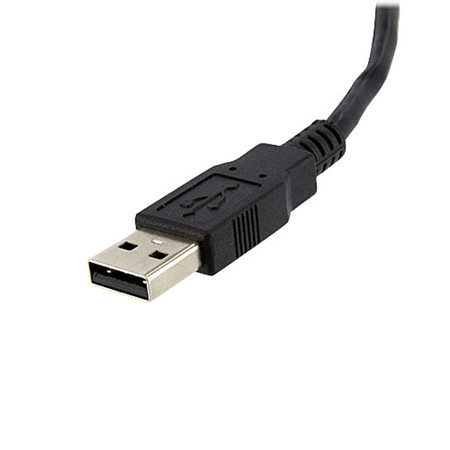
StarTech USB to DVI External Video Card Multi Monitor Adapter

SKU: STUSB2DVIE3

This item is no longer available.

Overview
Compare
Specs
Protection

Reviews about this item

Review Summary

2021-06-19T20:00:00

Rated 5 out of 5

Seamless!

Downloaded drivers then connected hardware and it immediately worked on both my PC's. Nice work Star Tech!

Timmaaayyyy

2020-07-01T20:00:00

Rated 2 out of 5

Works but really slow

I've tried this on various set ups, but unfortunately it is VERY slow. You couldn't watch a video on it for example. It is really only useful if you want an additional monitor that will be used for very static/non-moving information on the screen. So if you only need it for something that doesn't move on your screen, then this is fine - for example, you might need an additional screen to always show your emails or to type word documents. If you want to do anything that involves moving anything around on the screen (like a graphic designer or stock traders moving graphs for example) or involves anything moving on the screen (like a video for example) then do NOT get this, it's really low quality.

Ashtheboywonder

2020-01-06T19:00:00

Rated 2 out of 5

Crashes often

I have used it for years altough it crashes abit to often. Windows 10.

Andreas

2019-08-04T20:00:00

Rated 3 out of 5

it's Ok

I was not expecting blazing speed, but this is painfully slow. This is for a third display, and I can drag a window from this one across the middle to the far one, and it is still visible on this display. I also have the problem with the pointer disappearing when you leave the display and come back. It has to hover over some responsive control before the pointer appears.

MichaelP

2019-01-30T19:00:00

Rated 4 out of 5

Display works, but mouse disappears

Just installed 2 USB2DVIE3 adapters on a HP laptop. Looked good at first - set the proper transition from monitor to monitor for the 3 displays monitor -laptop - monitor. Mouse arrow suddenly disappears on the side monitors. Reappears when the usb adapter is disconnected and reconnected, but after a couple mouse transitions the arrow disappears (right click's work, but no arrow) on the two monitors on the Startech adapters.

CWAHTECH

2017-07-20T20:00:00

Rated 2 out of 5

Worked gerat for windows but not Ubuntu

Worked out of the box form Windows. Really great! When booting into Ubuntu though it does not respond and I can't find any drivers available.

svantej

2017-01-09T19:00:00

Rated 5 out of 5

Got the job done

This product worked great to set up a second monitor at home for my work from home job. I was please that it was easy to set up and a quality product. At one time the screen froze but I unplugged and re plugged in and the problem solved quickly. I was sent this item for free in exchange for an honest opinion. Hands down a breeze to connect and makes my job much easier.

Melanie h.

2017-01-05T19:00:00

Rated 4 out of 5

Pretty Satisfied!

I'm pretty satisfied with the adapter, but I do want to note that I received the adapter as a free sample. I think it's pretty self explanatory to set up, but the length of the adapter could be longer. For the most part, the adapter served its purpose, but there were a few times where I experienced display issues!

Diggy

2016-12-06T19:00:00

Rated 4 out of 5

Easy to use

I was pleased with the adapter`s performance. I should mention that I received a free sample of this item to review. Installation was simple and the 2nd monitor worked fine. The USB connection was an easy way to add a 2nd monitor, however this did mean I had one less USB port to use for other things. I also wish the USB cord was slightly longer to allow more options where to place my computer and monitor. Overall I was happy with this adapter, but wish it was also compatible with Mac.

carol13

2016-12-05T19:00:00

Rated 5 out of 5

I received this adapter for free in exchange for my honest opinion, and it was just what I have been looking for. At work, we use up to 3 monitors at a time and with just a laptop at home, I could never really take advantage of our work-from-home option, as switching back and forth between windows is next to impossible for our projects. After receiving this adapter though, I can happily say that my work week is much less stressful now that I have the freedom to work from my home computer. It was very easy to install the drivers and I have not had any issues thus far with performance. It brought up a perfect 2048x1800 display on my second monitor and has remained stable and reliable.

Abby B.

2015-10-11T20:00:00

Rated 5 out of 5

Never had a single problem with it.

I use this device at work, connected to a docking station that shares 4 users. None of us have any problems. Very happy with it.

thezuur

2015-03-16T20:00:00

Rated 1 out of 5

Don't bother just get a new video card

Bought a few of these for a client that had a mix of workstation and form factors. Thought it would be a easy solution to get dual monitors on all their workstations. The performance of this device is not very good. Users are just coping and pasting text from a word doc to email not like they are trying to game with them. Tech support recommends disabling Aero and all the eye candy features to get it to work somewhat better. I personally wouldn't use it so it's hard for me to sell it to my clients. #shouldofjustgotnewvideocards

brian

2014-12-18T19:00:00

Rated 5 out of 5

Saves using a graphics card

Super little device to cheaply give you a 2nd screen, newer PC's might have display ports, but until then this is great. Very occasionally a browser window from one screen may jump to the other on my w7 machine. I'm not sure what clicking the "fixed position" mode does on the software that came with it. I will buy more for other PC's & laptops.

jackallcodemanager

2014-02-18T19:00:00

Rated 4 out of 5

Super easy install, works fine

Got this for a client who wanted a 3rd monitor on his laptop for sticking outlook on. It's a USB monitor adapter so you can't expect to do anything fancy.. works fine. The install took about 2 minutes and worked properly right away.

dmad

2014-01-22T19:00:00

Rated 1 out of 5

Mac NOT supported

Why this company would make only some of their products available for Mac and then some not is beyond me.

youngberg

Select a plan in the Add Protection section above and purchase with this product by clicking “Add to Cart”.

image-protection

TRUSTED PROTECTION PLANS, EXCEPTIONAL SERVICE.

Invest In Your Gear and Peace Of Mind!

Accidents happen where life happens. Protect your favorite Adorama products and purchase a protection plan to stay covered from accidental damage, mechanical or electrical failure, and more.

Repair or Replacement

Repair or Replacement

If we can’t fix it, we’ll replace it at no additional cost.

Accidental Damage

Accidental Damage

Protect your product from drops, spills, and more.

Peace of Mind

Peace of Mind

Enjoy your gear without fear. We have you covered!

Malfunction Protection

Malfunction Protection

When regular use of your product over time results in mechanical or electrical failure.

Zero Deductible

Zero Deductible

We will never charge you a deductible after the purchase of a plan.

Customer-Focused Support

Customer-Focused Support

Our claims process is simple & easy and our customer service team is happy to help.

Adorama Protect powered by Extend is available for purchase to customers in the United States. Not available for purchase Internationally or in U.S. Territories.

StarTech USB to DVI External Video Card Multi Monitor Adapter Specifications

  • Memory

    32MB DDR SDRAM

  • Industry Standards

    USB 2.0 Compliant

  • Chipset ID

    MCT T2-285B

  • Connector A

    1 - USB A (4 pin) Male

  • Connector B

    1 - DVI-I (29 pin) Female

  • Supported Resolutions

    Widescreen(16/32 bit):
    1920x1200, 1920x1080, 1680x1050, 1440x900, 1360x768, 1280x800, 1280x768, 1280x720
    Standard(16/32 bit):
    1600x1200, 1400x1050, 1280x1024, 1280x960, 1152x864, 1024x768, 800x600

  • Wide Screen Supported

    Yes

  • OS Compatibility

    Windows 8/8.1 (32/64)
    Windows 7(32/64)
    Windows Vista (32/64)
    Windows XP (32/64)
    Drivers are WHQL certified

  • System and Cable Requirements

    One available USB 2.0 port

  • Operating Temperature

    -10 deg. C to 55 deg. C (14 deg. F to 131 deg. F)

  • Storage Temperature

    -25 deg. C to 75 deg. C (-14 deg. F to 167 deg. F)

  • Humidity

    <85% RH non condensing

  • Enclosure Type

    Plastic

  • Cable Length

    19.7" / 500.38mm

  • Dimensions (L x W x H)

    3.5 x 2.1 x 0.7" / 88.9 x 53.34 x 17.78mm

  • Weight

    3.8oz / 107.73g

  • UPC Code

    065030844161

About StarTech USB to DVI External Video Card Multi Monitor Adapter

FEATURED REVIEWS

By Abby B.

I received this adapter for free in exchange for my honest opinion, and it was just what I have been looking for. At work, we use up to 3 monitors at a time and with just a laptop at home, I could never really take advantage of our work-from-home option, as switching back and forth between windows is next to impossible for our projects. After receiving this adapter though, I can happily say that my work week is much less stressful now that I have the freedom to work from my home computer. It ...

View full Review

Got the job done

By Melanie h.

This product worked great to set up a second monitor at home for my work from home job. I was please that it was easy to set up and a quality product. At one time the screen froze but I unplugged and re plugged in and the problem solved quickly. I was sent this item for free in exchange for an honest opinion. Hands down a breeze to connect and makes my job much easier.

The StarTech USB to DVI External Video Card Multi Monitor Adapter offers a perfect external multi-monitor solution, enabling you to add a high-resolution (up to 1920x1200) external DVI output to your desktop or laptop computer system using an available USB 2.0 port. A cost-effective solution for systems that lack the outputs required for a multi-monitor setup, this high-performance USB to DVI adapter can be used to mirror your primary display and show the same image on both screens or extend your desktop to double your workspace. This small form factor USB video adapter can be used with up to 4 additional (5 total) USB2DVIE3 USB video adapters, creating multiple DVI connections to add additional displays quickly and easily - all without having to open the computer case to add extra video cards.

StarTech USB to DVI External Video Card Multi Monitor Adapter Features

  • Compact, USB powered adapter provides the easiest way add a high-resolution secondary or additional display to your PC
  • Completely external device offers a simple upgrade solution saving the cost and hassle of upgrading the internal video card on your system
  • Ability to use multiple adapters (up to five) provides a scalable display configuration for future expansion
  • No power adapter required, easy installation
  • Add a secondary display adapter and extend your desktop display without taking apart your computer to install a new video card
  • Add multiple (up to five) monitors/projectors to your computer setup using one USB2DVIE3 device for each additional display
  • View large or multiple spreadsheets that span multiple displays
  • A compact, lightweight solution for traveling business associates using laptop PCs enabling connection to a secondary display
  • Connect multiple monitors to a single computer to create engaging multimedia presentations
  • Use the adapter to connect your PC to your television for showing family pictures and movies
  • Increase productivity by running multiple applications on different screens, check your email on one display and work on a document in the other
  • Great for researchers and writers offering the ability to have reference material on one display and a working document copy on the other

Key Features

  • Compact, USB powered adapter provides the easiest way add a high-resolution secondary or additional display to your PC
  • Ability to use multiple adapters (up to five) provides a scalable display configuration for future expansion
  • No power adapter required, easy installation
  • View large or multiple spreadsheets that span multiple displays
  • Connect multiple monitors to a single computer to create engaging multimedia presentations
  • Use the adapter to connect your PC to your television for showing family pictures & movies

What's in the box:

  • StarTech USB to DVI External Video Card Multi Monitor Adapter
  • Driver and Software CD
  • Instruction Manual
  • StarTech 2 Year Warranty