This item is no longer available.
Review Summary
2020-06-23T09:08:13
Very easy setup. Awesome results. Does everything I needed. I may, however, upgrade the memory in the future.
RONALD M.
2020-06-22T09:54:24
Great product, nice UI, robust packages (both in-house and 3rd party), simple setup.
KYLE H.
2020-06-11T09:34:04
Easy to install, great software and apps. Easy integration with other devices for viewing videos, photos, etc. Seamless operation.
BERNARD B.
2020-01-22T09:40:47
Solid product that takes more effort to configure than it should (I've been trying to get it right for four days). Given today's sophisticated software, Synology should be able to make configuring for backup as easy as Sonos makes setting up a home theater system or Apple a new Mac. The device should self-configure based on owner preferences indicated in a simple, multiple choice, opening screen menu.
janice t.
2019-11-08T08:22:55
Good little but powerful device
Mariana E.
2019-07-02T13:44:30
Didn't take long to install. I wish there were more guidance provided with the unit, but I found the manual on line and was able to use that to get it set up and running. Runs very quiet and so far is very reliable.
Gene T.
2019-06-12T09:10:00
This is truly a great product. It's easy to set up and integrate into any existing network. Unlike other NAS units from other manufacturers, the operating system works well with industry-standard authentication protocols like LDAP. I had ZERO problems joining this to my Microsoft Active Directory domain. Authentication to CIFS shares has been flawless. Likewise, iSCSI has been great. Another feature that makes this product stand out is the ability to download applications like a smart phone or tablet device. Synology makes many free apps available to extend the features of their appliances.
KENNETH W.
2019-03-24T15:11:09
Easy to set up. You need a little bit of knowledge in tech in order to set up. It is very easy to set up for someone who knows a little bit of Networking. Took me 10-15 mins to set it up and run it. This is my 1st Synology Server. I have 3x10TB hard drives. Running it in hybrid mode and have 17-18TB out of 30TB for storage. Very easy to access the stored data from anywhere in the internet by setting up an ID at Synology. You can use it as a cloud server. Also can access it by smart phone. No DMZ requires or setting up a port to access. Just give it a static IP in network so you can access every time without hassle. It can do a lot of things including running a security software for 2 cameras for free. In order to install more than 2 cameras And monitor them, you need to purchase additional licenses. Recommended to anyone who wants to save and backup their pictures, videos and other files.
tomas b.
2019-03-05T07:52:37
I had been looking for a NAS server to house my photos that has the ability to do cloud and local storage. I have been thoroughly impressed so far and I have only had it a few weeks.
Marcus A.
2018-12-20T08:00:58
Easy set up, great network performance and heaps and heaps of options for remote access. A great option for a wide range of users
Hamish A.
2018-11-20T08:11:16
This unit came highly rated with many positive reviews.Installed (4) 4TB Red drives. Easy setup using Synology setup wizard and utililizing Mac Time machine backups for several Macs on my home network. No issues to report at this time.
Neil G.
2018-08-28T14:55:52
this is the best till now, I just use 2 out of 4 bay, that is good for me, later I will use the other 2 bays.
Hunk W.
2018-06-26T08:32:16
I love the ease of setup for this system. This is my first NAS so ease of use is important. I am impressed with the richness of the applications provided,
Glenn C.
2018-05-30T10:39:30
I'm new to the NAS world, and loved how relatively easy it was to setup this NAS with my mac, get Time Machine to backup to it, and use it as local storage for my ever-growing photo collection. After moving year's worth of DNGs to the NAS and creating a symbolic link back to the original folder location on my laptop, Lightroom didn't skip a beat and acted as if the photos were local. Love all of the apps and easy-to-manage interface. Synology makes it as easy as they can.
MATTHEW O.
Accidents happen where life happens. Protect your favorite Adorama products and purchase a protection plan to stay covered from accidental damage, mechanical or electrical failure, and more.
If we can’t fix it, we’ll replace it at no additional cost.
Protect your product from drops, spills, and more.
Enjoy your gear without fear. We have you covered!
When regular use of your product over time results in mechanical or electrical failure.
We will never charge you a deductible after the purchase of a plan.
Our claims process is simple & easy and our customer service team is happy to help.
Adorama Protect powered by Extend is available for purchase to customers in the United States. Not available for purchase Internationally or in U.S. Territories.
Browse our FAQ
Intel Celeron J3455
64-bit
Quad Core 1.5 GHz burst up to 2.3 GHz
Yes
H.264 (AVC), H.265 (HEVC), MPEG-2 and VC-1; maximum resolution: 4K (4096 x 2160); maximum frame rate per second (FPS): 30
4GB DDR3L
4GB (1 x 4GB)
2
8GB (4GB x 2)
4
9
2
3.5" SATA HDD
2.5" SATA HDD
2.5" SATA SSD
M.2 NVMe 2280 SSD
48TB (12TB drive x 4) (Capacity may vary by RAID types)
108TB (48TB + 12TB drive x 5) (Capacity may vary by RAID types)
108 TB
Yes
2 (with Link Aggregation / Failover support)
2
1
Btrfs
EXT4
Btrfs
EXT4
EXT3
FAT
NTFS
HFS+
exFAT
92mm x 92mm x 2 pcs
Full-Speed Mode
Cool Mode
Quiet Mode
Yes (Front)
Yes
19.8 dB(A)
Yes
Yes
100W
100V to 240V AC
50/60 Hz, Single Phase
28.8 W (Access)
12.6 W (HDD Hibernation)
98.27 BTU/hr (Access)
42.99 BTU/hr (HDD Hibernation)
5 to 40 deg. C (41 to 104 deg. F)
-20 to 60 deg. C (-4 to 140 deg. F)
5% to 95% RH
EAC
VCCI
CCC
RCM
KC
FCC
CE
BSMI
RoHS Compliant
512
32
256
Yes
Yes
Yes
Synology Hybrid RAID
Basic
JBOD
RAID 0
RAID 1
RAID 5
RAID 6
RAID 10
Basic to RAID 1
Basic to RAID 5
RAID 1 to RAID 5
RAID 5 to RAID 6
Synology Hybrid RAID
RAID 1
RAID 5
RAID 6
Synology Hybrid RAID
RAID 5
JBOD
RAID 6 (with Expansion Unit)
Synology Hybrid RAID
RAID 1
RAID 5
RAID 6 (with Expansion Unit)
RAID 10 (with Expansion Unit)
2048
256
512
8
1000
Yes
Yes
Yes
800
Yes
Yes
Yes
Yes
Yes
Yes
Yes
1500
1000
2000
1,000,000 / single file reaction time 744 ms
1,000,000 / single file reaction time 630 ms
Yes
80
500,000 / single file reaction time 362 ms
450
Yes
5 (Licenses required for additional accounts)
Up to 90 (Btrfs) / 90 (ext4)
840,000 (Btrfs) / 1,014,000 (ext4) emails per day, approx. 25.6GB (Btrfs) / 30.9GB (ext4)
Yes
Yes
Yes
1800
1024
65536
40 (including 2 Free License)
1200 FPS at 720p (1280x720)
840 FPS at 1080p (1920x1080)
550 FPS at 3M (2048x1536)
300 FPS at 5M (2591x1944)
180 FPS at 4K (3840x2160)
1200 FPS at 720p (1280x720)
1200 FPS at 1080p (1920x1080)
900 FPS at 3M (2048x1536)
550 FPS at 5M (2591x1944)
300 FPS at 4K (3840x2160)
720 FPS at 720p (1280x720)
500 FPS at 1080p (1920x1080)
330 FPS at 3M (2048x1536)
200 FPS at 5M (2591x1944)
4K Group 1
2 channel, 30 FPS at 4K (4096 x 2160), H.264 (AVC)/H.265 (HEVC) or 2 channel, 30 FPS at 1080p (1920x1080), H.264 (AVC)/H.265 (HEVC)/MPEG-2/VC-1
4 (including 1 Free License)
20
CIFS
AFP
NFS
FTP
WebDAV
CalDAV
iSCSI
Telnet
SSH
SNMP
VPN (PPTP, OpenVPN)
Domain Users login via Samba/AFP/FTP/File Station
HDD Hibernation
S.M.A.R.T.
Dynamic Bad Sector Mapping
FTP over SSL/TLS
IP Auto-Block
Firewall
Encrypted Network Backup over Rsync
HTTPS Connection
Synology Assistant
Chrome
Firefox
Internet Explorer 10 onwards
Safari 10 onwards
Safari (iOS 10 onwards)
Chrome (Android 6.0 onwards)
Windows 7 and 10
Mac OS X 10.11 onward
166 x 199 x 223mm (6.54 x 7.83 x 8.78")
2.28kg (5.03 lbs)
192223108349


Easy to use and reliable so far
By Gene T.
Didn't take long to install. I wish there were more guidance provided with the unit, but I found the manual on line and was able to use that to get it set up and running. Runs very quiet and so far is very reliable.
Great product
By KENNETH W.
This is truly a great product. It's easy to set up and integrate into any existing network. Unlike other NAS units from other manufacturers, the operating system works well with industry-standard authentication protocols like LDAP. I had ZERO problems joining this to my Microsoft Active Directory domain. Authentication to CIFS shares has been flawless. Likewise, iSCSI has been great. Another feature that makes this product stand out is the ability to download applications like a smart p...
View full Review
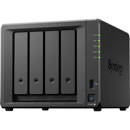
DiskStation DS918+
Powerful and scalable 4-bay NAS for growing businesses.
High-speed scalable storage server
Synology DS918+ is designed for small and medium-sized businesses and IT enthusiasts. With a powerful built-in AES-NI hardware encryption engine, DS918+ provides exceptional encrypted file transmission. Also capable of transcoding up to two channels of H.265/H.264 4K videos at the same time, DS918+ is ideal for sharing and storing ultra-high definition media content.
Satisfy your need for performance and capacity
DS918+ supports up to two M.2 NVMe 2280 SSDs, allowing fast system cache creation without occupying internal drive bays. Scalable up to 9 drives with a Synology Expansion Unit DX517, DS918+ answers the need for flexible storage capacity.
Btrfs: Next generation storage efficiency
Btrfs file system introduces the most advanced storage technologies to meet the management needs of modern large scale businesses:
Flexible Shared Folder/User Quota System provides comprehensive quota control on all user accounts and shared folders
Snapshot Replication provides schedulable and storage capacity-saving data protection with 1,024 shared folder backups and 65,000 system-wide snapshots
File or folder level data restoration makes data recovery fast and flexible
Automatic file self-healing detects and recovers corrupted files without user intervention
Digital asset protection
Powered by Synology DiskStation Manager (DSM), Synology NAS offers advanced security measures to protect against sudden data loss and potential security holes.
Security Advisor
Analyzes system settings, password strength, network preferences and removes any possible malware.
AppArmor
A kernel-level enhancement that blocks malicious programs from accessing unauthorized system resources.
AES 256-bit encryption
Encrypt shared folders and network data transmission to keep data from unauthorized access.
2-step verification
Prevent others from logging in to your DSM by generating a one-time password (OTP) on your mobile device.
Trust Level
Customize the trust level in Package Center to avoid installing packages from untrusted sources, safeguarding your NAS from unknown or tampered package files.
Synchronize files across your devices
Cloud Station Suite provides real-time data synchronization across all your devices and other Synology NAS. "Intelliversioning" keeps the most important file versions to better utilize storage space.
4K Multimedia Server
Access and stream your 4K media content anytime and anywhere. DS918+ supports 4K H.264/H.265 online transcoding via Video Station and DS video, allowing 4K videos to be converted and played on the fly on other computers, smartphones and media players that originally do not support Ultra HD formats.
Powered by Synology DSM
Surveillance Station
Complete surveillance solution for recording, monitoring and management.
Collaboration Suite
Synology Office, Calendar and Chat guarantee a secure and high-performance private communication and user-friendly content organization.
All-in-one server
Save additional investment by integrating various network services, web/mail services, management applications into your NAS.
DSM UI
Award-winning operating system with an intuitive user interface and powerful capabilities.
Desktop Backup
Simplified backup solution for your Mac, PC and mobile devices.
Security
Comprehensive built-in security tools are constantly updated to tackle evolving threats and protect your devices.