Orders placed during Passover Holiday (Wed 4/1 after 4PM ET – Thurs 4/9) will ship Fri 4/10. View our holiday shipping schedule.

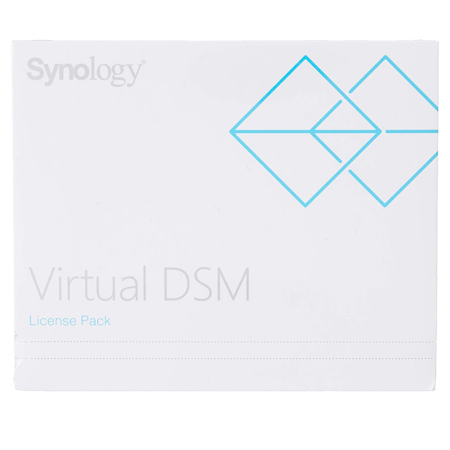
Synology Virtual DSM License with 3 Year Software Upgrade, Key Code

SKU: SYVIRTUALSFT

This item is no longer available.

Overview
Compare
Specs
Protection
Q&A

Questions & Answers

FAQ

What features does the Synology Virtual DSM License unlock?

The Synology Virtual DSM License unlocks the full range of features provided in the standard DiskStation Manager. This includes user-friendly file services and a variety of add-on applications.

What is the duration of the software upgrades with the Virtual DSM License?

The Virtual DSM License supports software upgrades for a three-year period. You can extend this period by activating a new Virtual DSM license key.

How do I activate the Virtual DSM License?

To activate your Virtual DSM License, go to License > Virtual DSM in the Virtual Machine Manager and click Add. Please ensure your Synology NAS is connected to the Internet during this process.

Can I apply this license pack to multiple Synology products at once?

No, this license pack can only be applied to one Synology product at a time.

Can I continue to use Virtual DSM after my license expires?

Yes, you can continue to use Virtual DSM after your license expires, but no further updates will be provided unless you activate a new Virtual DSM license key.

Reviews about this item

Review Summary

Select a plan in the Add Protection section above and purchase with this product by clicking “Add to Cart”.

image-protection

TRUSTED PROTECTION PLANS, EXCEPTIONAL SERVICE.

Invest In Your Gear and Peace Of Mind!

Accidents happen where life happens. Protect your favorite Adorama products and purchase a protection plan to stay covered from accidental damage, mechanical or electrical failure, and more.

Repair or Replacement

Repair or Replacement

If we can’t fix it, we’ll replace it at no additional cost.

Accidental Damage

Accidental Damage

Protect your product from drops, spills, and more.

Peace of Mind

Peace of Mind

Enjoy your gear without fear. We have you covered!

Malfunction Protection

Malfunction Protection

When regular use of your product over time results in mechanical or electrical failure.

Zero Deductible

Zero Deductible

We will never charge you a deductible after the purchase of a plan.

Customer-Focused Support

Customer-Focused Support

Our claims process is simple & easy and our customer service team is happy to help.

Adorama Protect powered by Extend is available for purchase to customers in the United States. Not available for purchase Internationally or in U.S. Territories.

Synology Virtual DSM License Specifications

  • Max. DSM Instances

    FS6400:
    Max System Memory Installed: 512GB (32GB x 16)
    Max Virtual DSM Instances (1 vCPU / 1GB): 32

    FS3600:
    Max System Memory Installed: 128GB (32GB x 4)
    Max Virtual DSM Instances (1 vCPU / 1GB): 24

    FS3410:
    Max System Memory Installed: 128GB (32GB x 4)
    Max Virtual DSM Instances (1 vCPU / 1GB): 16

    FS2500:
    Max System Memory Installed: 32GB (16GB x 2)
    Max Virtual DSM Instances (1 vCPU / 1GB): 8

  • Max. DSM Instances (Contd.)

    HD6500:
    Max System Memory Installed: 512GB (32GB x 16)
    Max Virtual DSM Instances (1 vCPU / 1GB): 40

    SA6400:
    Max System Memory Installed: 1024GB (64GB x 16)
    Max Virtual DSM Instances (1 vCPU / 1GB): 24

    SA3610:
    Max System Memory Installed: 128GB (32GB x 4)
    Max Virtual DSM Instances (1 vCPU / 1GB): 24

    SA3410:
    Max System Memory Installed: 128GB (32GB x 4)
    Max Virtual DSM Instances (1 vCPU / 1GB): 16

  • Max. DSM Instances (Contd..)

    SA3400D:
    Max System Memory Installed: 64GB (16GB x 4)
    Max Virtual DSM Instances (1 vCPU / 1GB): 16

    SA3200D:
    Max System Memory Installed: 64GB (16GB x 4)
    Max Virtual DSM Instances (1 vCPU / 1GB): 8

    RS4021xs+:
    Max System Memory Installed: 64GB (16GB x 4)
    Max Virtual DSM Instances (1 vCPU / 1GB): 16

    RS3621xs+:
    Max System Memory Installed: 64GB (16GB x 4)
    Max Virtual DSM Instances (1 vCPU / 1GB): 16

  • Max. DSM Instances (Contd...)

    RS3621RPxs:
    Max System Memory Installed: 64GB (16GB x 4)
    Max Virtual DSM Instances (1 vCPU / 1GB): 12

    RS3618xs:
    Max System Memory Installed: 64GB (16GB x 4)
    Max Virtual DSM Instances (1 vCPU / 1GB): 8

    RS2821RP+:
    Max System Memory Installed: 32GB (16GB x 2)
    Max Virtual DSM Instances (1 vCPU / 1GB): 8

  • Max. DSM Instances (Contd....)

    RS2423+/RS2423RP+:
    Max System Memory Installed: 32GB (16GB x 2)
    Max Virtual DSM Instances (1 vCPU / 1GB): 8

    RS2421+:
    Max System Memory Installed: 32GB (16GB x 2)
    Max Virtual DSM Instances (1 vCPU / 1GB): 8

    RS1619xs+:
    Max System Memory Installed: 64GB (16GB x 4)
    Max Virtual DSM Instances (1 vCPU / 1GB): 8

  • Max. DSM Instances (Contd.....)

    RS1221+/RS1221RP+:
    Max System Memory Installed: 32GB (16GB x 2)
    Max Virtual DSM Instances (1 vCPU / 1GB): 8

    RS822+/RS822RP+:
    Max System Memory Installed: 32GB (16GB x 2)
    Max Virtual DSM Instances (1 vCPU / 1GB): 8

    DS3622xs+:
    Max System Memory Installed: 48GB (8GB x 2 + 16GB x 2)
    Max Virtual DSM Instances (1 vCPU / 1GB): 12

  • Max. DSM Instances (Contd......)

    DS2422+:
    Max System Memory Installed: 32GB (16GB x 2)
    Max Virtual DSM Instances (1 vCPU / 1GB): 8

    DS1823xs+:
    Max System Memory Installed: 32GB (16GB x 2)
    Max Virtual DSM Instances (1 vCPU / 1GB): 8

    DS1821+:
    Max System Memory Installed: 32GB (16GB x 2)
    Max Virtual DSM Instances (1 vCPU / 1GB): 8

  • Max. DSM Instances (Contd.......)

    DS1621+:
    Max System Memory Installed: 32GB (16GB x 2)
    Max Virtual DSM Instances (1 vCPU / 1GB): 8

    DS1522+:
    Max System Memory Installed: 32GB (16GB x 2)
    Max Virtual DSM Instances (1 vCPU / 1GB): 4

    DS923+:
    Max System Memory Installed: 32GB (16GB x 2)
    Max Virtual DSM Instances (1 vCPU / 1GB): 4

  • Max. DSM Instances (Contd........)

    DS723+:
    Max System Memory Installed: 32GB (16GB x 2)
    Max Virtual DSM Instances (1 vCPU / 1GB): 4

    DS620slim:
    Max System Memory Installed: 6GB (2GB + 4GB)
    Max Virtual DSM Instances (1 vCPU / 1GB): 2

    DS423+:
    Max System Memory Installed: 6GB (2GB + 4GB)
    Max Virtual DSM Instances (1 vCPU / 1GB): 2

  • Max. DSM Instances (Contd.........)

    DS224+:
    Max System Memory Installed: 6GB (2GB + 4GB)
    Max Virtual DSM Instances (1 vCPU / 1GB): 2

    DS220+:
    Max System Memory Installed: 6GB (2GB + 4GB)
    Max Virtual DSM Instances (1 vCPU / 1GB): 2

  • Software Upgrade

    3-Year

About Synology Virtual DSM License

Become a part of the innovative world of high-tech storage solutions with the Synology Virtual DSM License. This advanced license allows you to run Virtual DSM on the Virtual Machine Manager, unlocking a plethora of features found in the standard DiskStation Manager. Enjoy the convenience of user-friendly file services and the added functionality of various applications.

With the Synology Virtual DSM License, you gain access to High Availability, ultra-fast snapshots, and comprehensive protection plans. These features are designed to enhance your system's uptime and provide you with greater flexibility in managing your storage.

Each Virtual DSM license pack adds an instance of Virtual DSM to the Virtual Machine Manager, expanding your storage capabilities. This reliable license supports Virtual DSM upgrades for a three-year period, ensuring you always have access to the latest software enhancements.

Please note, this license pack is non-returnable once opened. Before purchasing, ensure the compatibility of your Synology NAS with the Virtual Machine Manager. This license pack is designed for single Synology product application at a time and can be used to extend the Virtual DSM upgrade support of an existing instance.

Each Virtual DSM license guarantees three years of software upgrades for one Virtual DSM package. Although you can continue to use Virtual DSM after your license expires, no further updates will be provided. However, you can extend the upgrade period by activating a new Virtual DSM license key.

To activate and map your license, navigate to License > Virtual DSM in the Virtual Machine Manager and click Add. Please ensure your Synology NAS is connected to the Internet during this process.

Each Virtual DSM license includes a 3-year software upgrade period for the Virtual DSM package. Extend your upgrade period at any time by activating a new license key for Virtual DSM. Embrace the future of storage management with the Synology Virtual DSM License.

Synology Virtual DSM License Features

  • Each Virtual DSM license pack adds one Virtual DSM instance to Virtual Machine Manager
  • A license supports Virtual DSM upgrades within a three-year period
  • Your Synology NAS must be connected to the Internet when you add the license

Key Features

  • Enhance your Synology NAS with a Virtual DSM License, unlocking powerful virtualization features.
  • Get a 3-year software upgrade for your Synology Virtual DSM, ensuring you have the latest features.
  • Run multiple operating systems on your Synology NAS, increasing storage capacity and flexibility.
  • Perfect for businesses needing secure data storage and application testing with Virtual DSM.
  • Simplify IT management by consolidating servers using Synology Virtual DSM; enjoy fast transfers.
  • Ensure business continuity with easy setup and recovery options using your Synology license.

What's in the box:

  • Synology Virtual DSM License with 3 Year Software Upgrade