

This item is no longer available.
Syma App Leads You Into The New Aerial Era
Syma has redefined the professional of aerial experience. Now you can use your mobile phone to control your drone. Controlling functions are much more convenience. Right now, by installing the "Syma FLY" App to your mobile phone and enjoy the special function that Syma brings to you. "Syma FLY" does not only have the remarkable interface, but also the functions of one-key take off/landing, one-key start/stop, track of flight etc. You can enjoy simple and easy flying experience with "Syma FLY".
Apps Control
With the unique Apps control function, you can experience the different type of remote control flying.
Waypoint Control
Open the "Syma FLY" App, simply by using your fingertips to draw your route on the screen, the aircraft will be then auto-piloted with the given path as per your drawing.
Gravity Sensor Mode
Say goodbye to the traditional control system, with the completely new Syma FLY app gravity sensor, Just press the application in the gravity sensor mode interface, swing the phone in different directions, the aircraft will fly in the direction according to the remote control.
FPV Live Stream
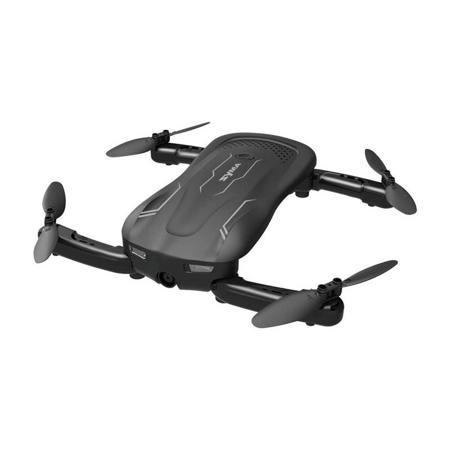
FPV is the first person view, with the live stream of Syma Z1, Under the same scenery, you will be impressed by a brand new angle of view with Syma.
Optical Flow Positioning
Acquire the image through the collector and calculate the displacement by the optical flow method so as to realize the precise positioning of the UAV.
Hover Function
With the advanced Barometric pressure technology, it enhances the shooting stability with hover function and reduce the blurring of shooting due to the shaking of the aircraft.
Headless Mode
The aircraft will always follow the command from the remote control once enter into the headless mode.
Foldable Mode
The aircraft can be folded when not in use and provide you a portable experience.
Double Protection
Low Battery Protection
When the indicator lights are flashing, it means Syma Z1 is in low battery. At this time, please return Syma Z1 to home with your controller. If the battery is insufficient for returning home, Syma Z1 will be landed automatically .
Overcurrent Protection
When the propeller of Syma Z1 is being knocked/jammed while in flying mode, the over-current function will automatically stop the movement of the propeller to protect the damage of the drone itself.
• 3.7V 500mAh
• The charging time is about 130 minutes
• Hover flight time is approximately 7 minutes
• Unique package design for battery provides extra assurance for battery safety