
This item is no longer available.
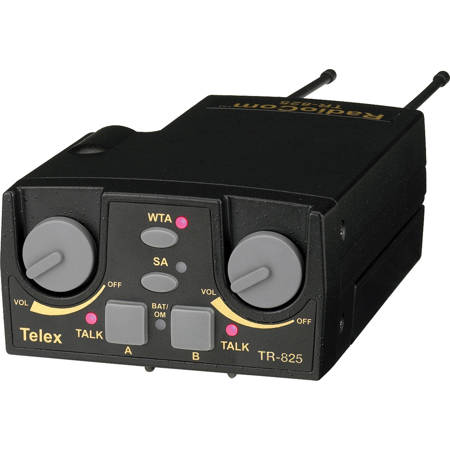
On/Off & Volume Control
Turns the beltpack power on and controls head set volume.
Wireless Talk Around (WTA)
When pressed, the user's audio is disconnected from the wired intercom, auxiliary input/output and the base station's local headset. Other beltpack users, on that audio channel, can hear the user as normal.
Stage Announce (SA)
When pressed, the user's audio is routed to the stage announce connector on the back of the base station. The user also loses their sidetone as an indication that stage announce is activated. The other wireless beltpacks and wired users do not hear the user's audio. The button is non-latching and activates the nearby red LED.
Audio Channel Select Button
Allows user to select either audio channel A or B.
Bat/Overmod Light (BAT/OM)
Light will flash once when unit is turned on if the battery is good. If the light stays on, battery is low. If the light does not flash, battery is dead. A normal microphone gain setting will cause the LED to flash at the beginning of most words at normal speech levels. If the gain is too high, the LED will be red during the complete word at normal speech levels.
Talk Light
LED is on when the talk button, SA or WTA is active.
Talk Button
Press to enable the audio path from the local headset microphone. The "TALK" LED, #6, will turn red when enabled. A quick press and release latches the talk function, unless latching has been disabled. Holding the button for over 1/2 a second will cause the audio path to be enabled only for as long as the button is held. If the talk function is latched on, pressing the talk button again will turn it off.






