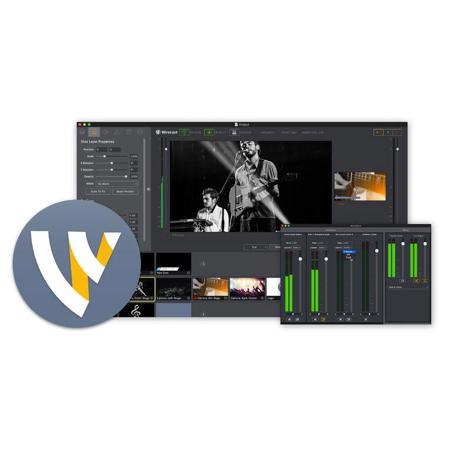
Telestream Wirecast Pro 7 Live Streaming Software for Mac, Electronic Download
SKU: TEWC7PROM
This item is no longer available.
Share:
Overview
Compare
Specs
Protection
About Telestream Wirecast Pro 7
Telestream Wirecast Version 7 Offers Affordable Live Streaming with Powerful New Production Capabilities
Sneak Peek of new features including ISO Recording and Replay, Streamlined User Interface, GPU-Accelerated Encoding and more to be shown on PTZ Optics and Magewell booths at InfoComm. Wirecast 7 allows event producers to create the highest quality live-streamed productions, with multi-camera switching, graphics, titles and live encoding. Producers often want to re-edit live shows to produce highlight reels or replays. With the new ISO recording feature, Wirecast Pro can save all original "clean" source camera media allowing an editor to easily re-purpose content, free of any overlay graphics from the original broadcast.
• GPU-Accelerated encoding for hardware encoding performance and less CPU usage
• Improved CPU utilization for smoother, faster streams
• Graphical Output Statistics to see the health of the system (CPU/Memory usage) and the output stream (framerate, bitrate and more)
• High resolution ISO recording & replay in Wirecast Pro for preserving individual (isolated) sources
• Updated, streamlined User Interface with dynamic editing for streamlined access and more control
• Scroll or display text from a file, an RSS feed or simply typed live
• Audio Mixer for greater control over all audio sources
• Audio Monitor/mix minus for removing audio from monitoring
• Global Hotkey Manager to create hotkeys for any repetitive features
• Color Correction for fine-tune control over the brightness, contrast, gamma, hue and saturation of any source
• Video Delay adjustment for better syncing
• Solid color background source for use as a background or in lower thirds
• Screen Capture to bring in any region from the computer screen
• System Audio capture to pull in audio from any application running on the host computer
The new User Interface in Wirecast 7 enables quicker and more flexible access to shot editing features and enhances on-the-fly editing. With the Shot Editor panel, users have more control over every aspect of a broadcast, including the time-saving in-shot source toggles that enable users to turn video and audio layers on and off within each shot for dynamic editing of complex composite shots.
Wirecast 7.0 adds more options for how text can be displayed on screen. Text can be entered live, via a file or from an RSS feed enabling a different user to prepare text that will be automatically picked up in the broadcast. A new audio mixer controls every source from one central location and an enhanced "mix minus" feature selectively mutes any source, such as the user's own voice, while otherwise monitoring the full stream audio output. A Global Hotkey Management system speeds up any repetitive task by allowing users to create their own hotkeys.
Much more than a facelift and some great new features, Wirecast 7 also takes advantage of a new performance architecture that improves CPU utilization across the board, accelerates stream encoding by making use of GPU hardware, while also letting users closely monitor the health of their streams with a new graphical diagnostics view, said Tom Prehn, Senior Product Manager at Telestream. With the release of Version 7, their goal is to empower users to do more live than ever before, to allow them to set a new bar in creating/directing a live streamed event and they feel they have done precisely that.
For use cases where Microsoft PowerPoint, Apple Keynote or Skype windows need to be shared, the new Screen Capture feature allows any window or application to be easily added to the broadcast area as a source.
About Wirecast
Wirecast is the only cross-platform, all-in-one live streaming production software that enables capture, live production and encoding of live streams for broadcast to multiple servers and platforms simultaneously. Wirecast is ideal for streaming or recording live internet shows, broadcasting breaking news and sports, streaming live concerts and games, transmitting church services, corporate meetings, lectures and more. Pro production features include live scoreboards, 3D virtual sets, chroma key support, advanced audio controls and more.