
This item is no longer available.
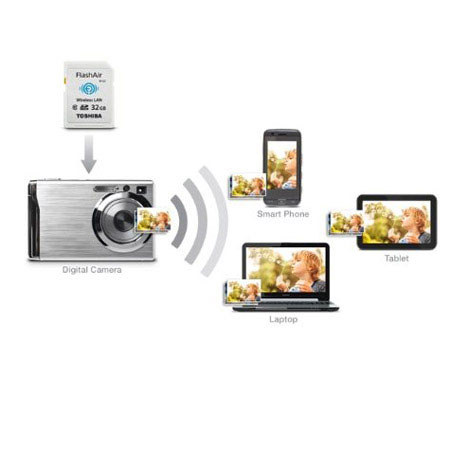
• Toshiba FlashAir II Wireless SD Card has a built-in wireless LAN chip with antenna to allow wireless communications. It also has built-in functions of web server and Wi-Fi access point.
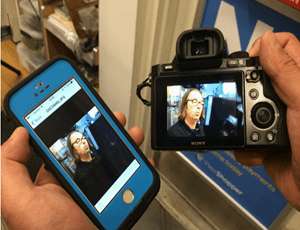
• These features allow any device with WLAN function (e.g. laptop, tablet, smart phone) to access the data stored on the SD Card without the need to remove the card or plug a cable to the camera. You can view or download the content on the SD card via free iOS and Android app or web browser (no internet connection required).
• In addition to Class 10 speed for faster data transfer, FlashAir II also includes the Internet pass-thru feature which allows you to transfer photos from FlashAir II to your mobile devices via Wi-Fi, and then email or upload them to social media without having to reconnect to the wireless network to go online.
• Toshiba FlashAir II Wireless SD Card supports simultaneous access from up to 7 devices. You can take photos with your digital camera loaded with FlashAir II Wireless SD Card and these photos can be accessed and stored on multiple PCs, tablets or smart phones on the spot. Better yet, no internet connection is required to access the SD card.
• Toshiba FlashAir II Wireless SD Card is easy to set up as there is special driver or software installation required on your device. Just like the regular wireless LAN access point, the wireless connection can be secured with WEP, WPA or WPA2.
• Toshiba NAND Flash Memory is built with leading-edge technology in one of the world's largest and most advanced NAND flash fabrication facilities. As the inventor of NAND Flash and world's most experienced NAND Flash manufacturer, Toshiba's removable storage solutions offer industry-proven quality and reliability with leading speeds, performance, and capacities.