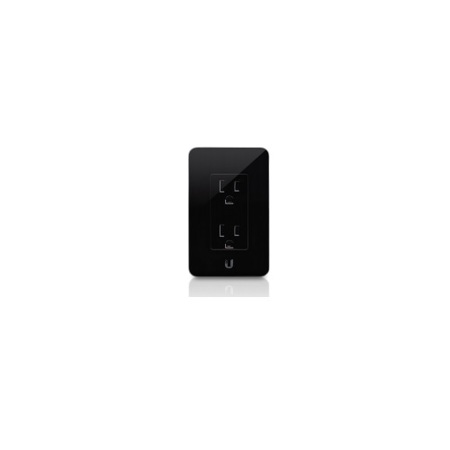
Ubiquiti Networks mFi-MPW In-Wall Manageable Outlet for mFi Management System, Black
SKU: UBIMFIMPW
This item is no longer available.
Share:
Overview
Compare
Specs
Protection







About Ubiquiti Networks mFi-MPW
mFi In-Wall Manageable Devices
The mFi In-Wall Outlet and Switch/Dimmer can be managed by the mFi Controller software and configured to operate on a schedule with customizable power on/off rules. There are two in-wall devices available for mFi management. The mFi Outlet is a standard in-wall dual electrical outlet with Wi-Fi that features energy monitoring and can be independently controlled by an mFi Controller. The mFi Switch is an in-wall manageable switch/dimmer. In switch mode, it can be used to turn lights on and off. In dimmer mode, it can control incandescent, halogen, dimmable CFL or dimmable LED lamps. Energy monitoring and controls are available in the mFi Controller.
Clean Industrial Design
The mFi Outlet and Switch/Dimmer can be integrated seamlessly into any building interior. The mFiSwitch/Dimmer includes a capacitive touch panel for ease of use.
Convenient Remote Powering
The built-in mechanical relays provide remote powering capability to control energy consumption. The mFiSwitch/Dimmer features a dimmer control to adjust the power level.
Efficient Energy Monitoring
Use the power metering capability to easily monitor the energy consumption of connected devices and significantly reduce energy costs.
Easy Wi-Fi Access
The mFi Outlet and Switch/Dimmer readily connect to any Wi-Fi network.
Software
The mFi Controller software is designed to work with the Ubiquiti Networks mFi product line and third-party devices. The software interface design is based on the popular and easy-to-use UniFi software interface. The mFi Controller software allows you to manage your mPort, mPower, sensor, in-wall and third-party devices from your web browser.
Machine Auto Detection
The mFi Controller software will auto-detect and provision mFi devices and connected machines on the machine network.
Advanced Analytics
Powerful graphing with user-defined views provides in-depth analysis of the machine network. Events and Alerts User-defined event recording and alerts provide feedback on machine network activity.
Remote Control Capability
Remotely control the power and functionality of the machine network.
Remote Terminal Support
Terminal command windows support unlimited machine network scalability through a single interface.
System Requirements
• Microsoft Windows 7/8, Windows Vista, Mac OS X or Ubuntu Linux 12.04 or later, 64-Bit Operating System
• Web Browser: Mozilla Firefox, Google Chrome or Microsoft Internet Explorer 8 (or higher)
• Java Runtime Environment 1.6 (1.6.0_26 or higher recommended)
• Flash Player 10
• Minimum 2GB RAM is highly recommended