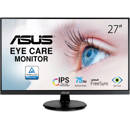
Picture does not represent the actual item
See what's in the box

Picture does not represent the actual item
See what's in the box
This item is no longer available.
Exclusive GamePlus Function:
Hotkey to enable OSD crosshair and timer functions. Select from four different crosshair to suit your gaming environment, and keep track of spawn and build times with the on-screen timer.
Vivid, Lifelike Visuals:
The latest IPS technology with 178Wide-view angles
VP279Q-P series feature with In-Plane Switching technology panel with a 178 Degree wide-view angle that minimizes color shift on both horizontal and vertical planes to ensure quality visuals from almost any direction.
80,000,000:1 ASUS Smart Contrast Ratio:
With ASUS Smart Contrast Ratio (ASCR) of 80,000,000:1 and 250cd/m 2 brightness, VP279Q-P augments display contrast and sharpness by adjusting backlighting luminance to achieve the deepest blacks and brightest whites for truly lifelike visuals.
ASUS-Exclusive VividPixel Technology:
The VividPixel Technology enhances outline, sharpness, and color saturation of images and videos to deliver high-quality visual experience.
Monitor without VividPixel:
• Image quality mainly depends on panel itself
• Blur happens if original quality of an image is bad
• Usually people don't notice this detail because no comparison was made
VP Series - In-Plane Switching Technology Panel Incorporated with VividPixel
• In-Plane Switching technology panel known for its excellent image quality
• VividPixel default at 25 automatically fine-tunes image quality
• See more differences by choosing among 5 options in VividPixel setting
QuickFit Virtual Scale for true what you see is what you get:
ASUS includes its exclusive QuickFit Virtual Scale feature with the VP279Q-P, allowing you to preview photos and documents on-screen in their actual size prior to printing. It can be activated via a monitor hotkey, and serves as a highly useful guide to accurately view and edit photos in their native size.
Supporting Formats:
• Document: B5, Letter
• Photo: 8"x10", 5"x7", 4"x6", 3"x5", 2"x2"
• Grid: Alignment Grid 1 , Alignment Grid 2