


Picture does not represent the actual item
See what's in the box

Picture does not represent the actual item
See what's in the box
This item is no longer available.
Get the new release to easily organize your photos and videos, make them look amazing with intelligent editing options, turn them into stunning creations, and quickly share your memories.
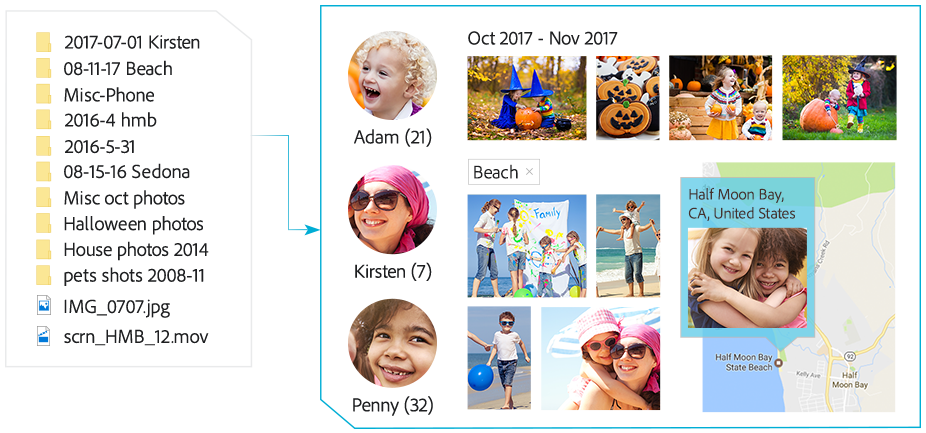
Go from hundreds of mystery folders to a visual view of your photos and videos — automatically. Easily find your photos and videos with automatic sorting and visual tagging. See your best photos auto-curated based on quality, faces, subjects, and more.
Open closed eyes in photos like magic and make selections effortlessly. Automatically bring together the best scenes in your videos with Smart Trim, and auto-extract photos from your raw footage with Candid Moments. Get step-by-step help with creative photo and video techniques and effects.
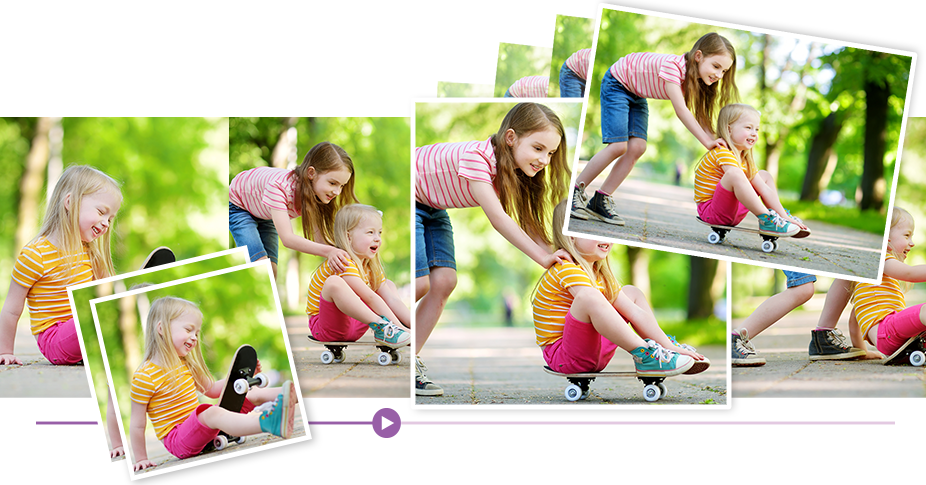
Totally reimagined slideshows bring together curated photos and short clips with one click. Make printed photo artwork, collages, and gifts. Add style to your videos with titles, effects, transitions, and themes.

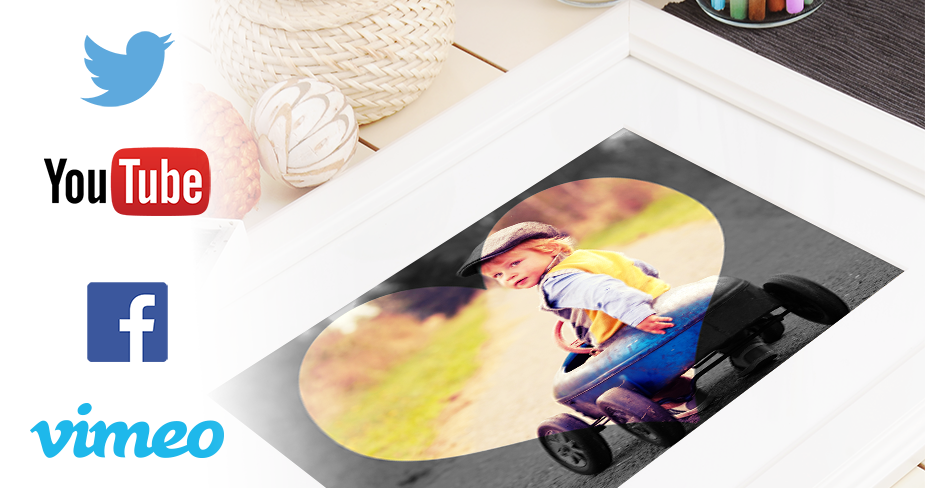
Easily print photos to display and share. Quickly share photos on Facebook, Twitter, and more.* Share slideshows and video clips on YouTube and Vimeo.*
* This product may integrate with or allow access to certain Adobe or third-party hosted online services (“Online Services”). Online Services are available only to users 13 and older and require agreement to additional terms of use and the Adobe Privacy Policy (see www.adobe.com/go/terms). Online Services are not available in all countries or languages, may require user registration and may be discontinued or modified in whole or in part without notice. Additional fees or subscription charges may apply.
Go from hundreds of mystery folders to a visual view of your photos and videos-automatic sorting and visual tagging make them easy to find. See your best photos auto-curated based on quality, faces, subjects and more. Effortlessly extract candid photos from your raw video footage. Open closed eyes in photos like magic and make precise selections effortlessly. Use Smart Trim to automatically find and bring together the best scenes based on the style of your video. Get step-by-step help changing photo backgrounds, adding artistic photo overlays, fixing action cam footage, making animated GIFs and more. And turn your best photos and video clips into fun dynamic slideshows with one click. Being creative is even easier with the new Elements bundle.
The Photoshop and Premiere Elements bundle-photo and video editing software that does it all:
Hassle-free organization
Go from hundreds of mystery folders scattered across your computer to a visual view of your photos and videos. Automatic sorting and visual tagging make them easy to find. See your best photos auto-curated based on quality, faces, subjects and more.
Intelligent editing
Making precise photo selections has never been easier-just drag and it's done. Smart Trim automatically finds and brings together the best scenes based on the style of your video. Open closed eyes in photos like magic. And get step-by-step help with artistic techniques and creative effects.
Stunning creations
Create beautiful printed artwork, new dynamic slideshows, photo and video collages, animated GIFs and social media posts and gifts for friends and family. Make photo calendars, scrapbook pages and cards you can print at home.
Shareable memories
Share with friends and family any way you like-via print, new dynamic slideshows, Facebook, YouTube, Vimeo, Twitter, HDTVs, discs and more.
Enhanced Hassle-free organization
Go from hundreds of mystery folders to a visual view of your photos and videos-automatic sorting and visual tagging make them easy to find.
New Auto Curate
Your photos are automatically curated based on quality, faces, subjects, Smart Tags and more, so you don't have to search for the standouts.
New Totally reimagined slideshows
Slideshows are a fun way to showcase your photo and video memories. With one click, they automatically pick your best photos and bring them together with short video clips to create a stylish, animated slideshow that you can easily customize with different photos and clips as well as great-looking themes.
Photoshop Elements
New Open closed eyes like magic
Did someone blink? Photoshop Elements automatically copies the open eyes from one photo and blends them into another to create the perfect shot.
New Auto Selection
Making precise photo selections has never been easier-just drag and it's done.
Enhanced Guided Edits for fantastic results
Ready to try more creative techniques and effects with your photos? Get step-by-step photo editing help with 49 Guided Edits.
New Guided Edit replaces backgrounds in seconds
Select the subject of a photo and place it on a background that's more interesting. This Guided Edit makes it a snap.
New Guided Edit adds artistic overlay effects
Embellish any photo with a shape overlay and one-click effects that make it a work of art. This Guided Edit is great for scrapbook pages and photo crafts.
New Guided Edit makes amazing watercolors
Get help turning any photo into a beautiful, textured watercolor-and even finish it off with text.
New Guided Edit creates double exposures
Bring one photo to life within another to create a surreal effect. Photoshop Elements walks you through the steps.
Premiere Elements
New Candid Moments
Wish you'd been able to capture the moment with photos? Now you can automatically extract great photos from your raw video footage.
New Smart Trim
Automatically trim the bad footage and keep the good. Smart Trim finds and brings together the best scenes based on the style of your video.
Enhanced Guided Edits for fantastic results
Ready to try more creative techniques and effects with your videos? Get step-by-step video editing help with 18 Guided Edits.
New Guided Edit freeze frames with motion titles
This Guided Edit walks you through the steps to create a freeze frame of your video and then add an eye-catching motion title.
New Guided Edit create fun bounce-back effects
Get step-by-step help making a segment of your video run forward and backward repetitively. Export your bounce-back effect as an animated GIF or short video clip.
New Guided Edit quickly fixes action cam footage
Get a little guidance to expertly trim, correct color and fix lens distortions in your action cam footage so it looks its best.
New Guided Edit makes animated social posts
Create a short visual story to share on social media by embellishing a video clip with either static or animated text.
