Picture does not represent the actual item
See what's in the box

Picture does not represent the actual item
See what's in the box
This item is no longer available.
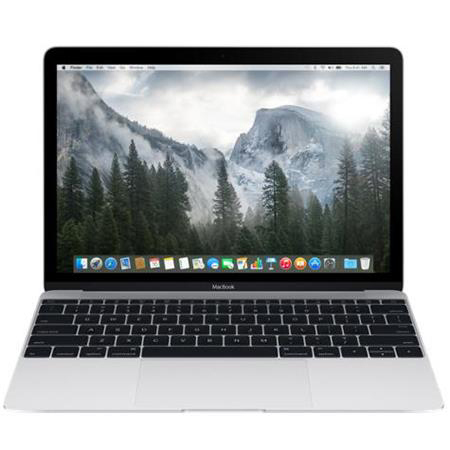
With the new MacBook, Apple has set out to do the impossible: engineer a full-size experience into the lightest and most compact Mac notebook ever. That meant reimagining every element to make it not only lighter and thinner but also better. The result is more than just a new notebook. It's the future of the notebook.
A full-size keyboard. In a fraction of the space
Apple believes that a comfortable, full-size keyboard is essential for a great notebook experience. But to fit one into the elegantly thin new MacBook, they had to completely rethink how a keyboard is engineered and constructed. To create the new keyboard, they redesigned each key and its underlying mechanism - not only making the whole keyboard much thinner, but also allowing for more comfortable, precise, and responsive typing that just feels right.
Retina re-envisioned
The moment you open the new MacBook, its gorgeous 12-inch Retina display with edge-to-edge glass brings everything into focus. Every photo leaps off the screen in rich, vibrant detail. Over 3 million pixels render each letter with crystal clarity. And it all comes to light on the thinnest, most energy-efficient Retina display ever on a Mac, meticulously honed to deliver a bold visual experience within an impossibly minimal design.
The trackpad, pushed even further with Force Touch
With the new MacBook comes a whole new way to experience a trackpad. The Force Touch trackpad is engineered to deliver a responsive, uniform click no matter where you press the surface. And underneath, force sensors detect how much pressure you're applying and give you new ways to interact with your Mac.
You can now use a Force click to enable new capabilities, like quickly looking up the definition of a word or previewing a file just by clicking and continuing to press on the trackpad. You'll also experience haptic feedback - a tactile vibration from the trackpad that adds the sense of touch to what you see on the screen. These advanced capabilities work in addition to all the intuitive Multi-Touch gestures Mac users love. You'll be more in touch with your Mac than ever before. Without lifting a finger.
Fully equipped for a wireless world
The new MacBook is designed to fit effortlessly into this increasingly wireless world. Just about anything you do with a notebook can now be done over the air, thanks to Apple software that takes full advantage of the latest Wi-Fi and Bluetooth wireless technology. So no matter where you are, you can connect to the web, transfer files, organize your photos, listen to music, and more - without being tied down.
The most efficient way to charge a notebook is by connecting a charger to a port. And as long as Apple was going to include a port for charging the new MacBook, they wanted to make sure it was the most advanced and versatile one available. The new USB-C port puts just about everything you need in a port all in one place. This amazing port provides charging, speedy USB 3 data transfer, and video output in a small, reversible design that's one-third the size of the current USB port.
Quietly astonishing
The new MacBook has been engineered from the ground up for silent, efficient performance. It starts with a fifth-generation Intel Core M processor that runs on just 5 watts of power, made even more efficient by optimizations throughout OS X Yosemite. Together the processor and OS X sip so little energy that the system generates very little heat, so no fan is required to cool the computer. That means when your MacBook is working, you won't hear a thing. And the logic board on which the processor sits has been completely redesigned to pack all the capability you expect in a Mac into as little space as possible.
All-day battery life. All-new design
Apple knows people rely on Apple notebooks for all-day battery life, regardless of how compact they are. And with the slim new MacBook enclosure, all-day battery life simply would not be achievable using traditional rectangular batteries. So Apple developed their unique battery technology specifically designed to make use of every last millimeter of available space. The result is a terraced, contoured battery design that not only fits perfectly inside the incredibly slim MacBook, but also is unlike anything seen before in a notebook.
OS X
OS X is the operating system that powers every Mac. Built on a rock-solid UNIX foundation, it's engineered to take full advantage of what the hardware is capable of. It's designed to be as easy to use as it is beautiful to look at. It comes with an amazing collection of apps you'll use - and love - every day. And it enables your Mac and iOS devices to work wonderfully together.
Built-in Apps
Every Mac comes with apps for creativity and apps for productivity. It also comes with a collection of great apps for things you do every day, like surfing the web, sending mail and messages, and organizing your calendar. It even comes with an app for finding new apps. Your Mac is more than full-featured, it's fully loaded.