Picture does not represent the actual item

Picture does not represent the actual item
This item is no longer available.
Design
• Simple user interface
• Easy navigation
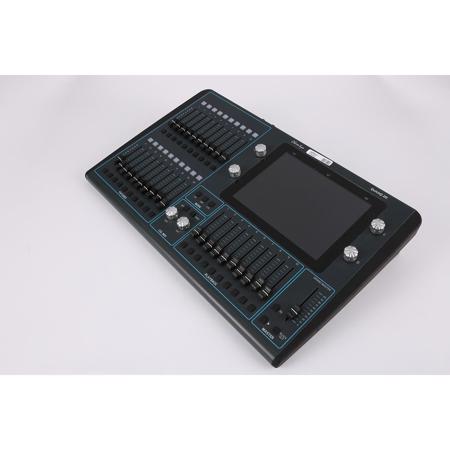
• Large touch screen with easy to understand and intuitive graphical interface
• User prompts through setup, programming and operation
Console Output Capacity
No limit on number of fixtures, only by number of universes supported
User Interface
• Modeled on smart phone icon interface and gesture support
• Intuitive interface allowing simple control of all fixture attributes
• Supports pinching for zooming and scrolling
• The remote app is identical to that on the console display so that you can easily swap between the two
Playback Faders
• Dedicated Grand Master fader
• Dedicated Cue Stack Control section
• 10 multi-purpose Cue Stack/Chase faders
• Playbacks compatible with and aid progression towards MagicQ
Fixture Faders
• Fader for Intensity Control
• Flash button
• Fixture, Group and Cue modes
• RGB LED shows current mode/state
• 20 fixture faders
Networking
QuickQ supports output of DMX over network via ArtNet/sACN/Pathport
Color Control
• A dedicated "color control area" with Hue and Saturation encoders and a pair of additional buttons for color control
• Select from in-built palettes and gel libraries using the touch screen
Offline Software
• Offline editor available for both Windows and Mac
• Easy upgrades
• Includes MagicVis visualizer
• Replicates entire QuickQ console software excluding output








